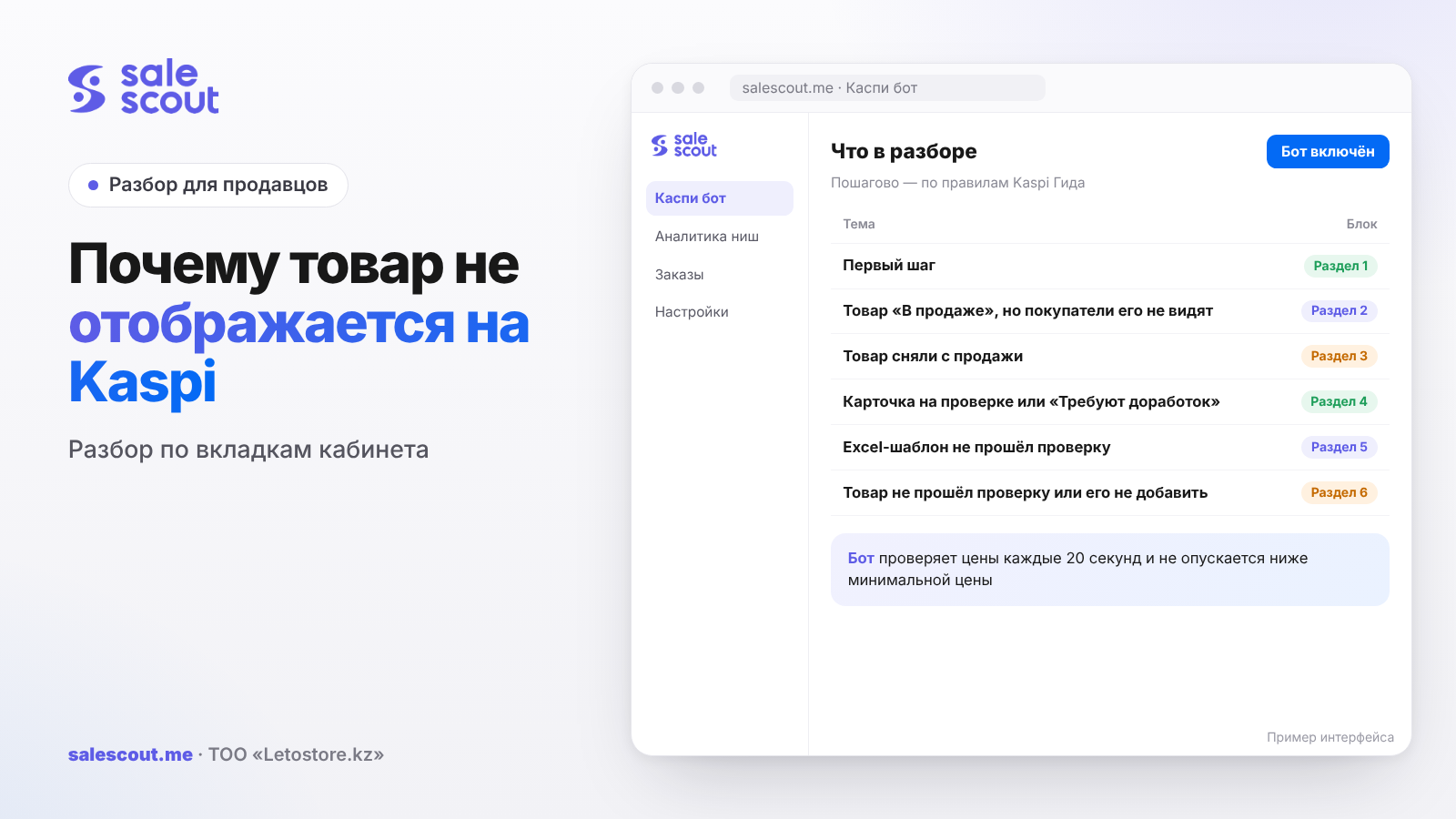
Buyers can't see a product in the Kaspi.kz Store for one of a handful of reasons. It may still be waiting for review, need fixes, sit in «Отклонены» ("Rejected"), or be «В продаже» ("On sale") with no warehouse and no delivery method. It may also have been taken off sale: because of a cancellation, brand restrictions or a promotion. The reason is almost always visible from the tab the product sits in, so start there, not with a message to support.
In short
- A new offer on an existing product card (the single shared listing that all sellers of an item join) goes on sale within 15 minutes. A new card goes through moderation for up to three working days.
- «В продаже» but not visible — check that the warehouses holding the product are ticked and a delivery method is selected.
- «Требуют доработок» ("Needs fixes") — the moderator has highlighted in red the fields to correct.
- «Сняты с продажи» ("Taken off sale") happens because of a cancellation with the reason «Нет в наличии» ("Out of stock"), a restricted brand, a gap in the price list, a promotion, or a pre-order that is too long.
- If Kaspi has ended your partnership, you got a push notification about it in Kaspi Pay.
Step one: find the product in the cabinet
The tab where the product sits already answers half the question. Kaspi sorts add requests like this (q2965, updated May 27, 2024):
| Tab | What it means |
|---|---|
| Без привязки ("Not linked") | the product is waiting to be linked to a card: pick one from the list or create a new one |
| На проверке ("Under review") | a new card is with the moderators |
| Требуют доработок ("Needs fixes") | there are inaccuracies; the comment says what to add |
| Отклонены ("Rejected") | the card failed review |
| В продаже ("On sale") | the product is listed and can be found via search or a category filter (q2232) |
| Сняты с продажи ("Taken off sale") | the product was removed from the storefront by you or by Kaspi |
If the product isn't in any tab and you added it via Excel, look in Товары → Нераспознанные товары ("Products → Unrecognized products"). That's a separate story, covered below.
The product is «В продаже», but buyers don't see it
The most frustrating case: everything in the cabinet is green, yet a buyer on a phone can't find the product. Kaspi names two reasons (q3502, updated Jun 15, 2026).
Warehouses aren't ticked
The product must have all the points where it physically is selected. In the Kaspi Pay app: Товары → the product → three dots → «Редактировать цену» ("Edit price"), and tick the stores. In the web cabinet the same is done in Товары → Управление товарами ("Products → Product management"), and for a hundred items it's faster to upload a price list with the warehouses filled in via «Загрузить вручную» ("Upload manually").
The store isn't connected to delivery
Until a delivery method is selected, the product isn't shown to buyers. The options are Kaspi Delivery (Kaspi Доставка), your own delivery, or pickup — and pickup is only available to sellers who connected before June 15, 2026. In the app: Настройки → Доставка по городу ("Settings → City delivery"). In the web cabinet: Остальное → Настройки ("Other → Settings").
A common situation with newcomers: the store is connected, products are uploaded, and delivery is left "for later". The storefront stays empty. How to choose between the options is covered in our articles on Kaspi Delivery and on own delivery.
Less than 15 minutes have passed
When you link a product to an existing card, it goes on sale within 15 minutes (q3147, updated Feb 23, 2026). Prices and stock from the price list don't update instantly either: for stock, the Guide gives the same 15 minutes (q3692, updated Dec 23, 2025). Checking earlier is pointless.
The product was taken off sale: a table of reasons
If the product is in «Сняты с продажи» and you didn't remove it, Kaspi did. The reasons are collected in one Guide article (q3679, updated Aug 13, 2026):
| Reason | What to do |
|---|---|
| The last order was cancelled with the reason «Нет в наличии» | restock and list the product again |
| Kaspi Delivery doesn't accept this product or category | connect own delivery (Настройки → warehouse → Доставка по городу → Моя доставка) |
| Restricted brand or category | fill in the permission form |
| The product is only shipped by Express delivery | connect Express through the form |
| The product isn't in the latest price list | add it to the file and upload again; the file check takes 15 minutes |
| The store's operations are partially restricted | wait for the automatic unblock; the date is in the cabinet |
| You're not in a promotion or Kaspi Жұма, and participation is restricted for you | the products come back after the promotion ends |
| The pre-order period is longer than the maximum for the product | set an allowed number of days in the price list |
| Kaspi has ended your partnership | check the push notification in Kaspi Pay |
The price list is what sellers forget most often. You upload a new file with only the new arrivals — and everything not in it disappears from the storefront. The file overwrites the catalog rather than adding to it.
Partial restrictions are covered in detail in our article on store blocking. While sales are suspended, you can still hand over orders and process returns.
Stock and «Нет в наличии»
Stock levels are mandatory for sellers who joined the Kaspi.kz Store after October 21, 2025 or whose quality indicators dropped to «Плохо» ("Poor") or below (q4239, updated Nov 7, 2025). Others may skip them, but then you have to take products off sale manually, otherwise orders land on an empty shelf, and every such cancellation hurts your indicators.
When an order is cancelled, stock restores itself with own delivery. With Kaspi Delivery, too, if the order was still in the «Новые» ("New"), «На подписании» ("Awaiting signature"), «Предзаказ» ("Pre-order") or «Упаковка» ("Packing") statuses. If it had already moved to «Передача» ("Handover") or «Передан на Kaspi Доставку» ("Handed to Kaspi Delivery"), collect the product from the drop-off point and correct stock by hand (q3694, updated Nov 3, 2025).
The card is under review or «Требуют доработок»
Every new card goes to moderation, and so does an existing one if you changed its photos, attributes or description. Moderators check attributes, description and photos within three working days (q2230, updated Apr 22, 2026). The Guide says new photos for a card are checked within up to one working day (q2968, updated Apr 10, 2026).
If it fails, the card moves to «Требуют доработок». Fields with errors are highlighted in red, with the moderator's comment on top. Fix it, submit it, and after review the product is listed again (q2231, updated Jul 4, 2025).
If the card was rejected
The «Отклонены» tab has an «Добавить товар повторно» ("Add product again") button. Be sure to explain how your product differs from the one already uploaded: for example, a different volume or set. You get one attempt. If the second review also ends in a rejection, you can't submit the product again (q4033, updated Jun 4, 2025). So don't press the button in the heat of the moment; reread the requirements first.
Changes to the card didn't apply
This isn't the same as "not showing": the product is visible, but with the old title or photo. Kaspi silently rejects an edit if it contains something forbidden (q3555, updated Jun 17, 2025):
- in the title — discounts, price, the words "copy", "original", "replica", links to social media;
- in the description — "promotion", "sale", "best", "unique", "analogue", "1:1", seller contacts;
- in the attributes — other colours and sizes; on a card older than a month with other sellers linked, the main attributes can't be changed;
- in photos — watermarks, blur, the product not fully shown on the main photo, extra objects;
- in video — advertising or a foreign language without Russian or Kazakh subtitles.
How to build a card that passes the first time is covered in how to create a product card on Kaspi.
The Excel template failed review
Bulk uploads fail for different reasons. A template is rejected if the archive isn't a ZIP, it contains extra templates or no images, images are named incorrectly, required fields are empty or more than 10 columns are filled, the template was already published, an SKU is duplicated, or the wrong category was chosen (q2960, updated Oct 23, 2023).
You'll find the reason in Товары → Нераспознанные товары → Отклонены. In «История загрузок» ("Upload history") you can download «Шаблон с проверкой: Результат» ("Checked template: Result") — problem cells are orange there, with a hint next to them (q2966). A repeat review takes three working days.
The product failed review or can't be added
Sometimes the product never reaches the storefront. The Guide has a separate list for this (q2963, updated Dec 18, 2025), and half of the items are not about the card but about store settings:
- the selected store is switched off — the status is changed in Остальное → Настройки → Склады и магазины ("Warehouses and stores");
- Kaspi Delivery doesn't take this product or category — you need own delivery;
- the store isn't connected to any delivery at all;
- the brand or category is restricted and needs permission;
- participation in a promotion or Kaspi Жұма is restricted for you.
If the add button doesn't work at all, the Guide names two reasons: a restricted brand or category, or a terminated partnership (q2721, updated Mar 18, 2025). Which documents are required for permission is covered in our article on brand restrictions on Kaspi.
The product exists, but search doesn't find it
This is the third kind of "not showing", and it has nothing to do with the cabinet. Buyers find products by name, category or keywords (q2235, updated Oct 23, 2023). If you created the card yourself, called it "Moisturising cream 50 ml" without the brand and put it in a random category, a person searching by brand won't reach you.
Check this from a buyer's phone. Type into Kaspi.kz search what an ordinary person would: brand, model, volume. If it's not in the results, look at the title and category. Under the Guide's rules the title must be in Russian or Kazakh and contain the product's key attributes (q3243). For some products it's generated automatically; then you have to fix the attributes, not the heading.
One more thing. A product may sit on a card together with a dozen other sellers. The buyer "sees" it, but it isn't first in the list, and the person doesn't scroll down to your line. That's a price question, not a moderation one.
The math: what a day of invisibility costs
A hypothetical example, not a client case. A product sells for 12,000 ₸; after commission, delivery and purchase cost, one sale leaves 1,800 ₸. Normally 5 units go per day.
| Scenario | Days without sales | Lost profit |
|---|---|---|
| Forgot to tick a warehouse, noticed a day later | 1 | 9,000 ₸ |
| Photo edit, review up to 1 working day | 1 | 9,000 ₸ |
| New card instead of linking, moderation | 3 | 27,000 ₸ |
| Rejection, fix and second review | 6 | 54,000 ₸ |
Lost profit = Sales per day × Profit per sale × Days off the storefront
The takeaway is simple. Edit photos and descriptions on a best-seller when sales are dipping anyway, not on the eve of Kaspi Жұма. And before creating a new card, search twice for an existing one: linking takes 15 minutes, not three working days.
A 10-minute check routine
- Find the product via the cabinet search and see which tab it's in.
- «В продаже» — check the product's warehouses and the delivery method in settings.
- «Сняты с продажи» — compare with the reasons table above: last cancellation, restricted brand, price list, promotion.
- «Требуют доработок» or «Отклонены» — read the moderator's comment and the red fields.
- Product in an Excel upload — open «Шаблон с проверкой: Результат».
- Everything is clean but the product is missing — check the push notifications in Kaspi Pay and write to «Чат с Kaspi Гид» ("Kaspi Guide chat").
Common mistakes that make products disappear
- Uploading products without choosing a delivery method.
- Adding a new warehouse and not ticking it for the products.
- Uploading a price list with only the new items, so the old ones leave the storefront.
- Cancelling an order as «Нет в наличии» and not noticing the product was taken off sale.
- Creating a new card instead of linking to an existing one and losing three working days.
- Writing "original" or "discount" in the description and getting the edit rejected.
- Pressing «Добавить товар повторно» without an explanation and burning the only attempt.
Checklist: the product is visible to buyers
Once a week, go through the «Требуют доработок» and «Сняты с продажи» tabs. Before every price-list upload, check that:
- the file contains every item that should be on sale;
- every product has all warehouses with stock ticked;
- a delivery method is selected for each warehouse;
- stock matches the shelf, if you're required to keep it;
- restricted brands and categories have permission;
- the pre-order period isn't longer than allowed for the product;
- the title and description contain no "original", "copy", "discount", "best";
- the main photo shows the whole product, without watermarks.
How to automate prices and avoid selling at a loss
Sometimes the product is visible, but the buyer doesn't choose it because you're not first on price on the card. The SaleScout Kaspi bot checks prices every 20 seconds, keeps you at the top of the product card and never goes below the minimum price you set. When a competitor raises their price or leaves the card, the bot raises your price to just below the next seller. You can try the bot free for 7 days, no card needed.
Frequently asked questions about why a product isn't showing on Kaspi
Why is my product on sale but not visible on Kaspi?
Most likely the product has no warehouse ticked, or no delivery method is selected for the store. Kaspi shows the product to buyers only after both settings are filled in.
How long after adding does a product appear on Kaspi?
Linked to an existing card — within 15 minutes. A new card takes longer: moderation lasts up to three working days.
What does «Требуют доработок» mean?
The moderator found inaccuracies in the attributes or photos. Fields with errors are highlighted in red, and the comment says what to add. After you fix them, the card goes back for review.
Why was my product taken off sale on its own?
Most often it's the last cancellation with the reason «Нет в наличии», or a new price list without that item. Less often — brand restrictions, a promotion you're not part of, or a pre-order that's too long.
Can I appeal a rejected card?
Once, with the «Добавить товар повторно» button in the «Отклонены» tab. Explain how your product differs from the one already uploaded. A second rejection is final.
Why didn't my card changes save?
The edit was rejected and the card stayed the same. Usually the culprit is words like "original", "discount", "best", seller contacts or a photo with a watermark.
Do I need to enter stock on Kaspi?
If you joined after October 21, 2025, or your quality indicators are at «Плохо» or below — yes. Others may skip it, but then you have to take the product off sale by hand when it runs out.
Sources
- Kaspi Guide. «Товар выставлен на продажу, но не отображается» (Product is listed but not showing) — https://guide.kaspi.kz/partner/ru/shop/goods/general/q3502 (updated Jun 15, 2026)
- Kaspi Guide. «Товар снят с продажи» (Product taken off sale) — https://guide.kaspi.kz/partner/ru/shop/goods/delete/q3679 (updated Aug 13, 2026)
- Kaspi Guide. Sections of add requests — https://guide.kaspi.kz/partner/ru/shop/goods/add/q2965 (updated May 27, 2024); the «В продаже» tab — https://guide.kaspi.kz/partner/ru/shop/goods/add/q2232 (updated Sep 28, 2026)
- Kaspi Guide. «Как добавить товар» (How to add a product) — https://guide.kaspi.kz/partner/ru/shop/goods/add/q3147 (updated Feb 23, 2026)
- Kaspi Guide. Card review — https://guide.kaspi.kz/partner/ru/shop/goods/general/q2230 (updated Apr 22, 2026); «Требуют доработок» — https://guide.kaspi.kz/partner/ru/shop/goods/add/q2231 (updated Jul 4, 2025); second review — https://guide.kaspi.kz/partner/ru/shop/goods/add/q4033 (updated Jun 4, 2025)
- Kaspi Guide. Card changes didn't apply — https://guide.kaspi.kz/partner/ru/shop/goods/edit/q3555 (updated Jun 17, 2025); title — https://guide.kaspi.kz/partner/ru/shop/goods/edit/q3243 (updated Sep 28, 2026); photos — https://guide.kaspi.kz/partner/ru/shop/goods/edit/q2968 (updated Apr 10, 2026)
- Kaspi Guide. Excel template failed review — https://guide.kaspi.kz/partner/ru/shop/goods/add/q2960 and https://guide.kaspi.kz/partner/ru/shop/goods/add/q2966 (updated Oct 23, 2023)
- Kaspi Guide. Product failed review — https://guide.kaspi.kz/partner/ru/shop/goods/add/q2963 (updated Dec 18, 2025); can't add a product — https://guide.kaspi.kz/partner/ru/shop/goods/add/q2721 (updated Mar 18, 2025); how buyers find products — https://guide.kaspi.kz/partner/ru/shop/goods/general/q2235 (updated Oct 23, 2023)
- Kaspi Guide. Stock — https://guide.kaspi.kz/partner/ru/shop/goods/leftovers/q4239 (updated Nov 7, 2025), https://guide.kaspi.kz/partner/ru/shop/goods/leftovers/q3692 (updated Dec 23, 2025), https://guide.kaspi.kz/partner/ru/shop/goods/leftovers/q3694 (updated Nov 3, 2025)
The sources are in Russian; original titles are given with English translations. All links checked Oct 27, 2026.
Bota, analyst
SaleScout is our company's product. Kaspi and Kaspi.kz are trademarks of Kaspi.kz JSC; SaleScout is not affiliated with Kaspi.