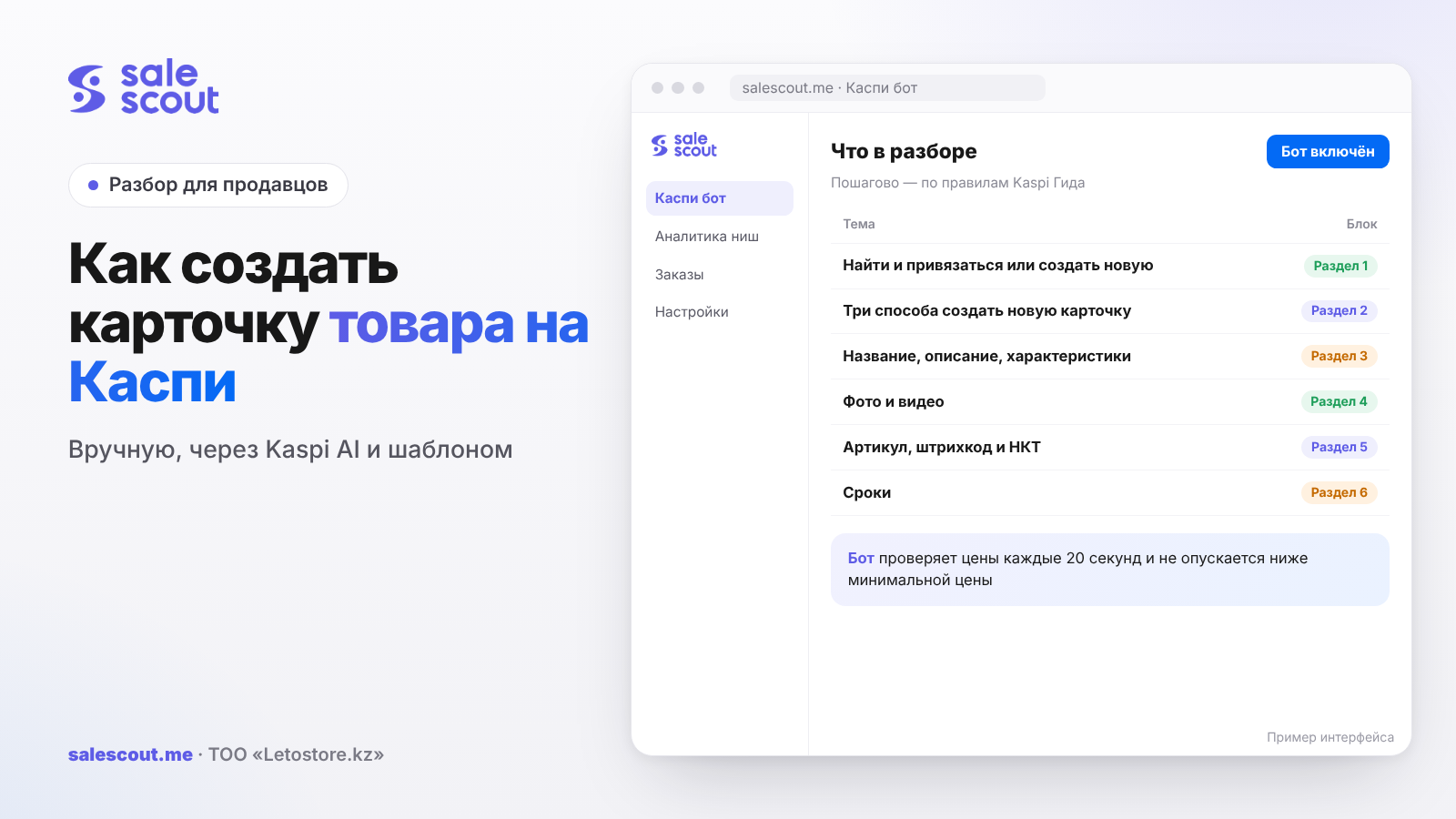
First, search for your product in the catalogue. If such a card already exists, you attach your offer to it, and in 15 minutes the product is on sale. A new card is created only when the product isn't on Kaspi yet: manually in the app or the seller account, with Kaspi AI, or with an Excel template for many items at once. Every new card goes through a review of up to three working days. So the real time to go on sale depends on how many times your card gets sent back for revision.
In short
- A product card on Kaspi is shared by all sellers. You don't "make your own"; you either join an existing card or create a new one that other sellers will later join too.
- Attaching to a ready card takes 15 minutes. A new card takes up to three working days of review, and every revision restarts the review.
- In the title and description you may not write about discounts and promotions, use evaluations like «лучший» (best), or the words «копия», «оригинал», «реплика» (copy, original, replica). This is the most common reason cards come back for revision.
- The main characteristics of a card older than a month with other sellers attached can no longer be changed. Better not to make a mistake in the model or colour the first time.
- Only a partner with Kaspi Касса (Kaspi's cash register service) can add a barcode to a card. Kaspi lets you sell without a barcode and without a record in the National Product Catalogue (НКТ), but since 2026 the law requires registration in the НКТ.
Find and attach, or create a new one
A product card is a page in the Kaspi.kz Store that brings together photos, characteristics, the description, reviews and all sellers of the product (q2220, updated Dec 11, 2025). Reviews and ratings are kept there with no time limit (q4863). That is why attaching to an old card with a hundred reviews almost always beats a new, empty one.
Start with search: in the Kaspi Pay app — Магазин на Kaspi.kz → Товары → Добавить товар; in the web account — Управление товарами → Добавить товар. Enter the name, find the card and open the description. The characteristics must match your product completely: model, memory size, colour, set. Then set the price and stock per warehouse, and after a review of up to 15 minutes the product will be on sale (q3147, updated Feb 23, 2026).
Check the match honestly. Selling a product that does not match the card's characteristics is a rules violation, with restrictive measures up to termination of cooperation (q2222, updated Aug 4, 2025). If you attached to the wrong card, you can move the product: find the right card and enter the same SKU you used before (q2225).
If you created a new card anyway and one already existed, Kaspi will attach your product to the existing card itself (q2238). Where your offer lands in the shared card depends on bonuses, price, rating and reviews — covered in our article how to get to the top of a Kaspi product card.
Three ways to create a new card
| Manually | Kaspi AI | Excel template | |
|---|---|---|---|
| Where | Kaspi Pay app or web account | Kaspi Pay app | Web account |
| For what | One or two items | One item when you have no ready data | Dozens of items in one category |
| What you do | Category, brand, photos, characteristics, price | Photos, optionally a link and a PDF, Excel or PPTX file | Category template, images folder, ZIP up to 100 MB |
| Review | Up to three working days | Up to three working days | Up to three working days |
| After review | On sale right away | On sale right away | In «Сняты с продажи» (Removed from sale); you set price and stock separately |
Sources by column: manual and Kaspi AI — q2223 (updated Feb 23, 2026), template — q2969 (Jun 17, 2025) and q2237 (Sep 2, 2025).
Manually
The path in the app: Товары → Добавить товар → enter the name or SKU → «Добавьте сами» (Add it yourself). In the web account: Управление товарами → Добавление товара → Добавить новую карточку товара. Choose the category and brand and enter the title — for some products it is built automatically. Upload photos; the first one becomes the main one, and you can add a link to a YouTube review. Fill in the main characteristics, additional ones if needed, price and stock, and send it for review.
If the value you need isn't in the list, press «Добавить новое значение» (Add a new value). Kaspi will ask for the value's name, a photo of the packaging or manual where it is stated, and a link to the same product in another online store (q3245, updated Feb 23, 2026).
Kaspi AI
Kaspi AI builds a card from product photos: it picks the title and category, makes photos, and fills in characteristics and the description (q4878, updated May 28, 2026). You can give it a link to the product in another store, a PDF, Excel or PPTX, and along the way it may ask for a photo of the tag or box. You can regenerate the data up to three times and then edit it by hand (q4881). The service is being rolled out gradually, and some sellers don't have the button yet.
An important detail: a card that you changed yourself after Kaspi AI, added photos to or whose empty fields you filled in goes to moderators, who review it within up to three working days (q4882). Kaspi AI will not handle goods that cannot be sold in the Store: used goods, fakes and replicas, 18+, spy devices, digital goods, samples and others from the list (q4880).
Excel template
For a large assortment Kaspi provides a template per category. You download it in the web account, enable macros and fill in the attributes sheet following the instructions on the intro sheet. Photos go into an images folder with names like "SKU_number", for example 1234_1, 1234_2, and if there are many photos, each must be up to 1 MB. The template and the folder are packed into a ZIP up to 100 MB (q2237).
A template is rejected if the archive is not a ZIP, contains extra templates or no photos, image names are wrong, required fields are empty or more than 10 columns are filled in, the template was already published, an SKU is duplicated, or the category, title or photos are wrong (q2960). The reason is shown under Нераспознанные товары → Отклонены.
Title, description, characteristics
The title is written in Russian or Kazakh, without errors, with the main characteristics. Not allowed: discounts and promotions, the price, the words «копия», «оригинал», «реплика», links to websites and social networks. A new title is applied within 15 minutes (q3243, updated Sep 28, 2026).
The description can be left empty altogether. If you fill it in — from 100 to 7,000 characters, only verifiable facts, benefits and use cases. Three groups of words are banned: evaluations («лучший», «уникальный», «потрясающий» — best, unique, amazing), advertising («акция», «распродажа», «скидка», «только сегодня» — promotion, sale, discount, today only) and words that hurt reputation: «аналог», «подделка», «копия», «copy», «реплика», «1:1», «по мотивам», «оригинал», «original», «подлинный» (q3553, updated Nov 12, 2024). Break the rules and the card fails review.
Characteristics are stricter than they seem. The main ones are mandatory and depend on the category: model, shape, colour, size. Additional ones are optional, but buyers filter results by them. If a card is older than a month, its main characteristics can no longer be changed (q3554, updated Feb 23, 2026). And in the section on why edits did not apply, Kaspi clarifies: it is not possible if the card is older than a month and products of different sellers are attached to it (q3555, updated Jun 17, 2025). In practice this means a model error in a popular card can no longer be fixed; you can only create a correct one.
Buyers find products by title, category and keywords (q2235). So the title needs the model and the key parameter — "Wireless headphones [brand] [model], black", not "Good wireless headphones".
Variants: colours and sizes
In the «Одежда» (Clothing) and «Обувь» (Shoes) categories you can keep several colours and sizes in one card. You can merge products of the same brand and category with matching main characteristics (q5146, updated Jul 23, 2026). The button is «Объединить варианты товара» (Merge product variants) in the card. The system offers items of the same category and brand, you tick the suitable ones and send a request (q3146, updated Sep 28, 2026). The request is rejected if the models differ (q5148).
Photos and video
Photo requirements (q2233, updated Dec 27, 2024): good quality without watermarks, the product in focus and filling most of the frame, nothing in the frame that isn't part of the set, all elements of a set shown, the product shot from different angles without packaging. Resolution from 500×500 to 5000×5000 pixels, file up to 25 MB. A card can have from 1 to 15 photos, and photo edits are reviewed within up to one working day (q2968, updated Apr 10, 2026).
The main photo is most often rejected for two things: the product is in its packaging, or only part of the product is visible (q3555). You can show the box in the second or third shot; the first one is the whole product itself.
There are two kinds of video (q2964, updated Oct 7, 2026):
| Parameter | Short video | Long video |
|---|---|---|
| Length | 5–60 seconds | 1–10 minutes |
| How to upload | MP4 or MOV file up to 30 MB | YouTube link |
| Format | 1:1, 3:4 or 4:3 | — |
| Language | — | Russian, Kazakh, or English with Russian or Kazakh subtitles |
A video must not contain advertising words or profanity, comparisons with other manufacturers' products, or a thumbnail that highlights flaws. Kaspi recommends using the manufacturer's video reviews.
SKU, barcode and the National Product Catalogue
The SKU (артикул) is your internal product code; price lists work by it later. Kaspi generates it automatically, but you can set your own from your accounting system (q3344, updated May 23, 2024). Separately, the card has a «Артикул производителя» (Manufacturer's article number) field — the code from the packaging, tag or waybill. If you plan to upload prices through a price list, design SKUs right away and with one system; changing them on a hundred products later takes a long time. How the price list connects with stock is covered in our article about stock on Kaspi.
Since January 1, 2026 sellers must register products in the National Product Catalogue (НКТ) and sell them with a barcode (q4571, updated Dec 31, 2025). The Kaspi.kz Store is integrated with the НКТ (q4575). At the same time, Kaspi answers directly that in the Store you can sell a product without a barcode and a product that isn't in the НКТ (q4574, q4573). Only partners with Kaspi Касса connected can add a barcode in the account: scan it with the camera or enter an NTIN or GTIN code (q4572, updated Jun 24, 2026).
This is a subtle point that gets little attention. Technically Kaspi will let a card through without a barcode, but the legal requirement does not go away. If the product belongs to a group that is also marked, there are more requirements — we collected them in our article about product marking for Kaspi.
Timing: how many days until the first sale
A new card may pass review the first time, or it may come back to the «Требуют доработок» (Need revision) tab with red fields and a comment. After the fix — another review (q2223; q2231, updated Jul 4, 2025). If the product ends up in «Отклонены» (Rejected), you can send it for a repeat review once, with an explanation. A second failure — and you can't submit it again (q4033, updated Jun 4, 2025).
A handy way to count:
Time to sale ≈ 3 working days × (1 + number of revisions)
Add the weekend if you sent the card at the end of the week. A hypothetical example, not a client case: the card was sent on Friday, the forecast is 2 orders a day at 2,500 ₸ profit per order. We count working days at the maximum review time.
| Scenario | Working days | On sale from | Calendar days | Lost profit |
|---|---|---|---|---|
| Attaching to a ready card | 15 minutes | The same day | 0 | 0 ₸ |
| New card, no revisions | 3 | Wednesday | 5 | 25,000 ₸ |
| One revision | 6 | Monday of the following week | 10 | 50,000 ₸ |
| Two revisions | 9 | Thursday of the following week | 13 | 65,000 ₸ |
We counted simply: calendar days × orders per day × profit per order. The numbers are rough; what matters is the scale. One word «оригинал» in the description — and the card goes round again, which is another five days without sales. An hour spent proofreading the text before sending costs far less.
The card passed, but buyers can't see it
Two common reasons (q3502, updated Jun 15, 2026): stock in warehouses is not marked, or the store is not connected to delivery. Pickup is available only to those who joined the Store before June 15, 2026. If a product fails review, the reason may also be a disabled warehouse, Kaspi Delivery not accepting the category, or restricted brands and categories that need a permit (q2963, updated Dec 18, 2025).
Common mistakes
- A new card instead of attaching. The product was already in the catalogue, and Kaspi will end up placing you in the old card anyway. Meanwhile you waited three days for review for nothing and got an extra SKU.
- «Оригинал» in the description. People write it to reassure the buyer, but for Kaspi this word is on the same list as «копия». The card comes back, plus three working days.
- The main photo in a box. The first shot needs the whole product itself. The box, tag, hands, second colour — in the following ones.
- A typo in the model. While the card is new, it's a small thing. A month later, when other sellers have joined, the main characteristic can no longer be fixed.
- Trying to glue different models together. Colours and sizes of one model are merged; Kaspi will not let "similar" models into one card.
- Eleven columns in the template. More than ten filled in — rejection. The same goes for images not named by the "SKU_number" scheme.
- Resubmitting from «Отклонены» without an explanation. You get one chance. Write plainly how your product differs from what is already in the catalogue.
Checklist
- Catalogue search first: name, model, manufacturer's article number.
- Found a card — compared every line of characteristics with your product, down to the set.
- The title has the model and key parameter, no price or promotions, in Russian or Kazakh.
- The description has been checked for «лучший», «скидка», «копия», «оригинал», «аналог».
- The first photo is the whole product, without packaging, from 500×500 pixels.
- A second person double-checked the model, colour and size.
- SKUs follow your own scheme if prices will go through a price list.
- A permit for a restricted brand or category was requested in advance.
- Warehouses with stock are marked, delivery is connected.
- A short video is up to a minute and 30 MB; a long one goes as a YouTube link.
If you are loading a hundred items with a template, don't send them all at once. Send five to ten first and see what comes back. If they pass cleanly, upload the rest. An error in the template structure on a hundred products means a hundred revisions and a week without sales.
How to automate it
You create the card, while a dumping bot (repricing bot) can hold the price in it. The SaleScout Kaspi bot checks prices every 20 seconds, puts you at the top of the card and never goes below the minimum price you set. When a competitor raises their price or leaves the card, the bot raises your price to just below the next seller. You can try the bot free for 7 days, no card needed. If you are still choosing a niche for new cards, SaleScout also has niche analytics — see our article about niche analytics on Kaspi.
FAQ
How do I add a product on Kaspi if there is no such card?
There are three ways. Manually in Kaspi Pay or the web account, with Kaspi AI from photos, or with an Excel template if you have many items. In any case you will need the category, brand, photos, main characteristics, price and stock, and the review will take up to three working days.
How long does Kaspi take to review a product card?
A new one — up to three working days. If you attach to a ready card, 15 minutes is enough. A photo edit takes up to one working day, and renaming about 15 minutes. Every return "for revision" restarts the clock.
Why was my product card rejected on Kaspi?
Usually words are to blame: «оригинал», «скидка», «лучший» in the title or description. Next in frequency come a main photo in packaging and inaccurate characteristics. It also happens that there is no permit for a restricted brand, the warehouse is disabled or delivery isn't connected. Kaspi states what exactly is wrong in a comment and highlights the fields in red.
Can I change the characteristics in a Kaspi product card?
Edit the additional ones as much as you like. The main ones are harder: model, colour and size in a card older than a month that other sellers have joined do not change. Hence the advice — reread them before sending; later it will be too late.
Do I need a barcode for a product card on Kaspi?
Kaspi lets you sell a product without a barcode and without a record in the НКТ. But since January 1, 2026 the law requires registering products in the НКТ and selling them with a barcode. Only partners with Kaspi Касса connected can add a barcode in the Kaspi account.
How do I create a card with Kaspi AI?
Open in Kaspi Pay: Товары → Добавить товар → «Добавьте сами» → «Создать товар с Kaspi AI». Then attach photos, optionally a link to the product in another store and a file with a description, and check the category and brand. If you don't like the result, it can be regenerated up to three times. The button doesn't appear for everyone at once; Kaspi is rolling the service out gradually.
Can I merge colours and sizes in one card?
Yes, for clothing and shoes and generally for products of the same brand and category with matching main characteristics. In the card press «Объединить варианты товара», tick the suitable items and send the request. Different models cannot be merged.
Sources
All links checked Oct 18, 2026. The sources are in Russian; original titles are given with English translations.
- Kaspi Guide for partners. «Что такое карточка товара…» (What is a product card…) — https://guide.kaspi.kz/partner/ru/shop/goods/card/q2220 (updated Dec 11, 2025); «Сколько времени хранятся отзывы и оценки…» (How long reviews and ratings are kept…) — https://guide.kaspi.kz/partner/ru/shop/goods/card/q4863 (updated Apr 2, 2026)
- Kaspi Guide. «Как привязать новый товар к существующей карточке…» (How to attach a new product to an existing card…) — https://guide.kaspi.kz/partner/ru/shop/goods/add/q3147 (updated Feb 23, 2026); «Товар как у меня уже есть…» (A product like mine already exists…) — https://guide.kaspi.kz/partner/ru/shop/goods/add/q2222 (updated Aug 4, 2025); «Я привязал свой товар к неподходящей карточке…» (I attached my product to the wrong card…) — https://guide.kaspi.kz/partner/ru/shop/goods/add/q2225 (updated Feb 23, 2026); «Я создал новую карточку товара, но увидел, что такая уже есть…» (I created a new card but saw one already exists…) — https://guide.kaspi.kz/partner/ru/shop/goods/add/q2238 (updated Oct 23, 2023)
- Kaspi Guide. «В Магазине на Kaspi.kz нет такого товара как у меня. Как его добавить?» (The Store has no product like mine. How do I add it?) — https://guide.kaspi.kz/partner/ru/shop/goods/add/q2223 (updated Feb 23, 2026); «Как добавить новое значение характеристики…» (How to add a new characteristic value…) — https://guide.kaspi.kz/partner/ru/shop/goods/add/q3245 (updated Feb 23, 2026)
- Kaspi Guide. Kaspi AI: https://guide.kaspi.kz/partner/ru/shop/goods/ai/q4878, https://guide.kaspi.kz/partner/ru/shop/goods/ai/q4881, https://guide.kaspi.kz/partner/ru/shop/goods/ai/q4882, https://guide.kaspi.kz/partner/ru/shop/goods/ai/q4880 (all updated May 28, 2026)
- Kaspi Guide. «Как загрузить сразу несколько товаров…» (How to upload several products at once…) — https://guide.kaspi.kz/partner/ru/shop/goods/add/q2969 (updated Jun 17, 2025); https://guide.kaspi.kz/partner/ru/shop/goods/add/q2237 (updated Sep 2, 2025); «Почему я не могу загрузить шаблон…» (Why can't I upload the template…) — https://guide.kaspi.kz/partner/ru/shop/goods/add/q2960 (updated Oct 23, 2023)
- Kaspi Guide. «Как изменить название товара…» (How to change a product title…) — https://guide.kaspi.kz/partner/ru/shop/goods/edit/q3243 (updated Sep 28, 2026); «Какие требования к описанию товара…» (Description requirements…) — https://guide.kaspi.kz/partner/ru/shop/goods/card/q3553 (updated Nov 12, 2024); «Какие характеристики нужно указать…» (Which characteristics to specify…) — https://guide.kaspi.kz/partner/ru/shop/goods/card/q3554 (updated Feb 23, 2026); «Я отредактировал карточку товара, но изменения не применились…» (I edited the card but the changes did not apply…) — https://guide.kaspi.kz/partner/ru/shop/goods/edit/q3555 (updated Jun 17, 2025); «Как покупатели будут находить мои товары…» (How buyers will find my products…) — https://guide.kaspi.kz/partner/ru/shop/goods/general/q2235 (updated Oct 23, 2023)
- Kaspi Guide. Merging variants: https://guide.kaspi.kz/partner/ru/shop/goods/card/q5146 (updated Jul 23, 2026), https://guide.kaspi.kz/partner/ru/shop/goods/card/q3146 (updated Sep 28, 2026), https://guide.kaspi.kz/partner/ru/shop/goods/card/q5148 (updated Aug 18, 2026)
- Kaspi Guide. «Какие требования к фотографиям товаров…» (Photo requirements…) — https://guide.kaspi.kz/partner/ru/shop/goods/card/q2233 (updated Dec 27, 2024); «Как изменить фотографии товара…» (How to change product photos…) — https://guide.kaspi.kz/partner/ru/shop/goods/edit/q2968 (updated Apr 10, 2026); «Какие требования к видеороликам…» (Video requirements…) — https://guide.kaspi.kz/partner/ru/shop/goods/card/q2964 (updated Oct 7, 2026)
- Kaspi Guide. «Что такое артикул товара…» (What is a product SKU…) — https://guide.kaspi.kz/partner/ru/shop/goods/general/q3344 (updated May 23, 2024); НКТ and barcodes: https://guide.kaspi.kz/partner/ru/shop/goods/general/q4571 (updated Dec 31, 2025), https://guide.kaspi.kz/partner/ru/shop/goods/general/q4575 (updated Jun 11, 2026), https://guide.kaspi.kz/partner/ru/shop/goods/general/q4574 (updated Dec 31, 2025), https://guide.kaspi.kz/partner/ru/shop/goods/general/q4573 (updated Jan 5, 2026), https://guide.kaspi.kz/partner/ru/shop/goods/general/q4572 (updated Jun 24, 2026)
- Kaspi Guide. Review and statuses: https://guide.kaspi.kz/partner/ru/shop/goods/add/q2231 (updated Jul 4, 2025), https://guide.kaspi.kz/partner/ru/shop/goods/add/q4033 (updated Jun 4, 2025), https://guide.kaspi.kz/partner/ru/shop/goods/general/q3502 (updated Jun 15, 2026), https://guide.kaspi.kz/partner/ru/shop/goods/add/q2963 (updated Dec 18, 2025)
Bota, analyst
SaleScout is our company's product. Kaspi and Kaspi.kz are trademarks of Kaspi.kz JSC; SaleScout is not affiliated with Kaspi.