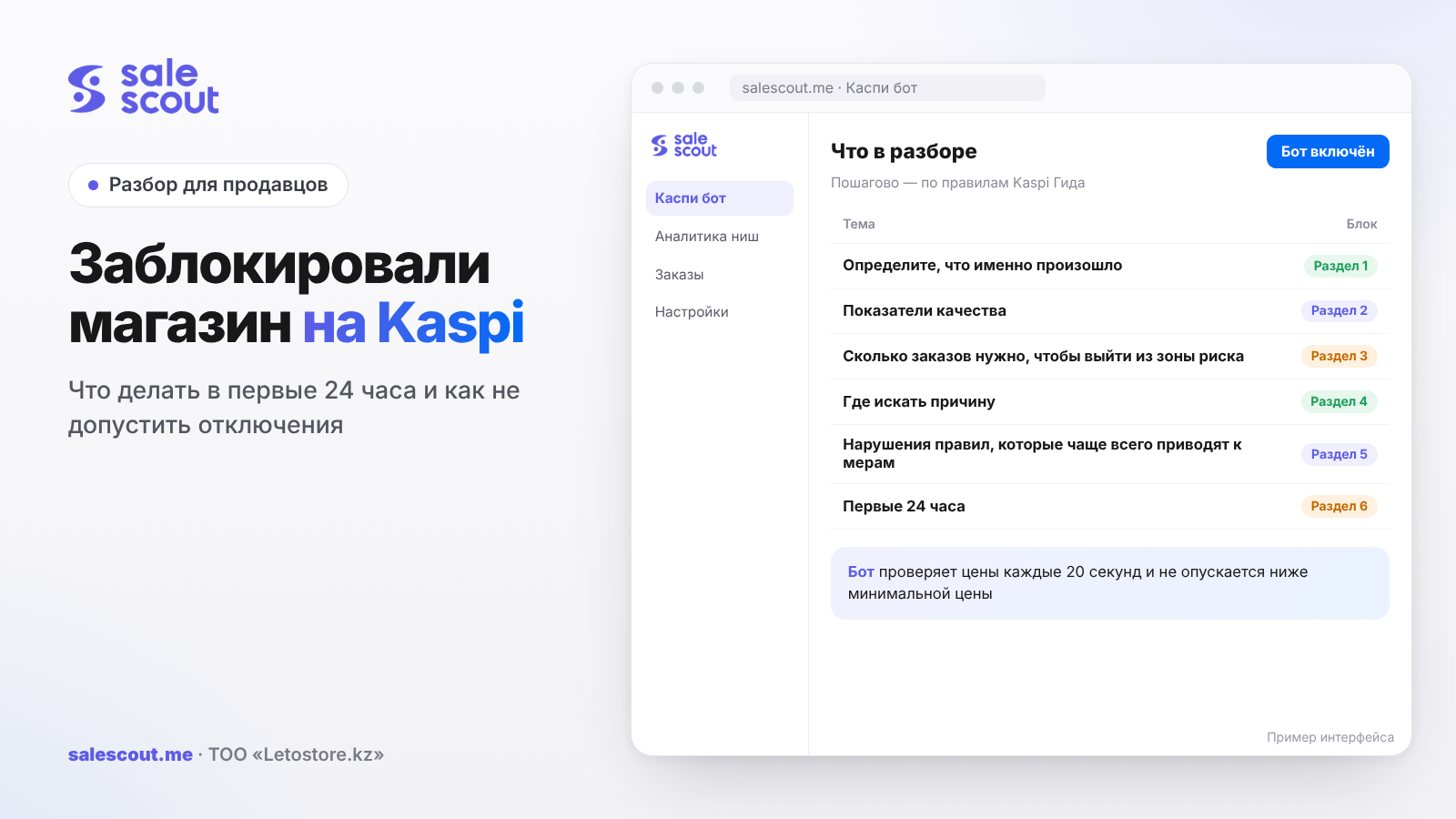
If your Kaspi store has been blocked or restricted, start by finding out exactly which measure was applied and why: a warning, restrictions on specific services, products taken off sale, or the end of the partnership. Everything else depends on that. Most often the cause is quality metrics or a breach of the rules for selling in the Kaspi store, and both have clear thresholds that Kaspi publishes itself.
In short
- Kaspi has four minimum quality requirements, and they're public: a rating of 4 stars or higher, cancellations due to your fault below 3%, delays handing orders over to Kaspi Delivery (Kaspi's own shipping service) under 10%, and returns for quality reasons below 2%.
- A "Poor" («Плохо») status gives you 14 days to fix everything calmly. At "Very poor" («Очень плохо») you can already be restricted, up to being disconnected.
- After being disconnected for quality metrics, you can't come back; Kaspi Guide, Kaspi's official help center, says so directly. The store has to be saved earlier.
- Write only to official channels. The rules prohibit looking for a Kaspi employee you know.
Step 0. Work out what exactly happened
Sellers use the word "blocked" for very different situations. Kaspi lists these measures for rule breaches (Rules for selling in the Kaspi.kz store): a warning, restricted access to store services, taking the products involved in the breach off sale, and ending the partnership.
| What you see | Likely measure | What to do first |
|---|---|---|
| A notice in your seller cabinet, sales continue | A warning or "Poor" status | Find the metric or rule and fix it within 14 days |
| «Мой Магазин» ("My Store") and external ads in «Маркетинг» ("Marketing") are unavailable | A restriction after the deadline to fix | Urgently improve metrics, check the date in your cabinet |
| Individual products, a brand or a category taken off sale | A restriction by product, brand or category | Analyze metrics for exactly that slice |
| Store disconnected, orders must be delivered within 30 days | End of partnership | Deliver orders, accept returns, keep documents |
All of this is in Kaspi Guide, on the pages about the consequences of poor metrics and what to do after being disconnected.
There's also a targeted version. If metrics have dropped for a specific category, brand or even a single product, Kaspi may restrict sales of just those. That's how you get a store that seems to be working, with orders coming in for other items, while a couple of brands have vanished from the catalog.
Quality metrics: thresholds and statuses
Kaspi recalculates the assessment every day (document on quality metrics, PDF). It starts counting once you've had at least 10 orders in the last 30 days, or earlier, after the third violation. The scale has five levels, from "Excellent" («Отлично») through "Good" («Хорошо») and "Normal" («Нормально») to "Poor" and "Very poor".
| Metric | Minimum requirement | How it's calculated |
|---|---|---|
| Rating | 4 stars or higher | Average rating over 90 days |
| Cancellations due to your fault | below 3% | Cancelled orders ÷ all orders × 100% |
| Delays handing over to Kaspi Delivery | under 10% | Share of orders handed over late |
| Returns for quality reasons | below 2% | Share of returns due to quality |
Source of the thresholds: Kaspi Guide, "Why was I disconnected".
Kaspi describes what happens next like this (Kaspi Guide):
At "Poor" you're given 14 days, and there are no restrictions during that time; check your cabinet for the exact deadline. If you don't make it, "My Store on Kaspi.kz" and external ads in "Marketing" are switched off.
"Very poor" hits several places at once. Your rating can be cut to 3 stars, "My Store" and external ads are switched off, and you're no longer placed in the top 3 of the seller list. And the end of the partnership is already looming somewhere nearby.
How many orders it takes to leave the risk zone
Metrics are shares, so they can be calculated in advance. If you have N orders in the period and C cancellations due to your fault, then to drop below threshold P you need enough clean orders x that:
x > C ÷ P − N
Let's take hypothetical numbers. 200 orders in the period and 9 cancellations due to your fault, that is, 4.5%. To get to 3%, you'll have to complete more than 9 ÷ 0.03 − 200 = 100 new orders without cancelling a single one. If you don't get that many in two weeks, a promise to "be more careful" won't cut it; you'll also have to wait for old cancellations to drop out of the calculation window.
Delays work the same way. You had 25 late handovers out of 200 orders, 12.5%; to get under 10%, you need more than 25 ÷ 0.10 − 200 = 50 additional orders handed over on time. Fifty isn't so scary if, for two weeks, you take off sale whatever you physically can't pack by morning.
Kaspi doesn't publish the exact window length for each metric, except for the rating (90 days) and the minimum number of orders (10 in 30 days). Check in your cabinet which orders were included in the calculation: they're grouped there by category, brand, product and point of sale.
Where to look for the cause: by metric type
Cancellations due to your fault
This is almost always a mismatch between the stock in your cabinet and the actual goods on the shelf. Typical sources: the item was sold in a physical store or on another marketplace, but the Kaspi stock wasn't updated; several warehouses sharing stock; updating the price list by hand once a day while sales are fast. Check which products the cancellations are concentrated on. If it's two or three items, it's easier to take them off sale until things are sorted than to risk the whole store.
Delays handing over to Kaspi Delivery
Compare the deadline for handing over an order with your packing schedule. Common causes: the order came in the evening, but your packer works until six; the pickup courier arrives before you've had time to pack; peak promotion days, when there are noticeably more orders than usual. The fix is either to shift your packing schedule or to temporarily cut your assortment to a volume you can definitely ship on time.
Returns for quality reasons
Here the cause is usually the product or the product card. Defects from the supplier, a mismatch with the description, missing parts. Export your quality returns for the last few months and group them by product and by the stated reason. If one SKU accounts for most of the returns, the answer is obvious: take it off sale, check the batch, change supplier or fix the description.
Rating
The rating takes longest to move: it's a 90-day average, and one good week barely shifts it. How to calculate the number of fives you need is in "How to Reach the Top of a Kaspi Product Card". If yours is around 4.0, work on it first; the rest will take less time.
Rule breaches that most often lead to measures
The full list is in the rules for selling in the store. From it, it's worth highlighting the clauses sellers get caught on most often:
- Item not in stock (clause 1.10). You can't list what isn't in your warehouse unless it's a pre-order. Such an item hits you twice: as a cancellation in your metrics and as a rule breach.
- Asking the customer to cancel an order, or giving the wrong cancellation reason (clauses 1.2, 1.8).
- Inserts in the order (clause 1.9). A business card with your Instagram, a coupon for the next purchase, a "leave a review" flyer: none of this is allowed. The exception is gifts from the manufacturer.
- Refusing a return (clause 4.3). An item of proper quality can be returned within 14 calendar days if it's still in sellable condition.
- Manipulating reviews and ratings (clauses 6.1–6.2). Ordering from yourself, rewarding reviews.
- Giving third parties access to your cabinet (clause 5.1).
- Trying to contact store staff through unofficial channels (clause 5.2) and any reward to them (clause 9.8).
- Moving communication with a customer to unofficial channels (clause 9.7).
The first 24 hours
- Take screenshots of the notice in your cabinet, the metric statuses and the deadline to fix things. Without them, your appeal will be unsubstantiated.
- Shut off the source. If cancellations are burning, take off sale everything whose stock you're not sure of. If delays are burning, keep on sale only what you can definitely ship on time.
- Export orders for the last 30–90 days and find out exactly what spoiled the number. Often it's one product, one warehouse or one packing shift.
- Look at the breakdown by product. When a brand or a couple of items are restricted, the cause often sits in one of them.
- Don't put out the fire with mass cancellations. Every cancellation due to your fault adds to exactly the metric you're trying to save.
The first 14 days
From here it's two weeks of routine. In the morning you open your cabinet and compare your metrics with the calculation above: are you on track or not. You hand orders over to Kaspi Delivery not at the last minute but with a buffer, so a traffic jam on Al-Farabi Avenue doesn't cost you a delay. You go through quality returns one by one; if the cause is a defect, you take the product off sale or look for another supplier. And if your rating is below 4, you use every permitted method: packaging, checking contents before shipping, quick replies in chat.
How to contact support
The official channels according to Kaspi Guide: the Kaspi Guide chat in the Kaspi Pay mobile app, direct messages to Kaspi.kz's official social media pages, and the phone number 8 (727) 330 67 97 (Kaspi Guide). Don't look for other channels: trying to reach staff personally is itself a breach.
Message template
Hello. This is the store "[name]", ID [number]. On [date] we received a notice in our cabinet: [text or summary]. Our [name] metric in the cabinet is currently [value]; the requirement is [threshold].
We've analyzed the causes: [2–3 specific causes, for example: 7 of 9 cancellations were product X with a stock error at warehouse Y].
What we've already done: [removed product X, corrected stock, changed the order handover schedule, changed supplier Z].
Could you please tell us whether we've understood the reason for the restriction correctly and what else is required from us? Screenshots are attached.
Numbers and a list of what you've already done work better than any explanation: they show you've figured it out. Sometimes you'll want to write in the heat of the moment, at 1 a.m., in all caps. Don't: threats and accusations are explicitly prohibited by the communication rules (clauses 9.1–9.3), and they won't help your case.
If the partnership has ended
According to Kaspi Guide, a disconnected seller must deliver all orders and collect the items customers returned or cancelled within 30 days. After that the cabinet is deactivated, but you can keep accepting payments through Kaspi Pay (Kaspi Guide). If you were disconnected for poor quality metrics, you can't reconnect (Kaspi Guide).
Opening a new store in a relative's name to get around the disconnection looks like the quickest way out from the outside. Don't do it: that doesn't reverse Kaspi's decision, and it puts all your accounts in the ecosystem at risk. If you believe you were disconnected unfairly, dispute it through official channels with documents in hand.
Prevention: a daily dashboard
| What to watch | Where | Alert threshold (hypothetical, below Kaspi's requirements) |
|---|---|---|
| Cancellations due to your fault | Seller cabinet → metrics | 2% |
| Handover delays | Seller cabinet → metrics | 7% |
| Returns for quality reasons | Seller cabinet → metrics | 1.5% |
| Rating | Seller cabinet | 4.3 |
| Stock on products you're dumping | Your records and the cabinet | Less than a day's sales |
We came up with the alert numbers in this table; they're not a Kaspi requirement. They're set with a margin so you start moving before "Poor" lights up in your cabinet.
On Fridays, it's useful to add a five-minute review to the daily dashboard: the three products with the worst cancellations, delays and returns, and what was done about each. If the same item has been in that top three for a second week, take it off sale. The revenue from it isn't worth the whole store suffering because of one SKU.
Pay particular attention to products where you're dumping (aggressively undercutting on price). Once you're at the top of the card, orders come in faster, and if your cabinet shows 12 units but the shelf holds 7, you'll have five cancellations by evening.
Common mistakes
- Panicking and cancelling orders en masse. Every such cancellation worsens the metric that got you restricted.
- Not looking at the breakdown by product and brand. The problem is often a single item.
- Writing to support without numbers. An appeal without metrics and steps taken gets a template reply.
- Looking for contacts at Kaspi. That's a rule breach (clause 5.2), not a solution.
- Putting flyers asking for a review into orders. Third-party inserts are prohibited (clause 1.9).
- Keeping stock "by eye" on products at the top. The fastest way to cancellations.
Checklist
First of all, find out what exactly the measure was applied to: the whole store, a category, a brand or a single product. Your whole plan depends on that. Check the rest against the list:
- Screenshots of notices and metrics are in a separate folder.
- Whatever was spoiling the metric has been removed or fixed.
- You know how many violation-free orders you need to reach the threshold.
- The appeal went through an official channel, with numbers and what's already been done.
- Metrics are checked every day until you're out of the risk zone.
- A dashboard with alert thresholds is set up.
- Stock on products at the top is checked more than once a day.
How to automate it
Let's be clear up front: a bot doesn't lift restrictions and has no influence on Kaspi's decisions. It only handles price. SaleScout's Kaspi bot checks prices every 20 seconds, never goes below your minimum price, and raises your price when a competitor goes up or leaves. While you're restoring your metrics, it's better to switch it off for products with inaccurate stock: at the top, sales go faster, and a stock mismatch turns into a cancellation sooner. You can try the bot free for 7 days, no card required.
FAQ
Why does Kaspi block a store?
The reasons fall into two groups. The first is a breach of the contract or of the rules for selling in the store. The second is quality metrics worse than required: a rating below 4 stars, cancellations due to your fault from 3%, delays handing over to Kaspi Delivery from 10%, quality returns from 2%. Kaspi Guide describes measures ranging from a warning to ending the partnership.
How much time do I have to fix my metrics on Kaspi?
At the "Poor" level, 14 days, and no restrictions apply during that period; the exact date is shown in your seller cabinet. After the deadline, "My Store on Kaspi.kz" and external ads in "Marketing" become unavailable.
Can I reconnect to Kaspi after being disconnected?
If you were disconnected for poor quality metrics, no: according to Kaspi Guide, reconnecting isn't possible. Within 30 days you need to deliver all orders and accept returns; you can keep accepting payments through Kaspi Pay.
Where should I write if my Kaspi store is blocked?
There are three official channels: the Kaspi Guide chat in the Kaspi Pay app, direct messages to Kaspi.kz's official social media pages, and the phone number 8 (727) 330 67 97. The rules don't allow writing to Kaspi employees directly, bypassing these channels.
How do I calculate how many orders I need to lower my cancellation rate?
A simple formula works: x > C ÷ P − N. Here C is cancellations due to your fault, N is all orders in the period, and P is the threshold as a fraction. Say you have 9 cancellations on 200 orders: you'll get below 3% once you complete more than 100 new orders without a single cancellation.
Why were only some of my products taken off sale?
Most likely it's a targeted restriction. Kaspi can close sales of a specific category, brand or product if those are the ones with poor metrics. In your cabinet, open the metrics broken down by product and brand; the culprit is usually found quickly.
Can a Kaspi bot get my store blocked?
The bot on its own only changes the price. The risk lies elsewhere: at the top of the card a product sells faster, and inaccurate stock turns into cancellations due to your fault. Before connecting a bot, reconcile your stock and read Kaspi's rules on access to the seller cabinet.
Sources
All links checked Oct 15, 2026. The sources are in Russian; original titles are given with English translations.
- Kaspi Guide for partners. «Какие правила работы с Магазином на Kaspi.kz?» ("What are the rules for working with the Kaspi.kz store?") — https://guide.kaspi.kz/partner/ru/shop/conditions/q1342 (updated Sep 30, 2026)
- Kaspi Guide for partners. «Почему меня отключили от Магазина на Kaspi.kz?» ("Why was I disconnected from the Kaspi.kz store?") — https://guide.kaspi.kz/partner/ru/shop/conditions/q2920
- Kaspi Guide for partners. «У меня плохие показатели качества. Меня отключат?» ("My quality metrics are poor. Will I be disconnected?") — https://guide.kaspi.kz/partner/ru/shop/quality_index/general/q4620 (updated Feb 25, 2026)
- Kaspi Guide for partners. «Меня отключили из-за плохих показателей. Что делать?» ("I was disconnected because of poor metrics. What should I do?") — https://guide.kaspi.kz/partner/ru/shop/quality_index/general/q4677 (updated Feb 2, 2026)
- Kaspi Guide for partners. «…Я могу подключиться повторно?» ("…Can I reconnect?") — https://guide.kaspi.kz/partner/ru/shop/quality_index/general/q4678
- Kaspi. «Показатели качества работы партнёра» ("Partner quality metrics", PDF) — https://guide.kaspi.kz/cdn/content/pay/product/documents/Magazin/Pokazateli-kachestva-raboty-partnera-Magazina-na-Kaspi-kz.pdf
- Kaspi Guide for partners. «Как связаться со службой поддержки Kaspi Pay…» ("How to contact Kaspi Pay support…") — https://guide.kaspi.kz/partner/ru/app/conditions/q2167 (updated Jan 21, 2026)
Bota, SaleScout analyst
This article is for information only and is not legal advice. SaleScout is our company's product. Kaspi and Kaspi.kz are trademarks of Kaspi.kz JSC; SaleScout is not affiliated with Kaspi.