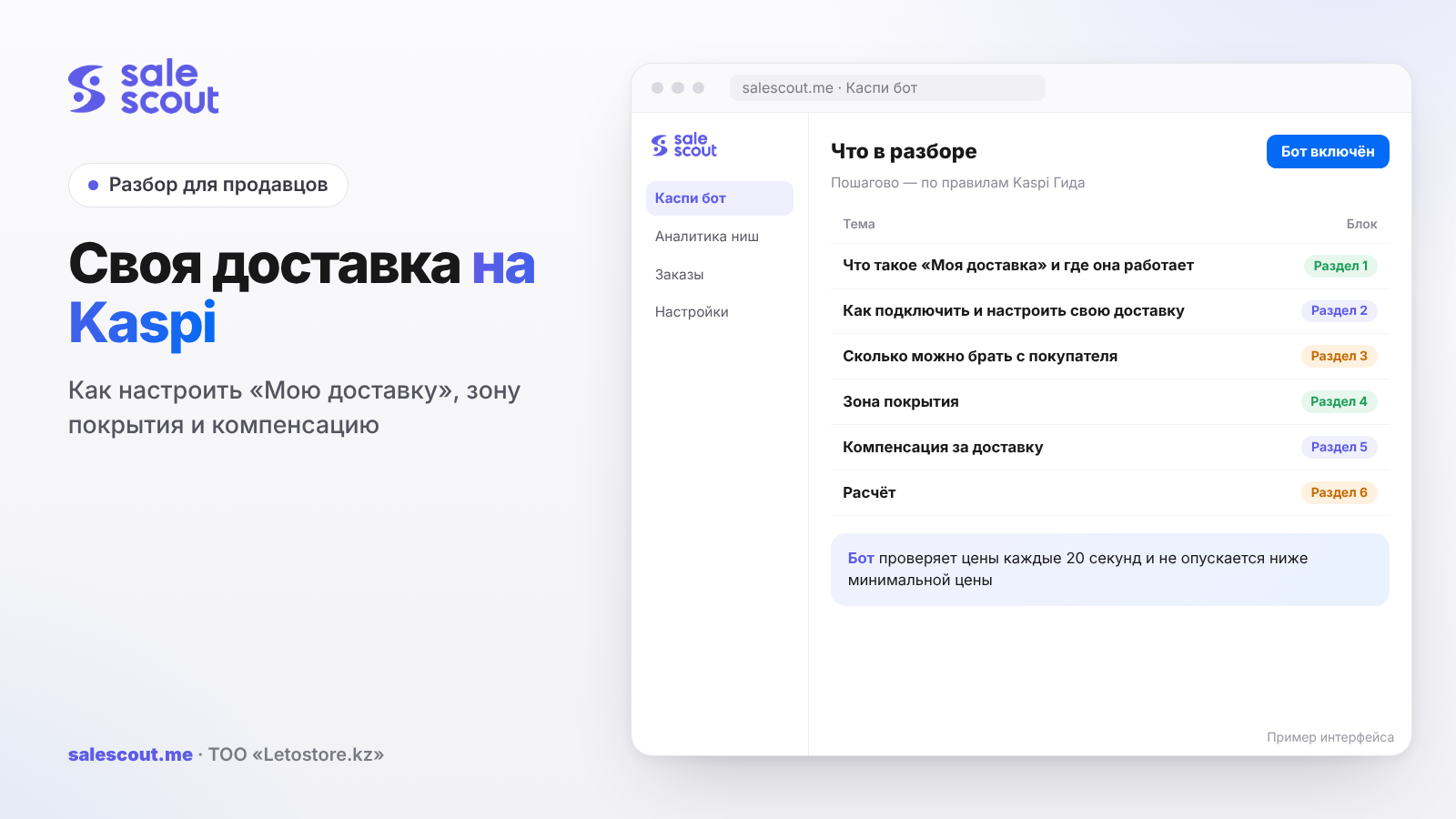
«Моя доставка» ("My delivery") in the Kaspi.kz Store means you deliver orders within your own city yourself, with your own courier or your own car. Kaspi takes nothing for this kind of delivery, but it sets hard limits: a price ceiling for the buyer, a deadline, and a coverage zone you cannot shrink. Below: how to set it up, where compensation comes from, and how to work out what a single delivery run really costs you.
In short
- Own delivery works only inside the city where your warehouse is. Orders to other parts of Kazakhstan go with Kaspi Delivery (Kaspi Доставка, Kaspi's own courier service).
- An order of 5,000 ₸ or more is delivered free to the buyer; for a cheaper order you can charge no more than 995 ₸.
- Kaspi calculates the coverage zone itself, you cannot change it, and you have to deliver to every settlement inside it.
- If a buyer puts together a basket from several sellers worth 5,000 ₸ or more, Kaspi compensates your delivery cost by the 20th of the following month.
- Charging the buyer anything above the configured price is forbidden and can get you disconnected.
What «Моя доставка» is and where it works
A seller in the Kaspi.kz Store has several ways to hand over an order: own delivery, Kaspi Delivery within the city and across Kazakhstan, Kaspi Postomat (parcel lockers), and Express, where a courier picks up the order from you and brings it to the buyer within three hours (q2912, updated Jun 15, 2026). Pickup from the store is only kept by sellers who connected it before June 15, 2026.
Own delivery is the only option where you handle everything yourself, from packing to the door. It works only in the city where the warehouse is. You cannot send an order to another city with your own courier: delivery across Kazakhstan is handled by Kaspi Delivery (q2282).
One more detail that sellers usually learn after the first complaints. «Моя доставка» is configured per city, not per warehouse. If you have two points in Almaty, they share the same coverage zone (q4980, updated Jun 1, 2026).
How to enable and set up own delivery
In the Kaspi Pay app
Магазин на Kaspi.kz → Настройки ("Settings"). If you have more than three points, first tap «Все склады» ("All warehouses") and pick the one you need. Then, under «Доставка по городу» ("City delivery"), tick «Моя доставка» and fill in the schedule: which days you deliver and by what time a buyer has to place an order to get it the same day (q2270, updated Oct 14, 2026).
A new seller can choose own delivery right when connecting, in the same delivery-method settings.
In the web cabinet
Остальное → Настройки → Моя доставка → Добавить город ("Other → Settings → My delivery → Add city"). The seller cabinet will ask for three things:
- City and lead time: on the day of the order (with the cut-off hour), the next day, or from two to fifteen days.
- Price: the minimum order amount for free delivery and the delivery price for cheaper orders.
- Working hours.
New settings take effect within two hours. If you only changed the schedule and lead times in a city that is already connected, the Guide says the update happens within an hour (q2274, updated Mar 3, 2025). For a detailed day-by-day schedule, the web cabinet has a «Детально» ("Detailed") option.
The deadlines you promise
Whichever option you pick, Kaspi expects delivery on the day the order is received or on the next working day (q2272, updated Sep 26, 2025). The exact date is shown in the order details: Заказы → Моя доставка ("Orders → My delivery").
A tip from practice: don't set "same day, orders until 18:00" if your courier leaves at 15:00. The buyer sees the promised date on the product card (the single shared listing where all sellers of the item compete), and every missed deadline later shows up in cancellations and reviews.
How much you can charge the buyer
The rules here are simple and have no exceptions (q2270):
| Order amount with you | What the buyer pays |
|---|---|
| from 5,000 ₸ | nothing, delivery is always free |
| under 5,000 ₸ | the price you set, but no more than 995 ₸ |
People often get confused about the free-delivery threshold. You can lower it below 5,000 ₸: for example, deliver free from 3,000 ₸. But you cannot raise it, and a person with a 7,000 ₸ order does not pay for delivery whatever your settings are.
Any extra charge on top of this is a violation. Kaspi explicitly forbids taking additional money from the buyer for your own delivery and warns of measures up to ending the partnership (q3905, updated Apr 7, 2025). The same goes for carrying bulky goods up to the floor: it is a separate item in the store rules (q1342, section 2, updated Sep 30, 2026). The same section adds two more bans: you can't refuse door delivery if the order has a house or apartment number, and you can't extend the deadline without the buyer's consent.
A courier who out of habit asks for "five hundred tenge per floor" puts the whole store at risk. Talk this through with him before the first run.
Coverage zone: why orders come from the suburbs
The coverage zone is the area that sends you orders when you use own delivery. Kaspi calculates it based on the warehouse city, the number of residents and the volume of orders, so nearby villages can end up in it (q4974, updated Jun 1, 2026).
You can view the zone in the app: Настройки → warehouse → «Доставка по городу» → «Посмотреть зону покрытия» ("View coverage zone"). In the web cabinet: Настройки → Моя доставка, the «Зона покрытия» ("Coverage zone") column, the «Смотреть» ("View") button (q4975).
Then come three hard rules, all from the Guide dated Jun 1, 2026:
- you cannot change the zone manually (q4977);
- if a settlement is inside the zone, you must deliver there (q4976);
- systematic cancellations lead to restrictions, up to disconnection (q4981).
What if the suburbs are too much for you? There is one option: switch the city to Kaspi Delivery (q4979). In the web cabinet, first turn off own delivery in Остальное → Настройки → Моя доставка, then in the Kaspi Доставка section press «Подключиться» ("Connect") and add a warehouse: the address on the map, the days you hand orders to the drop-off point, and the name and phone of the employee who meets the courier. You can compare tariffs and the point where your own courier becomes cheaper in our article on Kaspi Delivery for sellers.
Delivery compensation: where it comes from
The situation: a person puts your phone case for 2,500 ₸ and another seller's headphones for 4,000 ₸ into the basket. The basket is 6,500 ₸, so delivery is free for the buyer. But your order is 2,500 ₸, and you would have charged, say, 700 ₸ for delivery. Kaspi pays you those 700 ₸ (q2988, updated Apr 15, 2026).
The compensation equals the delivery price you set in the cabinet yourself. It arrives in your Kaspi Pay account by the 20th of the following month: for a delivery on July 5, the money comes by August 20 (q2989, updated Sep 26, 2025).
If your own items in the basket add up to 5,000 ₸ or more, there is no compensation: that delivery has to be free anyway (q2272).
Why compensation arrived in parts
Sometimes the monthly compensation is larger than what you paid Kaspi for sales. Then the payout is split into two parts. The Guide's example: fees for sales are 100,000 ₸, compensation is 500,000 ₸. By the 20th you get 100,000 ₸, and the remaining 400,000 ₸ a month later (q2990, updated Apr 15, 2026).
Compensation can also be refused if the seller breaks the rules. The Guide gives two examples: orders placed in your own store and attempts to boost the rating with fake reviews.
The math: what your own run costs
A hypothetical example, not a client case. A store in Shymkent, one courier with his own car, 400 orders a month within the city.
| Item | Amount per month |
|---|---|
| Courier pay | 250,000 ₸ |
| Fuel and car wear | 90,000 ₸ |
| Bags, tape, phone (100 ₸ per order) | 40,000 ₸ |
| Repeat trips when the buyer didn't answer (5% of orders at 850 ₸) | 17,000 ₸ |
| Total costs | 397,000 ₸ |
| Compensation and delivery fees from buyers (100 small orders × 700 ₸) | −70,000 ₸ |
| Net delivery cost | 327,000 ₸ |
Cost per order = (All delivery costs − Compensation and buyer payments) ÷ Number of delivered orders
327,000 ÷ 400 ≈ 818 ₸ per order. This is the number to compare with the Kaspi Delivery city tariff from the Guide (q2288, updated Jun 16, 2026): those prices are shown without VAT, and your account is charged with VAT. If your average order is above 10,000 ₸, the tariff comes out higher than your 818 ₸, and the courier pays for himself. If the average check is 5,000–10,000 ₸, the difference almost disappears, and you haven't even put the time spent on routes into the formula.
Look at small orders separately. A hundred orders at 2,000–3,000 ₸ with 700 ₸ for delivery bring in 70,000 ₸ a month, and that is the only line that returns part of the costs. Set 0 ₸ and you lose both the buyers' money and the compensation on multi-seller baskets. Set 995 ₸ and some people will see a delivery fee bigger than half the price of a phone case and simply close the basket. There is no answer that fits every niche, but choose the number deliberately instead of leaving whatever was typed in at setup.
Two things break this calculation most often. The first is suburbs inside the coverage zone: one order to a village 30 km away eats half of the courier's day. The second is the season. In December there are twice as many orders, and the courier is still the same one.
Statuses and contact with the buyer
While you deliver the order, it sits in the «Моя доставка» tab with the status «Принят партнером» ("Accepted by partner"). After hand-over it moves to the Archive with the status «Выдан» ("Issued") (q2255, updated Jun 15, 2026). The money arrives after the «Выдан» status, so a slow delivery also means slow money.
The courier doesn't need access to the cabinet. The buyer's number can be copied from the order details and sent in any messenger; a call to it reaches the buyer in the Kaspi.kz app (q5292, updated Sep 24, 2026).
To complete the order, the buyer reads out a code from a message in the app. If the code didn't arrive, usually notifications are off in the app or for the «Магазин на Kaspi.kz» service, or there's no internet (q2283). Your courier should know where to switch this on and help right at the door.
The delivery date can be moved, but only with the buyer's consent and by 5 days at most: Заказы → the order → the «Дата доставки» ("Delivery date") line (q2256). With own delivery, an order can be cancelled for two reasons: «товара нет в наличии» ("item out of stock") or «не дозвонился до покупателя» ("couldn't reach the buyer") (q2263, updated Jun 15, 2026).
Common mistakes with own delivery
- Setting "same day" with a late cut-off while the courier leaves earlier. The deadline starts slipping by the second week.
- Taking cash "for carrying upstairs" or "for urgency". This is a direct ban, and Kaspi sees the buyer's complaint.
- Not looking at the coverage zone and being surprised by orders from the suburbs. Cancelling them one by one leads to restrictions.
- Turning on own delivery to save on the tariff without counting fuel and repeat trips.
- Setting 0 ₸ for small orders "for conversion" and wiping out your own compensation along the way, since it equals the price you set.
- Not warning the buyer before moving the date. Moving it without consent breaks the store rules.
- Giving the courier access to the cabinet instead of forwarding the buyer's number.
Checklist: own delivery on Kaspi
Before you connect, open the coverage zone and honestly answer whether your courier will reach the farthest village in it. Then, item by item:
- the city, lead time and cut-off hour match the courier's real schedule;
- the price for orders under 5,000 ₸ is set and is no more than 995 ₸;
- the courier knows that extra charges and "per floor" fees are banned;
- the courier can show the buyer how to turn on notifications for the code;
- the courier gets the buyer's number through a messenger, not through cabinet access;
- date changes happen only after calling the buyer and no further than 5 days;
- once a month you calculate the cost per order and compare it with the Kaspi Delivery tariff;
- after the 20th you check last month's compensation against the statement.
How to automate prices and avoid selling at a loss
Own delivery changes the cost of each order, so the minimum price on the card should be recalculated with the run included. The SaleScout Kaspi bot checks prices every 20 seconds, keeps you at the top of the product card and never goes below the minimum price you set. When a competitor raises their price, the bot raises yours too. You can try the bot free for 7 days, no card needed.
Frequently asked questions about own delivery on Kaspi
Can I deliver Kaspi orders myself?
Yes, but only within your own city. You turn it on in Kaspi Pay: Settings, «Доставка по городу», tick «Моя доставка». You can't send your own courier from Astana to Karaganda — intercity orders go with Kaspi Delivery.
How much can a seller charge for delivery?
For an order under 5,000 ₸, whatever you set, with a ceiling of 995 ₸. Anything more expensive travels to the buyer for free. Kaspi treats cash "per floor" on top as a violation.
What is the own-delivery coverage zone?
It's the map your orders pour in from. Kaspi draws it: it looks at the warehouse city, how many people live there and how much they order. That's where the villages beyond the ring road come from, the ones you would never have picked yourself.
Do I have to deliver to the suburbs?
If the village is inside the zone, yes. Cancel once, cancel twice — and Kaspi already sees a pattern, which can bring restrictions. If you can't handle the suburbs, move the city to Kaspi Delivery; you can't fix the zone by hand.
When does delivery compensation arrive?
By the 20th of the following month, to Kaspi Pay. July deliveries, for example, are paid by August 20. A large compensation is sometimes split across two months — that's normal.
Why wasn't compensation credited?
First check how much of that basket was actually your goods. If it reached 5,000 ₸, the delivery had to be free anyway, so there's nothing to pay you for. The second possibility is worse: rule violations, such as ordering from yourself.
Can I move the date of my own delivery?
Call the buyer and agree on it — then yes, up to 5 days. The order has a «Дата доставки» line, that's where you change it. Without the call, such a change goes against the store rules.
Sources
- Kaspi Guide. «Как подключить мою доставку» (How to enable my delivery) — https://guide.kaspi.kz/partner/ru/shop/delivery/own/q2270 (updated Oct 14, 2026)
- Kaspi Guide. «Условия моей доставки» (My delivery terms) — https://guide.kaspi.kz/partner/ru/shop/delivery/own/q2272 (updated Sep 26, 2025); lead times and schedule — https://guide.kaspi.kz/partner/ru/shop/delivery/own/q2274 (updated Mar 3, 2025)
- Kaspi Guide. «Почему нельзя отправлять заказы по Казахстану самостоятельно» (Why you can't ship orders across Kazakhstan yourself) — https://guide.kaspi.kz/partner/ru/shop/delivery/own/q2282 (updated Nov 6, 2023)
- Kaspi Guide. «Дополнительная оплата за доставку» (Extra charge for delivery) — https://guide.kaspi.kz/partner/ru/shop/delivery/own/q3905 (updated Apr 7, 2025)
- Kaspi Guide. «Зона покрытия» (Coverage zone) — https://guide.kaspi.kz/partner/ru/shop/delivery/own/q4974, q4975, q4976, q4977, q4979, q4980, q4981 (updated Jun 1, 2026)
- Kaspi Guide. «Компенсация за доставку» (Delivery compensation) — https://guide.kaspi.kz/partner/ru/shop/delivery/own/q2988 and https://guide.kaspi.kz/partner/ru/shop/delivery/own/q2990 (updated Apr 15, 2026); timing — https://guide.kaspi.kz/partner/ru/shop/delivery/own/q2989 (updated Sep 26, 2025)
- Kaspi Guide. «Правила работы с Магазином на Kaspi.kz» (Kaspi.kz Store rules), section 2 — https://guide.kaspi.kz/partner/ru/shop/conditions/q1342 (updated Sep 30, 2026)
- Kaspi Guide. Order hand-over methods — https://guide.kaspi.kz/partner/ru/shop/orders/q2912; order statuses — https://guide.kaspi.kz/partner/ru/shop/orders/q2255; cancelling an order — https://guide.kaspi.kz/partner/ru/shop/orders/q2263 (updated Jun 15, 2026); moving the date — https://guide.kaspi.kz/partner/ru/shop/orders/q2256 (updated Mar 11, 2024)
- Kaspi Guide. Buyer's number for the courier — https://guide.kaspi.kz/partner/ru/shop/delivery/own/q5292 (updated Sep 24, 2026); code to complete the order — https://guide.kaspi.kz/partner/ru/shop/delivery/own/q2283 (updated Nov 6, 2023)
- Kaspi Guide. «Тарифы Kaspi Доставки» (Kaspi Delivery tariffs) — https://guide.kaspi.kz/partner/ru/shop/delivery/shipping/q2288 (updated Jun 16, 2026)
The sources are in Russian; original titles are given with English translations. All links checked Oct 27, 2026.
Bota, analyst
SaleScout is our company's product. Kaspi and Kaspi.kz are trademarks of Kaspi.kz JSC; SaleScout is not affiliated with Kaspi.