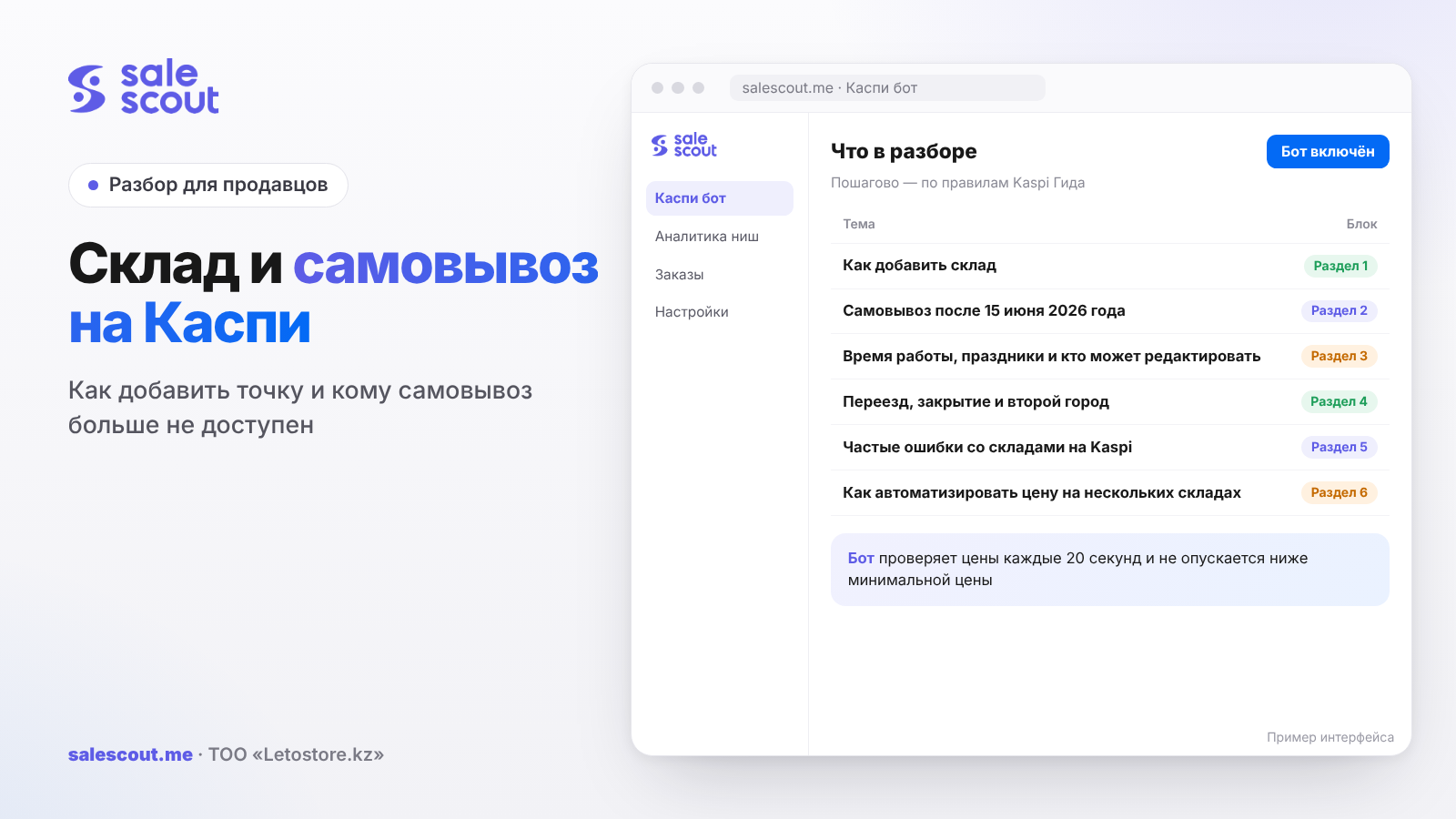
You add a warehouse in the Kaspi.kz Store in Kaspi Pay (Магазин на Kaspi.kz → Настройки → Склады → «Добавить склад», i.e. Kaspi.kz Store → Settings → Warehouses → "Add warehouse") or in the web cabinet (Остальное → Настройки → Склады, i.e. More → Settings → Warehouses). Pickup from the warehouse can be switched on only if you joined the Store before June 15, 2026. Those who became partners later are left with their own delivery, Kaspi Delivery and Express.
In short
- Pickup is available only to partners who joined before June 15, 2026. If you are one of them and switched pickup off, you can switch it back on at any time.
- You cannot change a warehouse's city. Moving to another city means switching off the old point and creating a new one.
- The delivery method within the city is changed only in the Kaspi Pay app. The web cabinet has no such field when editing.
- A warehouse can be edited by the head of the company, and in the web version also by a manager with extended access.
- A warehouse in a second city rarely pays off on delivery tariffs alone: for products up to 5 kg the saving is 232 ₸ per order. For heavy products of 15–30 kg it is already 1 508 ₸.
How to add a warehouse
In the Kaspi Pay app
Магазин на Kaspi.kz → Настройки → Склады → «Добавить склад», then step by step (q2708, updated Jun 16, 2026):
- The city from the list.
- The address.
- Additional information if needed: floor, room number.
- Working days and hours.
- The delivery method within the city.
- «Самовывоз» ("Pickup") — if buyers can collect the order themselves, and only for partners who joined before June 15, 2026.
- «Добавить склад».
In the web cabinet
Остальное → Настройки → Склады → «Добавить склад». The order is slightly different: city, the «Самовывоз» tick, address with a pin on the map, additional information, working days and hours, «Сохранить» ("Save"). The web cabinet generates the point code automatically (q2708).
The point code matters if you pass stock levels automatically. In an XML price list, availability is given for each pickup point separately, and a mistake in the code means the stock goes to the wrong warehouse. How to set up stock across several warehouses is covered in the article about stock on Kaspi.
Can you sell without a warehouse open to buyers
Yes. If you have no point where a buyer can collect the order, you still sell: buyers place orders with delivery (q2240). A warehouse still exists in the cabinet — it is the address you ship from.
Pickup after June 15, 2026
Who can offer it
Since mid-2026 the rule is: pickup is not available to partners who joined the Kaspi.kz Store after June 15, 2026 (q4986, updated Oct 19, 2026). If you added a warehouse and there is no «Самовывоз» tick in the settings, the reason is almost certainly your joining date. In this case Kaspi suggests delivering orders yourself or shipping through Kaspi Delivery or Express delivery. If the reason is something else, write to the Chat with Kaspi Guide.
For those who joined earlier, pickup stays, and it can be switched on and off whenever you like (q4987, updated Jun 16, 2026). This is an important detail: pickup switched off during a renovation does not "expire".
How to switch on pickup for an existing warehouse
- Kaspi Pay: Магазин на Kaspi.kz → Настройки. If you have more than three points, tap «Все склады» ("All warehouses"), choose the one you need, tick «Самовывоз» and save (q2239, updated Jun 16, 2026).
- Web cabinet: Остальное → Настройки → Склады, choose the warehouse, click ✏️, tick «Самовывоз» and save.
The same Guide article for the app mentions the path «Настройки → Магазины» (Settings → Stores), while neighbouring ones say «Настройки → Склады». These are traces of the section being renamed. Look for the list of points in the Store settings, whatever it is called in your version.
What pickup gives the seller
A pickup order is not passed to Kaspi Delivery, so no delivery tariff is charged for it. A hypothetical example, not a client case: at 300 orders a month, if a fifth of buyers collect themselves and the average order is from 10 000 ₸ and up to 5 kg, you do not pay 60 × 1 275 ₸ = 76 500 ₸ a month in tariffs including VAT (q2288, updated Jun 16, 2026). Kaspi does not publish how many of your buyers will choose pickup; look at your own orders.
The flip side is that the point must actually work during the hours shown in the cabinet. A buyer who arrives at a closed door will leave a review, and reviews go into the rating.
Compare the 76 500 ₸ with what handing out orders costs you. If you already have a store or showroom with a salesperson at the counter, handing out orders adds almost nothing. But if the warehouse is a garage on the outskirts and pickup means keeping a person there from 10 to 19, the salary will quickly eat that money. Then it is simpler to switch pickup off, and you can switch it back on at any time.
New partners without pickup should look at other fast options. How Express works and under what conditions it is switched off is covered in the article about Kaspi Express for sellers, and delivery to parcel lockers in the article about Kaspi Postomat.
Working hours, holidays and who can edit
Warehouse working hours
- Kaspi Pay: Магазин на Kaspi.kz → Настройки, «Все склады» if needed, then the «Время работы склада» ("Warehouse working hours") section (q4998, updated Jun 24, 2026).
- Web cabinet: Настройки → Склады и магазины → Склады (Settings → Warehouses and stores → Warehouses), choose the point, set the hours, «Сохранить».
Do not confuse warehouse working hours with the order acceptance schedule: the latter is set separately, and we wrote about it in the article about order cancellations on Kaspi. Chat metrics also depend on working hours: requests during working hours count; more in the article about chatting with buyers.
Holidays
Holidays are entered separately, in «Расписание в праздники» ("Holiday schedule") (q2787, updated Mar 28, 2025). In Kaspi Pay: Магазин на Kaspi.kz → Настройки → Расписание в праздники → «Добавить праздничные дни» ("Add holidays"). In the web cabinet: Остальное → Настройки → Расписание в праздники → «Добавить день» ("Add day"). For each day you pick the date and tick «Выходной день» ("Day off") or set different hours.
It is easier to enter holidays a quarter ahead rather than the day before. New Year and March with Nauryz usually stretch into several days off in a row, and one forgotten date means the cabinet treats the day as a working day.
Who can change warehouse settings
Warehouse information can be edited by the head of the company. In the web cabinet a Store manager with extended access can also do it (q2243, updated Jun 16, 2026; q2242). How to give an employee such access is covered in the article about a store manager on Kaspi.
The set of fields differs between the two cabinet versions:
| What can be changed | Kaspi Pay | Web cabinet |
|---|---|---|
| Warehouse address | yes | yes |
| Additional information about the point | yes | yes |
| Working schedule | yes | yes |
| Delivery method within the city | yes | not in the list |
| Pickup (for those who joined before Jun 15, 2026) | yes | yes |
| City | no | no |
Source: q2243. The practical consequence: if a manager with extended access works only on the web, they will not change the delivery method within the city. The head of the company will do it in the app.
Moving, closing and a second city
You cannot change the city
The city in warehouse settings cannot be edited. Kaspi suggests switching off the old point and adding a new one (q2709, updated Jun 16, 2026). If you are moving from Karaganda to Astana, the order is: create a warehouse in Astana, move the stock to it, and only then switch off the Karaganda one. The reverse order will leave products out of stock for several hours, or even days.
There is a subtlety for those who joined before June 15, 2026. Kaspi writes that such partners can switch on pickup at any time. So the new warehouse created to replace the old one should have the «Самовывоз» tick. Check this right after creating it, before switching off the old point.
Closing a warehouse
Kaspi Pay: Магазин на Kaspi.kz → Настройки, «Все склады» if you have many points, choose the warehouse, tick «Выключить склад» ("Switch off warehouse") and save. Web cabinet: Остальное → Настройки → Склады, switch the status from «Активен» ("Active") to «Отключен» ("Disabled") (q2710, updated Mar 3, 2025). A closed warehouse no longer appears in your list of addresses.
Do you need a warehouse in a second city: the math
A warehouse in another city changes two things: the delivery tariff and speed. On tariffs, an order within a city is cheaper than across Kazakhstan. Kaspi's figures without VAT for orders from 10 000 ₸ (q2288), recalculated with 16% VAT (Art. 503 of the Tax Code of Kazakhstan):
| Order weight | «Город» (City) with VAT | «Казахстан» (Kazakhstan) with VAT | Saving per order | 200 orders a month |
|---|---|---|---|---|
| up to 5 kg | 1 275 ₸ | 1 507 ₸ | 232 ₸ | 46 400 ₸ |
| 5–15 kg | 1 565 ₸ | 1 971 ₸ | 406 ₸ | 81 200 ₸ |
| 15–30 kg | 2 667 ₸ | 4 175 ₸ | 1 508 ₸ | 301 600 ₸ |
| 30–60 kg | 3 363 ₸ | 6 553 ₸ | 3 190 ₸ | 638 000 ₸ |
Orders to break even = warehouse fixed costs per month ÷ saving per order
A hypothetical example, not a client case: rent and a person at the point cost 150 000 ₸ a month. Then for light products up to 5 kg you need 647 orders a month into that city, for 5–15 kg — 370, for 15–30 kg — 100, for 30–60 kg — 48. Light products almost never pay for a warehouse on tariff savings alone. Heavy ones pay off quickly.
The second benefit is speed. The top 3 of a card always includes the seller with the fastest delivery, even if they lose on price and bonuses (q3190, updated Jun 15, 2026). A seller with a warehouse in Astana delivers to a buyer in Astana faster than a shipment from Almaty. Kaspi does not publish how many orders this brings, so this benefit is not in the calculation above. If you are on the edge of breaking even, it may tip the balance.
And third: in the web cabinet you can set different prices for different cities by clearing the «Одна для всех городов» ("Same for all cities") tick (q2234, updated Sep 28, 2026). A warehouse in a second city lets you keep a price there that reflects the cheaper delivery. More on delivery tariffs in the article about Kaspi Delivery for sellers.
Common mistakes with warehouses on Kaspi
- Looking for the «Самовывоз» tick after joining after June 15, 2026. It will not be there. Better to spend the time choosing between your own delivery, Kaspi Delivery and Express.
- Switching off the old warehouse before creating the new one. Stock disappears for several hours, products drop out of sale, and in a busy card a neighbour takes the spot.
- Trying to "rename" the city. The city cannot be edited. The right way is a new point.
- Setting working hours wider than real ones. A pickup buyer will arrive at a closed door, and evening chats during "working" hours will go unanswered and lower the reply rate.
- Forgetting holidays. If a holiday is not entered in «Расписание в праздники», the cabinet treats the day as a working day, and that day's orders risk going overdue.
- Opening a warehouse in a second city for the tariff on light products. 232 ₸ saved per order up to 5 kg means 647 orders a month at 150 000 ₸ costs.
- Expecting a web manager to change the delivery method. This field is edited only in the app.
Checklist: warehouses and pickup on Kaspi
- You know your Store joining date: before or after June 15, 2026.
- Every warehouse has an exact address, floor and room if buyers come in person.
- Warehouse working hours match the point's real hours.
- Holidays for the coming quarter are entered in «Расписание в праздники».
- The delivery method within the city is selected in the Kaspi Pay app.
- Only those responsible for the warehouse have extended access to it.
- Point codes are matched with the XML price list if stock is passed automatically.
- Before closing a warehouse, stock has been moved to another one.
- For a warehouse in a second city, you have calculated how many orders it takes to break even.
The seventh item is checked least often, and a mistake there is the most expensive. Stock sent to the wrong point code looks like an empty warehouse in the cabinet, and the product stops selling without any warning.
How to automate pricing across several warehouses
The more warehouses and cities you have, the more prices you have to keep in your head. The SaleScout Kaspi bot checks prices every 20 seconds, keeps you at the top of the product card and never goes below the minimum price you set. When a competitor raises the price or leaves the card, the bot raises your price to just below the next seller. You can try the bot free for 7 days, no card needed.
Frequently asked questions about warehouses and pickup on Kaspi
How do I add a warehouse in the Kaspi.kz Store?
In Kaspi Pay open Магазин на Kaspi.kz → Настройки → Склады → «Добавить склад» and enter the city, address, working hours and delivery method within the city. In the web cabinet the same is done in Остальное → Настройки → Склады, and the point code is created automatically.
Why don't I have pickup on Kaspi?
Pickup is not available to partners who joined the Kaspi.kz Store after June 15, 2026. They are left with their own delivery, Kaspi Delivery and Express. If you joined earlier and the tick is still missing, write to the Chat with Kaspi Guide.
Can I switch pickup back on at Kaspi after switching it off?
Yes, if you became a partner before June 15, 2026. In Kaspi Pay choose the warehouse in the Store settings and tick «Самовывоз»; in the web cabinet — Остальное → Настройки → Склады, then ✏️ and «Самовывоз».
How do I change a warehouse's city on Kaspi?
You cannot; the city is not editable. You need to add a new warehouse in the right city, move the stock to it and only then switch off the old one.
Who can edit a warehouse in the Kaspi cabinet?
The head of the company — both in the app and in the web version. In the web cabinet, also a Store manager with extended access. The delivery method within the city is changed only in Kaspi Pay.
Can I sell on Kaspi without a pickup warehouse?
Yes. Without a pickup point, buyers simply place orders with delivery: yours, Kaspi Delivery or Express.
Is it worth opening a warehouse in another city for Kaspi?
It depends on what you sell. For orders up to 5 kg, delivery within a city is only 232 ₸ cheaper with VAT than across Kazakhstan, and at 150 000 ₸ a month in costs you need 647 orders to pay for the point. For products of 15–30 kg the difference is 1 508 ₸, and 100 orders are enough. Plus, the fastest seller always gets into the card's top 3.
Sources
All links checked Oct 20, 2026. The sources are in Russian; original titles are given with English translations.
- Kaspi Guide for partners. «Как… добавить склад?» (How to add a warehouse?) — https://guide.kaspi.kz/partner/ru/shop/sale_points/q2708 (updated Jun 16, 2026); «Как… добавить склад, на котором покупатели могут забрать заказ самостоятельно?» (How to add a warehouse where buyers can collect orders themselves?) — https://guide.kaspi.kz/partner/ru/shop/sale_points/q2239 (updated Jun 16, 2026)
- Kaspi Guide. «Я добавил склад… но в настройках нет самовывоза. Почему?» (I added a warehouse but there is no pickup in the settings. Why?) — https://guide.kaspi.kz/partner/ru/shop/sale_points/q4986 (updated Oct 19, 2026); «Я отключил самовывоз… Я смогу подключить его снова?» (I switched off pickup. Can I switch it on again?) — https://guide.kaspi.kz/partner/ru/shop/sale_points/q4987 (updated Jun 16, 2026); «У меня нет склада, на котором покупатели могут забирать свои заказы…» (I have no warehouse where buyers can collect their orders) — https://guide.kaspi.kz/partner/ru/shop/sale_points/q2240 (updated Oct 23, 2023)
- Kaspi Guide. «Как настроить время работы склада…?» (How to set warehouse working hours?) — https://guide.kaspi.kz/partner/ru/shop/sale_points/q4998 (updated Jun 24, 2026); «Как… настроить график работы в праздничные дни?» (How to set the holiday schedule?) — https://guide.kaspi.kz/partner/ru/shop/sale_points/q2787 (updated Mar 28, 2025)
- Kaspi Guide. «Кто может редактировать информацию о складе…?» (Who can edit warehouse information?) — https://guide.kaspi.kz/partner/ru/shop/sale_points/q2243 (updated Jun 16, 2026); «Как… отредактировать информацию о складе?» (How to edit warehouse information?) — https://guide.kaspi.kz/partner/ru/shop/sale_points/q2242 (updated Jun 15, 2026)
- Kaspi Guide. «Как изменить город в настройках склада…?» (How to change the city in warehouse settings?) — https://guide.kaspi.kz/partner/ru/shop/sale_points/q2709 (updated Jun 16, 2026); «У меня закрылся склад. Как удалить его…?» (My warehouse closed. How to remove it?) — https://guide.kaspi.kz/partner/ru/shop/sale_points/q2710 (updated Mar 3, 2025)
- Kaspi Guide. «Сколько стоит Kaspi Доставка?» (How much does Kaspi Delivery cost?) — https://guide.kaspi.kz/partner/ru/shop/delivery/shipping/q2288 (updated Jun 16, 2026); «Как располагаются продавцы в карточке товара…?» (How are sellers ordered in a product card?) — https://guide.kaspi.kz/partner/ru/shop/goods/general/q3190 (updated Jun 15, 2026); «Как изменить цену товара…?» (How to change a product price?) — https://guide.kaspi.kz/partner/ru/shop/goods/edit/q2234 (updated Sep 28, 2026)
- Tax Code of the Republic of Kazakhstan, Art. 503 «Ставки НДС» (VAT rates) — https://www.zakonpravo.kz/ru/statya-503-stavki-naloga-na-dobavlennuyu-stoimost-nalogovogo-kodeksa-respubliki-kazahstan
Bota, analyst
SaleScout is our company's product. Kaspi and Kaspi.kz are trademarks of Kaspi.kz JSC; SaleScout is not affiliated with Kaspi.