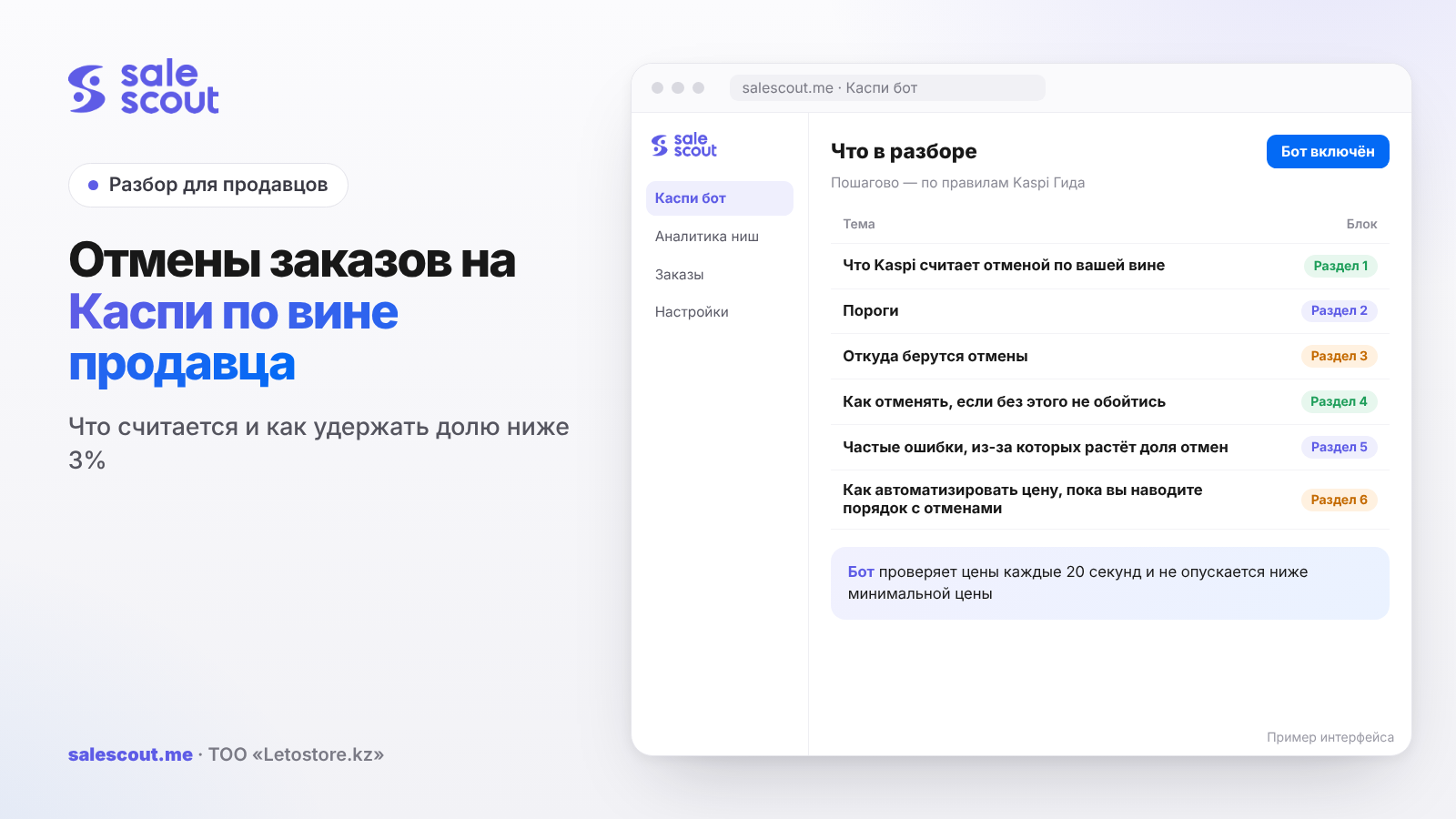
Kaspi charges a cancellation to the seller for only three reasons: the product is out of stock, you failed to deliver the order on time, or you did not accept it in time. If the buyer cancels the order themselves, the metric is not affected. The share of such cancellations must be below 3% of all orders, and below 1% for the «Отлично» ("Excellent") status. For a small store that literally means zero cancellations over the period.
In short
- Three reasons count as the seller's fault: out of stock, not delivered on time, not accepted in time. A cancellation by the buyer and the automatic cancellation when stock runs out do not count.
- Thresholds from the Kaspi document: under 1% — «Отлично» or «Хорошо» ("Good"), 1–3% — «Нормально» ("Normal"), from 3% — «Плохо» ("Poor"), from 10% — «Очень плохо» ("Very poor").
- With 50 orders in the period a store can absorb one cancellation, with 100 orders two. Below a hundred orders, any cancellation already knocks you out of «Отлично».
- Almost all seller-caused cancellations come from stock levels and the work schedule, not from dealing with buyers. You set these up once and then keep checking them.
- You can remove some items from an order only with the buyer's consent; otherwise it is not a cancellation but a rule violation.
What Kaspi counts as a cancellation caused by you
Three reasons and the formula
Seller-caused cancellations are one of the four order metrics, alongside the rating, delays in handing orders over to Kaspi Delivery and quality returns (q2249, updated Feb 25, 2026). The metric includes orders whose status changed to «Отменен» ("Cancelled") for one of three reasons:
- the product is out of stock;
- the seller did not manage to deliver the order on time;
- the seller did not accept the order in time.
The formula is simple:
Cancellation share = orders cancelled through your fault ÷ all orders × 100%
The calculation starts after the third cancelled purchase or once you have 10 orders over the last 30 days. Note the first condition. A new store with five orders and three cancellations gets the metric before it ever reaches its tenth order.
In the seller cabinet you see not only the share itself but also the orders that went into it, broken down by category, brand, product and point of sale. This is the fastest way to find the leak: usually two or three items are to blame, not the whole catalog.
What does not go into the metric
This is where sellers get confused most often. The Kaspi document on quality metrics says it plainly: if the buyer cancelled the order themselves, it does not affect the cancellation share (PDF «Показатели качества работы партнера»). A buyer can cancel an order in the app until it has been issued, and with Kaspi Delivery the courier returns the product to the same drop-off point (q2273).
The second case is when several buyers order the last unit at the same moment. Nobody can put more items in the cart than are in stock, and Kaspi cancels the extra orders automatically. This does not affect your quality metrics (q3745, updated Dec 27, 2024).
But if you press «Отменить» ("Cancel") yourself and pick «товара нет в наличии» ("out of stock"), that is exactly the reason that goes into the metric. The difference between "Kaspi cancelled it because stock ran out" and "I cancelled it because the stock in the cabinet was wrong" is the difference between zero and a hit to the metric.
Thresholds: from «Отлично» to «Очень плохо»
Statuses by cancellation share
Kaspi recalculates the metrics every day, and the store's overall status is set by the weakest of them. You can have a 4.8 rating and zero returns and still end up in «Плохо» because of cancellations.
| Seller-caused cancellation share | Status | What happens |
|---|---|---|
| under 1% | «Отлично» (from 25 issued orders in 30 days) or «Хорошо» | no restrictions, if the other metrics are fine too |
| 1% to under 3% | «Нормально» | no restrictions, but almost no margin left |
| 3% to under 10% | «Плохо» | 14 calendar days to fix it, then «Мой Магазин» ("My Store") and external advertising in «Маркетинг» ("Marketing") are switched off |
| 10% and above | «Очень плохо» | the rating drops to 3.0, the store is not shown among the first three offers in product cards, the partnership may be terminated |
The source is the same quality metrics document and the page q4620 (updated Feb 25, 2026). If the metrics for a specific category, brand or product slip, Kaspi can restrict sales of exactly those.
What happens after disconnection deserves a separate note. If the store was disconnected for a high cancellation share, you cannot reconnect (q3125). You can keep accepting payments via Kaspi Pay, but the seller cabinet is deactivated once you have issued the remaining orders and collected returns within 30 days (q3126). What to do if your store has already been restricted is covered in the article on a blocked Kaspi store.
How many cancellations your store can absorb
The "under 3%" threshold is strict, so the allowed number of cancellations is calculated like this:
Maximum cancellations = ⌈0.03 × N⌉ − 1, where N is all orders for the period and ⌈ ⌉ means rounding up.
Kaspi does not publish the period over which the cancellation share is calculated. In the table below, N is the orders in the window you see in the cabinet. For an estimate, 30 days is a convenient choice.
| Orders in the period, N | Cancellations allowed to stay below 3% | Allowed for «Отлично», below 1% | «Очень плохо» starts at |
|---|---|---|---|
| 10 | 0 | 0 | 1 cancellation |
| 30 | 0 | 0 | 3 cancellations |
| 50 | 1 | 0 | 5 cancellations |
| 100 | 2 | 0 | 10 cancellations |
| 150 | 4 | 1 | 15 cancellations |
| 200 | 5 | 1 | 20 cancellations |
| 300 | 8 | 2 | 30 cancellations |
| 500 | 14 | 4 | 50 cancellations |
The nastiest row is the first one. For a store with ten orders a month, one seller-caused cancellation gives 10%, which is «Очень плохо» right away. A stock mistake costs a small seller far more than a large one: at 500 orders the same single cancellation is 0.2%.
A hypothetical example, not a client case. Over the period the store has 150 orders and 4 cancellations caused by it: 4 ÷ 150 = 2.67%, status «Нормально». On Friday evening the last pair of sneakers sold in the offline shop, and nobody removed the stock on Kaspi. In the morning an order comes in, the product is gone, you cancel. Now it is 5 ÷ 151 = 3.31%, and the store is in «Плохо» with the 14-day countdown running. To get back below 3% with the same five cancellations you need 167 orders in the period, that is 16 more without a single cancellation. If the old cancellations do not drop out of the calculation window in that time, you will have to wait longer.
Where cancellations come from: the three reasons one by one
"Out of stock": stock levels and multiple warehouses
This is the main source of cancellations, and it is almost always a mismatch between the cabinet and the shelf. Kaspi puts "specify the quantity of goods in stock" first in its recommendations (q3023, updated Feb 5, 2026). Typical situations: the product sold in the offline shop or on another marketplace; the price list updates once a day while sales come in every hour; or two warehouses hold the same product while the stock is listed as one total.
There is a trap after a cancellation, too. If the buyer cancels at the «Передача» ("Handover") or «Передан на Kaspi Доставку» ("Handed over to Kaspi Delivery") stage, the stock does not come back on its own: you have to collect the product from the drop-off point and correct the quantity manually under Товары → В продаже → «Изменить цену и остатки» ("Products → On sale → Change price and stock") (q3694, updated Nov 3, 2025). The opposite mistake happens too: the stock was corrected "by eye" while the box is still at the drop-off point. How to manage stock and calculate the reorder point is covered in the article on stock levels on Kaspi.
If the product is physically not there but a delivery is definitely coming, there is a legitimate route — a preorder. More in the article on preorders on Kaspi.
"Not accepted in time": the order acceptance schedule
Orders arrive on weekends and holidays too. You can process them on the nearest working day according to the schedule you set in the cabinet, and the handover deadline is shown in the order itself (q2789). The danger is that the cabinet schedule and the store's real schedule drift apart. The cabinet says "Mon–Sat", but on Saturday nobody is at the warehouse.
The order acceptance schedule is set in Kaspi Pay under Настройки → График работы ("Settings → Work schedule") or in the web cabinet under Настройки → Общая информация ("Settings → General information") (q4997, updated Jul 3, 2026). Holidays are added separately, via «Расписание в праздники» ("Holiday schedule"), where a day can be marked as a day off or given different hours (q2787). Republic Day, October 25, is less than a week away — a good moment to check that it is in the schedule.
"Not delivered on time": own delivery, Kaspi Delivery, Express
The cancellation reasons you can choose yourself depend on the delivery method (q2263, updated Jun 15, 2026):
| Delivery method | When you can cancel | Reasons in the cabinet |
|---|---|---|
| Kaspi Delivery | only before the order is handed over for delivery | out of stock |
| Pickup (for sellers who joined before Jun 15, 2026) | — | out of stock |
| Express delivery | only before the order is handed to the courier | out of stock |
| Own delivery | — | out of stock; could not reach the buyer by phone |
With your own delivery you set the deadline yourself: "same day if ordered before", "next day" or "two to fifteen days" (q2274). Setting "same day" to look competitive when your courier works every other day is a direct path to "not delivered on time" cancellations. Kaspi warns separately that if a seller systematically cancels own-delivery orders, restrictive measures may follow, up to termination of the partnership (q4981).
With Kaspi Delivery, being late usually hits the neighboring metric. If you did not make it to the drop-off point, the order goes the next day, which counts as a handover delay. And if delays were frequent over the last 7 days, Kaspi extends the delivery time of all your orders by one to three days, and buyers see this in the product card (q3144, updated Mar 13, 2025). More on handover deadlines in the article on Kaspi Delivery for sellers.
How to cancel when there is no way around it
Cancelling through the cabinet
In the cabinet, open «Заказы» ("Orders"), pick the order, press «Отменить» and choose the reason. The buyer gets a message in the Kaspi.kz app (q2263). You do not have to call the buyer to confirm an order (q2257), but if you have to cancel anyway, a short chat message with an explanation and an alternative lowers the chance of a bad review. A review hits the rating, and that is a different metric.
Partial cancellation: only with consent
If an order has several items and one of them is missing, you do not have to cancel the whole order. With the buyer's consent, the extra items can be removed via «Изменить состав» ("Change contents") (q2264, updated Oct 23, 2024). For Kaspi Delivery this is possible only before the waybill is generated; after that the button is inactive.
The "with consent" condition is not a formality here. Kaspi calls removing items from an order without the buyer's consent a violation of the work rules, and it applies restrictive measures for it, up to termination of the partnership. Ask in the chat first, wait for the answer, then change the contents.
When cancelling beats stalling
It happens: the product is gone and will not come, but the seller hopes to "bring it in a couple of days". In the end the order is cancelled anyway, only later and with a delivery delay on top. If there is definitely no delivery, cancel right away and zero out the stock in the cabinet that same minute, so a second identical order does not arrive. One cancellation is worse than zero, but two in a row on the same item is a sign that it is time to take the product off sale until things are sorted out.
Common mistakes that push up the cancellation share
- One combined stock figure for several warehouses. Kaspi sees ten units, but the right warehouse has two. The third order turns into an "out of stock" cancellation, and at 100 orders per period that is half of your allowed margin.
- A price list updated once a day while sales are fast. Between updates the product sells in the offline shop while Kaspi still shows the old stock. Every such sale is a potential cancellation.
- Cancelling yourself when Kaspi would have done it. The automatic cancellation when stock runs out does not affect the metric; a manual cancellation with the "out of stock" reason does. Keep the stock accurate and the extra orders simply will not come.
- Not adding holidays to «Расписание в праздники». The warehouse is closed, but the cabinet treats the day as a working one. Orders accepted that day risk ending up as "not accepted in time".
- Promising "same day" delivery without a courier. The deadline looks competitive, but every delay is a "not delivered on time" cancellation or a buyer complaint.
- Removing items from an order without asking. This is not a small edit but a violation of the work rules, and its consequences are heavier than one cancellation.
- Not updating stock after a cancellation at the «Передача» stage. The product sits at the drop-off point, the stock has not been restored, and the item disappears from sale even though you could sell it.
- Looking only at the overall share. Cancellations are grouped by product and brand. If almost all the problems sit in one item, the fix is targeted, and the overall figure will not show it.
Checklist: seller-caused cancellations under control
- Stock is listed separately for each warehouse, not as one total.
- After every offline sale or sale on another marketplace, the stock on Kaspi is corrected within the hour.
- The work schedule in the cabinet matches the warehouse's real hours, including Saturday.
- All public holidays for the next two months are entered in «Расписание в праздники».
- Your own delivery deadline is based on the courier's real schedule, not on competitors.
- Orders cancelled at the «Передача» stage are collected from the drop-off point and the stock is corrected manually.
- Once a week you open the cancellation metric broken down by product.
- A product with two cancellations in a row is taken off sale until the cause is found.
- A partial cancellation happens only after the buyer's written consent in the chat.
It is worth calculating your own margin with the formula from the table. A store with 60 orders a month benefits from knowing it has one "allowed" cancellation, not three as intuition suggests. That number keeps whoever is responsible for stock disciplined.
How to automate pricing while you sort out cancellations
Stock, the schedule and cancellations remain your manual work. The price in the product card can be handed to a dumping bot (repricing bot), so it does not distract you during those same hours. The SaleScout Kaspi bot checks prices every 20 seconds, keeps you at the top of the card and never goes below the minimum price you set. When a competitor raises their price or leaves the card, the bot raises your price to just below the next seller. You can try the bot free for 7 days, no card needed.
Frequently asked questions about order cancellations on Kaspi
Which cancellations on Kaspi count as the seller's fault?
Only three reasons: the product is out of stock, the seller did not deliver the order on time, or did not accept it in time. If the buyer cancels the order themselves, the metric is not affected. The automatic cancellation of extra orders when stock runs out does not count either.
What cancellation share is acceptable for a Kaspi seller?
Below 3% of all orders. For the «Отлично» or «Хорошо» status you need below 1%. From 3% the store drops to «Плохо» and gets 14 days to fix it; from 10% it is «Очень плохо», with the rating cut to 3.0.
How do I calculate the cancellation share on Kaspi?
Divide the orders cancelled through your fault by all orders and multiply by 100%. For example, 4 cancellations out of 150 orders is 2.67%. The metric starts being calculated after the third cancellation or once you have 10 orders in 30 days.
How many cancellations can I afford without dropping to «Плохо»?
It depends on how many orders you have. With 50 orders in the period — one, with 100 — two, with 200 — five, with 500 — fourteen. The formula: 3% of the number of orders rounded up, minus one.
Does a cancellation by the buyer affect the seller's metrics?
No. The Kaspi document on quality metrics states directly that a cancellation by the buyer does not affect the cancellation share. But if the buyer cancels after the order was handed over to Kaspi Delivery, you need to collect the product from the drop-off point and correct the stock manually.
Can I remove one item from a Kaspi order instead of cancelling it entirely?
Yes, but only with the buyer's consent: the cabinet has a «Изменить состав» button. For Kaspi Delivery this works until the waybill is generated. Kaspi treats removing items without the buyer's consent as a violation of the work rules.
What happens if Kaspi disconnects me over cancellations?
You cannot reconnect to the Kaspi.kz Store. Within 30 days you need to issue the remaining orders and collect returns, after which the seller cabinet is deactivated. You can still accept payments via Kaspi Pay.
Sources
All links checked Oct 19, 2026. The sources are in Russian; original titles are given with English translations.
- Kaspi Guide for partners. «Что такое отмены по вашей вине в Магазине на Kaspi.kz?» (What are cancellations through your fault in the Kaspi.kz Store?) — https://guide.kaspi.kz/partner/ru/shop/quality_index/cancelled_orders/q2249 (updated Feb 25, 2026); «Как уменьшить долю отмен…» (How to reduce the cancellation share…) — https://guide.kaspi.kz/partner/ru/shop/quality_index/cancelled_orders/q3023 (updated Feb 5, 2026)
- Kaspi. «Показатели качества работы партнера Магазина на Kaspi.kz» (Quality metrics of a Kaspi.kz Store partner, PDF) — https://guide.kaspi.kz/cdn/content/pay/product/documents/Magazin/Pokazateli-kachestva-raboty-partnera-Magazina-na-Kaspi-kz.pdf
- Kaspi Guide. «У меня плохие показатели качества работы. Меня отключат от Kaspi Магазина?» (My quality metrics are poor. Will I be disconnected?) — https://guide.kaspi.kz/partner/ru/shop/quality_index/general/q4620 (updated Feb 25, 2026); «Меня отключили… из-за высокой доли отмен. Я могу подключиться повторно?» (I was disconnected for a high cancellation share. Can I reconnect?) — https://guide.kaspi.kz/partner/ru/shop/quality_index/cancelled_orders/q3125 (updated Feb 2, 2026); «…Что делать?» (…What should I do?) — https://guide.kaspi.kz/partner/ru/shop/quality_index/cancelled_orders/q3126 (updated Feb 2, 2026)
- Kaspi Guide. «Как отменить заказ в Магазине на Kaspi.kz?» (How to cancel an order?) — https://guide.kaspi.kz/partner/ru/shop/orders/q2263 (updated Jun 15, 2026); «Покупатель сможет заказать больше товаров, чем есть у меня в наличии?» (Can a buyer order more than I have in stock?) — https://guide.kaspi.kz/partner/ru/shop/orders/q3745 (updated Dec 27, 2024); «Клиент… отказался покупать товар после того, как ему доставили заказ» (The customer refused the product after delivery) — https://guide.kaspi.kz/partner/ru/shop/orders/q2273 (updated Sep 27, 2023)
- Kaspi Guide. «Я могу удалить некоторые товары в заказе…?» (Can I remove some items from an order?) — https://guide.kaspi.kz/partner/ru/shop/orders/q2264 (updated Oct 23, 2024); «Покупатель оформил заказ… Я должен ему позвонить?» (A buyer placed an order. Do I have to call them?) — https://guide.kaspi.kz/partner/ru/shop/orders/q2257 (updated Sep 27, 2023)
- Kaspi Guide. «Как настроить график приема заказов…?» (How to set the order acceptance schedule?) — https://guide.kaspi.kz/partner/ru/shop/orders/q4997 (updated Jul 3, 2026); «Я буду получать заказы в выходные и праздничные дни…?» (Will I receive orders on weekends and holidays?) — https://guide.kaspi.kz/partner/ru/shop/orders/q2789 (updated Sep 27, 2023); «Как… настроить график работы в праздничные дни?» (How to set the holiday schedule?) — https://guide.kaspi.kz/partner/ru/shop/sale_points/q2787 (updated Mar 28, 2025)
- Kaspi Guide. «Я подключил мою доставку… Когда я должен передавать покупателю его заказ?» (I use my own delivery. When must I deliver the order?) — https://guide.kaspi.kz/partner/ru/shop/delivery/own/q2274 (updated Mar 3, 2025); «Что будет, если я отменю заказ…?» (What happens if I cancel an order?) — https://guide.kaspi.kz/partner/ru/shop/delivery/own/q4981 (updated Jun 1, 2026)
- Kaspi Guide. «Что будет, если я не успею передать заказы вовремя в пункты приема Kaspi.kz?» (What if I do not hand orders over to drop-off points on time?) — https://guide.kaspi.kz/partner/ru/shop/delivery/shipping/q3144 (updated Mar 13, 2025); «Покупатель отменил заказ… Что будет с остатками моего товара?» (A buyer cancelled an order. What happens to my stock?) — https://guide.kaspi.kz/partner/ru/shop/goods/leftovers/q3694 (updated Nov 3, 2025)
Bota, analyst
SaleScout is our company's product. Kaspi and Kaspi.kz are trademarks of Kaspi.kz JSC; SaleScout is not affiliated with Kaspi.