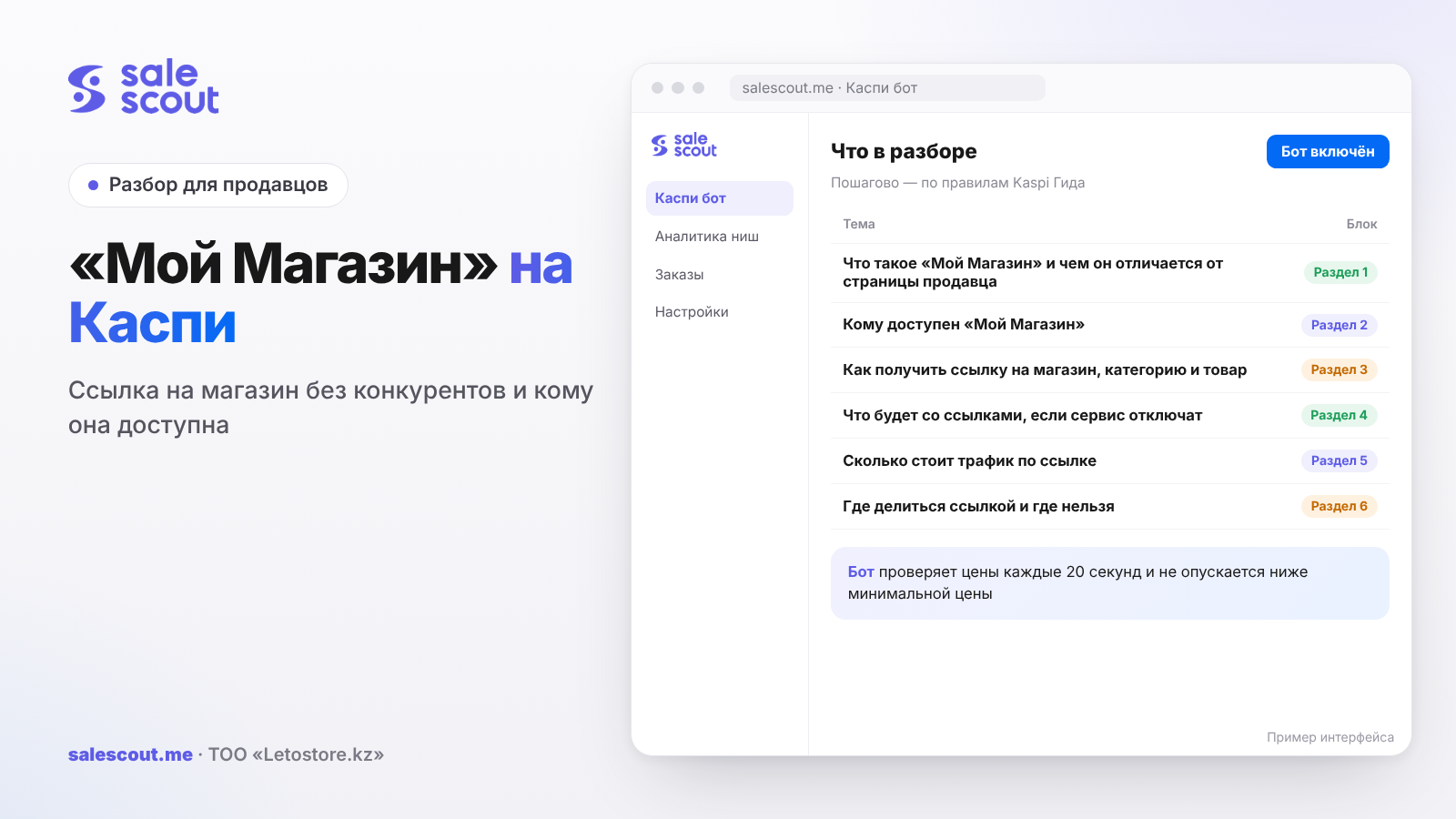
You get a link to your store on Kaspi.kz in the Kaspi Pay app: Магазин на Kaspi.kz → Мой Магазин → copy the link. Through it, a buyer sees only your catalogue, and product cards show no other sellers. The «Мой Магазин» ("My Store") service switches on by itself if you have been selling on Kaspi for at least three months and keep your quality metrics at «Нормально» ("Normal") or higher.
In short
- «Мой Магазин» cannot be connected by request. It appears automatically after three months of sales with metrics at «Нормально» or higher.
- A link can point to the whole store, to a category or to a single product. In all three cases you are the only seller in the card.
- If metrics drop below «Нормально», the links keep opening, but they lead to the seller page instead, and competitors are visible in the cards again.
- You cannot put a card with a store link into the parcel: it is an insert, which clause 1.9 of the rules prohibits.
- In a hypothetical example, ads costing 60 000 ₸ with 1 000 visits pay off only if more than 1.5% of visitors buy.
What «Мой Магазин» is and how it differs from the seller page
What the buyer sees
«Мой Магазин» is your storefront inside Kaspi.kz. It holds only your products, without competitors (q4240, updated Mar 12, 2026). A buyer who comes through the link sees:
- the store name and rating;
- the number of reviews;
- your full product catalogue with no other sellers in the cards.
This is the main point. In a regular Kaspi card the buyer sees a list of sellers sorted by bonuses, price, rating and reviews, and the top 3 always includes the fastest seller on delivery (q3190, updated Jun 15, 2026). «Мой Магазин» has no such list. The product card will have one seller — you (q4252, q4253, updated Dec 23, 2025).
The seller page is something else
Every seller has a page on Kaspi.kz: name, logo, a rating from 1 to 5 in steps of 0.1, a «Связаться» ("Contact") button, reviews, the date of joining and the approximate number of sales (q2917, updated Dec 15, 2025). But if a buyer opens a product from this page, they land in the regular card with all the sellers. That is exactly the difference between the seller page and «Мой Магазин»: in the «Мой Магазин» storefront, the neighbours in the card are not visible.
Background and reviews
You cannot change the background colour in «Мой Магазин». Kaspi picks it automatically from the main colour of the logo (q4254). The logo is changed by the head of the company or the administrator in Kaspi Pay: Сервисы → Профиль компании → Мой бренд (Services → Company profile → My brand). The review takes about 10 minutes, and the rating and reviews are kept when you change it (q2918, updated Jan 8, 2026; q4419). If you have never opened «Мой бренд», the first letters of the legal name are shown instead of a logo.
A new product in «Мой Магазин» may have reviews right away. This is not a mistake: while you have no reviews of your own, Kaspi shows comments about the product from other sellers' cards. When buyers leave reviews about your store specifically, they will replace the others (q4244, updated Dec 23, 2025).
Who can use «Мой Магазин»
Three conditions
Access is given automatically to partners who (q4242, updated Dec 23, 2025):
- have been selling in the Kaspi.kz Store for at least three months;
- follow the rules;
- keep quality metrics at «Нормально» or higher.
There is nowhere to apply and no separate connect button (q4241). If the service does not open, Kaspi names two reasons: you have been selling for less than three months, or your metrics are below «Нормально» (q4255, updated Jan 14, 2026).
Work out the date in advance
For a new store, three months is a reason to plan. If you joined in early August, «Мой Магазин» will appear no earlier than early November, and only if your metrics are fine. Arranging blogger ads with a storefront link before that date makes no sense. If you need ads earlier, send traffic to the regular card and assume some buyers will go to a neighbour on price.
Quality metrics
Kaspi's scale has five levels: «Отлично», «Хорошо», «Нормально», «Плохо», «Очень плохо» (Excellent, Good, Normal, Poor, Very poor). Thresholds: rating from 4 stars, cancellations through your fault below 3%, delays in handing over to Kaspi Delivery under 10%, quality returns below 2% (q2920, updated Oct 13, 2026). How to pull them up is covered in the article about a blocked Kaspi store.
For «Мой Магазин», what matters is what happens when they drop (q4620, updated Feb 25, 2026). At «Плохо» you have 14 days without restrictions; the exact date is shown in the cabinet. If you miss it, «Мой Магазин» and external ads in the «Маркетинг» ("Marketing") service become unavailable. At «Очень плохо» they are switched off at once, along with other measures.
How to get a link to the store, a category and a product
| What you need | Where to find it in Kaspi Pay | Source |
|---|---|---|
| The whole store | Магазин на Kaspi.kz → Мой Магазин → copy the link | q4243 |
| A category | Kaspi Store home → Мой Магазин на Kaspi.kz → «Перейти в Ваш Магазин в Kaspi.kz» ("Go to your Store on Kaspi.kz") → choose a category → "share" icon → copy the link | q4246 |
| One product | Seller cabinet → «Товары» ("Products") → choose a product → «Копировать ссылку на товар в Вашем Магазине» ("Copy the product link in your Store") | q4298, updated Sep 28, 2026 |
A category link works well in ads where you show a product line: "all our phone cases", "all the kids' clothes". A product link goes into a review of a specific item. A whole-store link goes into the social media profile header, where it lives for months.
In the cabinet, you find a product by name or by filtering on category, warehouse, brand and discount. If you have many products, it is easier to filter by brand first and then copy the links one by one.
What happens to the links if the service is switched off
This is the main risk people rarely think about. The links do not stop working. But they will open the seller page instead of your store, and the product cards will again show offers from other sellers (q4256, updated Dec 23, 2025).
Picture this: a blogger posted a review a week ago, the link is in the video description, and in that time your cancellations went up, your metrics dropped to «Плохо», and then 14 days passed. The video keeps bringing people, but now they land in the shared card, where a neighbour is 300 ₸ cheaper. You paid for the ad, and he takes the orders. For the links to work as before, metrics must go back to «Нормально» or higher.
So before any paid ad with a link, check two things: the current metric level and the margin to the thresholds. Three cancellations through your fault per 120 orders is 2.5%, and a fourth one already gives 3.3%, crossing the 3% threshold.
What link traffic costs: the math
A hypothetical example, not a client case. Assumptions: you pay 60 000 ₸ for an ad, 1 000 people come through the «Мой Магазин» link, and each order leaves you 4 000 ₸ after the Kaspi commission, delivery and purchase cost. Nobody knows in advance how many of the visitors will buy, so we count three scenarios.
Cost per order = ad spend ÷ number of orders
Breakeven conversion = ad spend ÷ (visits × profit per order)
| Share of visitors who buy | Orders | Cost of one order | Profit from orders | Result after the ad |
|---|---|---|---|---|
| 3% | 30 | 2 000 ₸ | 120 000 ₸ | +60 000 ₸ |
| 2% | 20 | 3 000 ₸ | 80 000 ₸ | +20 000 ₸ |
| 1% | 10 | 6 000 ₸ | 40 000 ₸ | −20 000 ₸ |
The threshold here is 60 000 ÷ (1 000 × 4 000) = 1.5%. Below that the ad loses money, even if orders come in.
Two practical points follow. First: count profit per order honestly, with commission and delivery; how to do it is in the article on not selling at a loss. Second: the Guide does not say whether the cabinet shows the number of visits via the «Мой Магазин» link. So judge the result by orders: compare the week before the ad with the week after, for the products the link pointed to. The Guide does not mention any separate commission for orders through the link.
Where you can share the link and where you cannot
Kaspi explicitly allows sharing the link on social media and other online platforms (q4245). The profile header on Instagram or TikTok, the description under a video, the company website, your messenger channel — all of these are fine.
You cannot put the link in the parcel. Clause 1.9 of the rules prohibits putting extraneous items, coupons, certificates, marketing materials and any other materials unrelated to the order into it (q1342, updated Sep 30, 2026). A business card with a QR code to your «Мой Магазин» is exactly that kind of insert.
There is no mailing to buyers inside Kaspi either: you cannot send messages to customers in the Store automatically (q4460). You can give the link in chat to a specific buyer if they ask about your other products. How to handle the chat is covered in the article about chatting with buyers on Kaspi.
If you work with bloggers, advertising law requirements apply to a Kaspi link too. What to state in the video and in the contract is collected in the article about micro-blogger ads.
When «Мой Магазин» helps and when it does not
It helps when you have your own traffic: a social media audience, regular customers, blogger ads. A person who came through the link does not see that the neighbour is 200 ₸ cheaper and only decides "buy or not".
It gives almost nothing if all your traffic comes from Kaspi search. A buyer from search lands in the regular card, and the storefront does not affect them. There, price, bonuses and rating decide.
It is risky if your metrics are on the edge of «Нормально». Investing in traffic to a link that may start leading to the shared card in two weeks means paying for someone else's sales.
Common mistakes with the «Мой Магазин» link
- Launching ads before three months of sales. The service does not exist yet, the link leads to the seller page, and the cards show competitors. The ad money is spent, and the neighbours take the buyers.
- Not watching metrics during the ad. At «Плохо», «Мой Магазин» switches off after 14 days, and at «Очень плохо» immediately. Videos already published keep sending people to the shared card.
- Putting a business card with the link into the order. This violates clause 1.9, and rule violations are one of the reasons for disconnection.
- Using the whole-store link in a single-product review. The person came for a specific item and still has to find it. For a review, use the product link.
- Not counting the cost per order. Without the math the ad "brings orders", but at 1% conversion in our example it goes 20 000 ₸ into the red.
- Expecting to set the storefront colour. You cannot; it comes from the logo. If you do not like the colour, change the logo via «Мой бренд».
Checklist: «Мой Магазин» before an ad
- At least three months have passed since you joined the Store.
- Quality metrics are «Нормально» or higher, with a margin to every threshold.
- The link has been checked from someone else's phone: the storefront opens, and you are the only seller in the cards.
- A product review uses the product link, a product line uses the category link.
- The logo is uploaded via «Мой бренд», and the storefront colour is acceptable.
- Profit per order and breakeven conversion are calculated.
- There is enough stock in the warehouse for the spike after the ad.
- Parcels contain no business cards, coupons or other inserts with the link.
- Ad dates are recorded so you can compare orders before and after.
The third item takes a minute and saves a lot of nerves. If the seller page opened instead of the storefront, the service is not working for you right now, and it is better to postpone the ad.
How to automate pricing and bring traffic to the link
For your own traffic, SaleScout has micro-blogger ads, and a review video can point to the «Мой Магазин» link. This service has no trial period. In regular cards, where buyers come from search, the Kaspi bot does the work: it checks prices every 20 seconds, keeps you at the top and never goes below the minimum price you set. When a competitor raises the price or leaves the card, the bot raises your price to just below the next seller. You can try the bot free for 7 days, no card needed.
Frequently asked questions about «Мой Магазин» on Kaspi
How do I get a link to my store on Kaspi?
In the Kaspi Pay app open Магазин на Kaspi.kz → Мой Магазин and copy the link. Through it a buyer will see only your catalogue, with no other sellers in the cards. You can post the link on social media and other platforms.
Why don't I have «Мой Магазин» in Kaspi Pay?
The service switches on automatically if you have been selling on Kaspi for at least three months, follow the rules and keep quality metrics at «Нормально» or higher. If even one condition is not met, the section will not open. You cannot apply to connect it.
Do buyers see other sellers through the link to my store?
No. In your store, every card will have only one seller — you. This also applies to links to a single product or a category from «Мой Магазин».
What happens to the link if «Мой Магазин» is switched off?
The link keeps working, but it opens the seller page instead of your storefront, and competitors appear in the product cards again. This happens if quality metrics drop below «Нормально». For the links to work as before, you need to bring the metrics back.
How do I share a product link on Kaspi?
In the seller cabinet in Kaspi Pay open «Товары», find the product by search or filter and tap «Копировать ссылку на товар в Вашем Магазине». A buyer following this link will see only you in the card.
Can I change the background colour in «Мой Магазин» on Kaspi?
No. The colour is picked automatically from the main colour of your logo. If you want a different background, change the logo in Kaspi Pay: Сервисы → Профиль компании → Мой бренд.
Why does my Kaspi store show reviews for a product I just added?
While you have no reviews of your own for this product, Kaspi shows comments from other sellers' cards. When buyers leave reviews about your store, they will replace the others.
Sources
All links checked Oct 20, 2026. The sources are in Russian; original titles are given with English translations.
- Kaspi Guide for partners. «Что такое «Мой Магазин на Kaspi.kz»…?» (What is My Store on Kaspi.kz?) — https://guide.kaspi.kz/partner/ru/shop/office/landing/q4240 (updated Mar 12, 2026); «Как получить доступ к сервису…?» (How to get access to the service?) — https://guide.kaspi.kz/partner/ru/shop/office/landing/q4241 (updated Dec 23, 2025); «Кто может пользоваться сервисом…?» (Who can use the service?) — https://guide.kaspi.kz/partner/ru/shop/office/landing/q4242 (updated Dec 23, 2025)
- Kaspi Guide. «Как получить ссылку на мой магазин…?» (How to get a link to my store?) — https://guide.kaspi.kz/partner/ru/shop/office/landing/q4243 (updated Dec 23, 2025); «Как поделиться ссылкой… в социальных сетях?» (How to share the link on social media?) — https://guide.kaspi.kz/partner/ru/shop/office/landing/q4245 (updated Dec 23, 2025); «Можно поделиться ссылкой на всю категорию…?» (Can I share a link to a whole category?) — https://guide.kaspi.kz/partner/ru/shop/office/landing/q4246 (updated Dec 23, 2025); «Я могу поделиться ссылкой на свой товар…?» (Can I share a link to my product?) — https://guide.kaspi.kz/partner/ru/shop/office/landing/q4298 (updated Sep 28, 2026)
- Kaspi Guide. «…Покупатель будет видеть предложения других продавцов в карточке?» (Will the buyer see other sellers' offers in the card?) — https://guide.kaspi.kz/partner/ru/shop/office/landing/q4252 (updated Dec 23, 2025); «Покупатели будут видеть предложения других продавцов…?» (Will buyers see other sellers' offers?) — https://guide.kaspi.kz/partner/ru/shop/office/landing/q4253 (updated Dec 23, 2025); «Можно поменять цвет фона…?» (Can I change the background colour?) — https://guide.kaspi.kz/partner/ru/shop/office/landing/q4254 (updated Dec 23, 2025); «Я добавил новый товар. Почему… уже есть отзывы?» (I added a new product. Why does it already have reviews?) — https://guide.kaspi.kz/partner/ru/shop/office/landing/q4244 (updated Dec 23, 2025)
- Kaspi Guide. «Я не могу открыть сервис…» (I cannot open the service) — https://guide.kaspi.kz/partner/ru/shop/office/landing/q4255 (updated Jan 14, 2026); «Сервис… не открывается. Что будет со ссылками на него?» (The service does not open. What happens to its links?) — https://guide.kaspi.kz/partner/ru/shop/office/landing/q4256 (updated Dec 23, 2025)
- Kaspi Guide. «У меня плохие показатели качества работы. Меня отключат…?» (My quality metrics are poor. Will I be disconnected?) — https://guide.kaspi.kz/partner/ru/shop/quality_index/general/q4620 (updated Feb 25, 2026); «Почему меня отключили от Магазина…?» (Why was I disconnected from the Store?) — https://guide.kaspi.kz/partner/ru/shop/conditions/q2920 (updated Oct 13, 2026)
- Kaspi Guide. «Какую информацию видят покупатели на странице продавца…?» (What do buyers see on the seller page?) — https://guide.kaspi.kz/partner/ru/shop/conditions/q2917 (updated Dec 15, 2025); «Как изменить логотип своего магазина…?» (How to change my store logo?) — https://guide.kaspi.kz/partner/ru/shop/office/general/q2918 (updated Jan 8, 2026); «…Что будет с рейтингом и отзывами?» (What happens to the rating and reviews?) — https://guide.kaspi.kz/partner/ru/shop/office/general/q4419 (updated Dec 11, 2025)
- Kaspi Guide. «Как располагаются продавцы в карточке товара…?» (How are sellers ordered in a product card?) — https://guide.kaspi.kz/partner/ru/shop/goods/general/q3190 (updated Jun 15, 2026); «Какие правила работы с Магазином на Kaspi.kz?» (What are the Kaspi.kz Store rules?) (clause 1.9) — https://guide.kaspi.kz/partner/ru/shop/conditions/q1342 (updated Sep 30, 2026); «Я могу настроить рассылку клиентам…?» (Can I set up a mailing to customers?) — https://guide.kaspi.kz/partner/ru/shop/orders/q4460 (updated May 28, 2026)
Bota, analyst
SaleScout is our company's product. Kaspi and Kaspi.kz are trademarks of Kaspi.kz JSC; SaleScout is not affiliated with Kaspi.