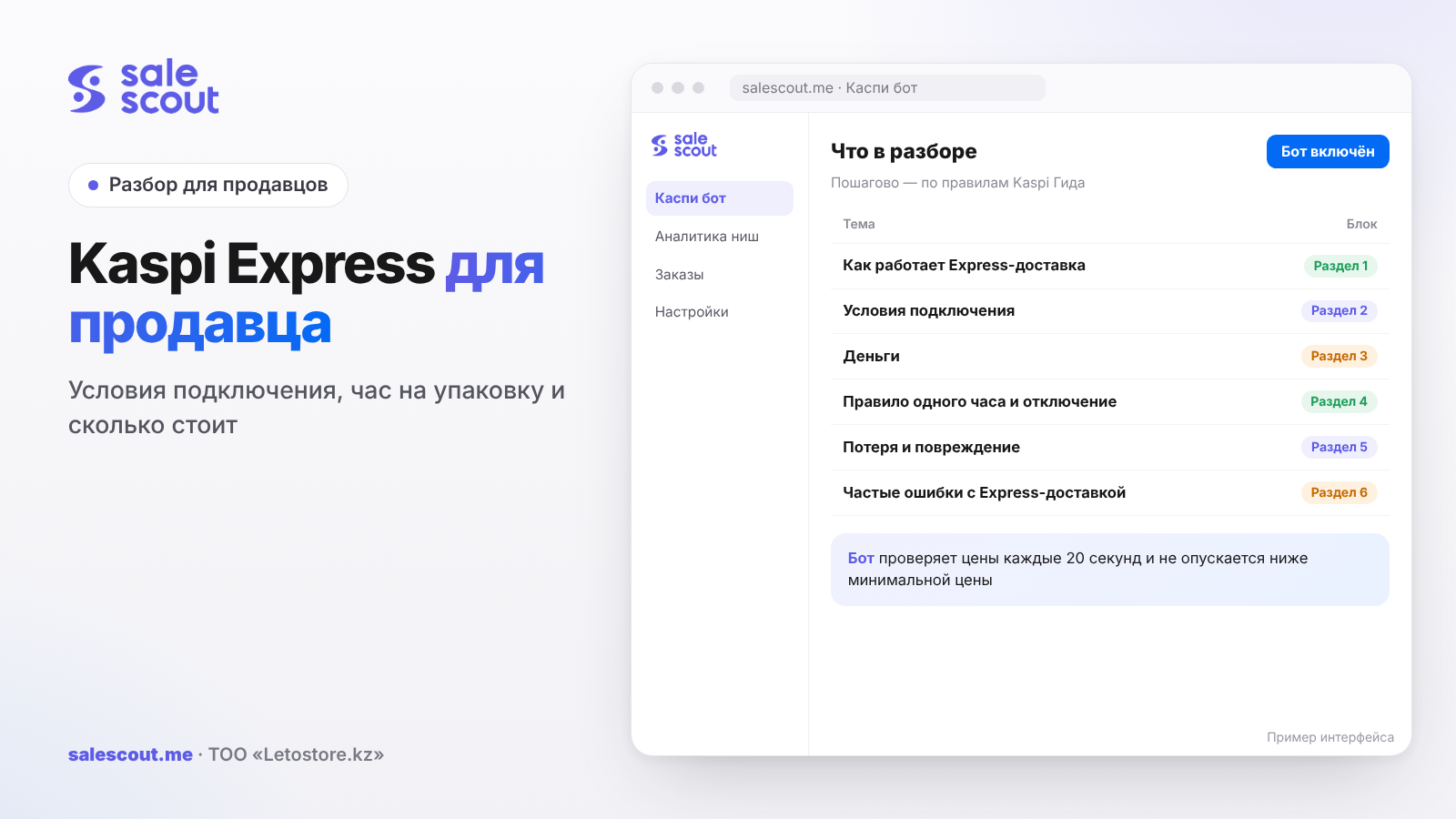
Express delivery in the Kaspi.kz Store is delivery by a Kaspi courier from your warehouse to the buyer within 60 minutes to 4 hours, in 17 cities of Kazakhstan. You can connect it if your warehouse works five days a week at least from 10:00 to 17:00, you use Kaspi Доставка (Kaspi Delivery), you have shipped 30 or more orders and your share of late handovers is under 10%. In return Kaspi asks for one thing: after an order comes in, you have about an hour to pack the product and hand it to the courier.
In short
- Express is available in 17 cities. The delivery time for the buyer is 60 minutes to 4 hours, depending on the distance from the warehouse. Kaspi has not yet opened connection for the 60-minute option.
- For orders up to 5,000 ₸ the Express rate is the same as regular city delivery. The difference starts from 5,000 ₸, and for an order from 10,000 ₸ up to 5 kg it is 600 ₸ excluding VAT.
- Kaspi itself calculates the time by which the order must be handed to the courier. If you regularly miss it, Express is switched off, and you can get it back only after 14 days.
- If the warehouse stops working from 10:00 to 17:00, Express switches off automatically.
- A claim for loss or damage is filed within 10 days of the planned date of handover to the courier. Without a video of packing and handover, it may be rejected.
How Express delivery works
The order's path
The scheme is as follows (q2951, updated Feb 5, 2026). The buyer places an order and chooses Express delivery. You get a notification and within an hour pack the product and attach the waybills. A courier assigned by Kaspi picks up the order and takes it to the buyer by the time shown in the Kaspi.kz app.
The time by which the order must be handed to the courier is shown in Kaspi Pay under Магазин на Kaspi.kz → Заказы → Express ("Kaspi.kz Store → Orders → Express") and is calculated automatically (q2954, updated Mar 30, 2026). When the waybills are ready, the courier's arrival time appears in the order details. At handover, check the courier's number against the one in the app.
The buyer can order Express only on your working days according to the schedule. The days are changed in Kaspi Pay: Магазин на Kaspi.kz → Настройки → Способы доставки → Доставка по городу ("Store → Settings → Delivery methods → City delivery").
Cities and delivery time
Express works in Aktau, Aktobe, Almaty, Astana, Atyrau, Karaganda, Kokshetau, Kostanay, Kyzylorda, Pavlodar, Petropavlovsk, Semey, Taldykorgan, Taraz, Uralsk, Ust-Kamenogorsk and Shymkent (q2950, updated Feb 5, 2026). The buyer receives the product in 60 minutes to 4 hours, depending on the distance from your warehouse to their address.
For comparison: regular Kaspi Delivery within a city takes one day on average from handover at the drop-off point (q2291). For the buyer, the difference is between "tonight" and "tomorrow".
Connection requirements
Six requirements
Kaspi lists the conditions as follows (q3685, updated Oct 14, 2026):
| Requirement | How to check | Comment |
|---|---|---|
| Warehouse in one of the 17 cities | warehouse address in settings | the warehouse's city, not the buyer's |
| Warehouse works 5 days a week from 10:00 to 17:00 or later | Настройки → Склады ("Settings → Warehouses") | less than that — Express is not available |
| You use Kaspi Delivery | delivery methods in settings | your own delivery does not qualify |
| Share of late handovers to the drop-off point under 10% | quality metrics | the same threshold as for delays |
| 30 or more orders shipped | order history | Kaspi does not specify the period |
| Warehouse within the Express coverage area | Kaspi Pay → Настройки → Склады → warehouse address on the map | the boundary is visible only on the map |
The fourth row links Express to the metric for delays in handover to Kaspi Delivery. If you are often late to the drop-off point, you will not be let into Express, and those already connected face a growing risk of disconnection. Handover deadlines at drop-off points are covered in detail in the article on Kaspi Delivery for sellers.
How to connect and disconnect
You connect in Kaspi Pay or in the web cabinet: Настройки → Склады, choose the point, switch on Express, enter the warehouse details and save (q2952). You can ship orders with Express delivery right away.
Disconnection is in the same place, and it takes effect immediately. But first you need to hand over to buyers all orders placed with Express. You can reconnect at any time (q2959). This matters: switching off voluntarily, for example for a vacation, does not lock you out for 14 days, unlike disconnection for violations.
Warehouse schedule and 24/7 Express
The Express schedule is the warehouse's working hours. The minimum is from 10:00 to 17:00, and then Kaspi ensures fast handover of orders throughout the day. If the warehouse's working hours no longer meet the requirements, Express switches off automatically (q2955, updated Jun 24, 2026).
There is also a 24/7 option: the warehouse must work around the clock, that is from 00:00 to 23:59 in the settings (q3180). Set it only if someone really accepts orders at night. A night-time Express order with nobody at the warehouse is almost certainly a breach of the one-hour rule.
Money: Express rates versus city delivery
The 2026 rate grid
The Express rate depends on the order amount and weight. The figures below exclude VAT and apply from January 1, 2026 (q2953, updated Oct 14, 2026; city delivery — q2288). We calculated the column with 16% VAT and the difference ourselves.
| Order amount and weight | City, excl. VAT | Express, excl. VAT | Express, incl. 16% VAT | Express costs more by, excl. VAT |
|---|---|---|---|---|
| up to 1,000 ₸ | 49 ₸ | 49 ₸ | 57 ₸ | 0 ₸ |
| 1,000–3,000 ₸ | 149 ₸ | 149 ₸ | 173 ₸ | 0 ₸ |
| 3,000–5,000 ₸ | 199 ₸ | 199 ₸ | 231 ₸ | 0 ₸ |
| 5,000–10,000 ₸ | 699 ₸ | 799 ₸ | 927 ₸ | 100 ₸ |
| from 10,000 ₸, up to 5 kg | 1,099 ₸ | 1,699 ₸ | 1,971 ₸ | 600 ₸ |
| from 10,000 ₸, 5–15 kg | 1,349 ₸ | 1,849 ₸ | 2,145 ₸ | 500 ₸ |
| from 10,000 ₸, 15–30 kg | 2,299 ₸ | 3,149 ₸ | 3,653 ₸ | 850 ₸ |
| from 10,000 ₸, 30–60 kg | 2,899 ₸ | 3,599 ₸ | 4,175 ₸ | 700 ₸ |
For heavy goods the grid also has rows for 60–100 kg (5,599 ₸) and over 100 kg (8,449 ₸), as well as separate rates for tires: 1,349 ₸ per passenger car wheel up to 25 kg and 5,749 ₸ per truck wheel.
A nuance that typical overviews miss: for orders up to 5,000 ₸, Express costs the seller exactly the same as regular city delivery. If you have many cheap items, the question "should I connect Express" is hardly about money; it is about the warehouse and people.
How the money is charged
The cost of Express is debited from the Kaspi Pay account once a day as a single sum for all orders. If a buyer ordered several products from different warehouses of yours, Express delivery from each one is charged (q2953). This is worth bearing in mind if the stock of one SKU is spread across two points: one order may cost two deliveries.
If the buyer refuses the purchase, the courier records the cancellation and returns the order to the point of sale, and the delivery fee is not charged (q2954). The same applies if you cancelled Express via the courier before handover to the buyer (q2957).
Does the surcharge pay off
Kaspi does not publish how many orders Express adds to your particular card. You can calculate how many it needs to add for the surcharge to pay off:
Extra orders needed = orders with Express × surcharge incl. VAT ÷ profit per order
A hypothetical example, not a client case. A 15,000 ₸ product weighing up to 5 kg, profit per order 3,000 ₸, buyers choose Express in 40 orders a month. The surcharge versus city delivery is 600 ₸ excluding VAT, that is 696 ₸ including VAT.
| Metric | Value |
|---|---|
| Surcharge for the month | 40 × 696 = 27,840 ₸ |
| Profit per order | 3,000 ₸ (assumption) |
| Break-even | 27,840 ÷ 3,000 ≈ 9.3, that is 10 extra orders |
If Express brings 10 new orders a month on top of those you would have had anyway, you break even. Fewer than that, and the surcharge eats the profit. Compare sales for a month before and after connecting on the same SKUs, otherwise there is nothing to calculate from. How delivery enters the minimum price is covered in the article on dumping and the minimum price.
The one-hour rule and disconnection
What counts as a violation
The main Express rule is to accept orders on time and hand them to the courier. If you do not follow it, Express may be switched off, and you can reconnect only after 14 days (q2958, updated Mar 30, 2026). The Guide does not say how many late handovers Kaspi tolerates before disconnecting.
Picture an ordinary weekday. An order arrives at 16:20, there is one person at the warehouse, who at that very moment is putting together a batch for the Kaspi Delivery drop-off point. The hour for packing runs out at 17:20, while the warehouse works until 17:00 according to the schedule. If Express orders arrive until the end of the working day, someone has to stay after it too, until the last courier has left.
When buyers don't see Express
If some buyers do not see Express for your product, the reasons are these (q4679, updated Feb 9, 2026):
- the buyer's address is outside the coverage area, and the area is calculated from the address given at checkout;
- the product category is on the list of those not shipped by Express delivery (q2956);
- the product has no stock listed at a specific warehouse;
- the product is listed as a preorder — Express is not available for such items.
The third point is where sellers stumble most often. The store keeps one combined stock figure, the product seems to have no warehouse in the cabinet, and Express simply does not appear for it. The fix is in «Изменить цену и остатки» ("Change price and stock"): the quantity is set for each warehouse separately, or in bulk via the price list. Preorders and their limitations are covered in a separate article on preorders on Kaspi.
Cancelling after handover to the courier
You can cancel an Express order in the cabinet yourself only before handing it to the courier, with the reason «товара нет в наличии» ("out of stock") (q2263). After handover, you need to contact the courier and ask them to cancel the order in their app. The courier's phone is in Заказы → Express next to their name; in the web cabinet you need to add the extension to the number (q2957).
Loss and damage: claims
A claim is filed within 10 days of the planned date of handing the order to the courier, and if the decision is positive, the money goes to the Kaspi Pay account. You can dispute the decision within 5 days. If a Kaspi Pay manager requests additional information, you have 2 days to reply (q3045, q3044, updated Jul 8, 2025).
| Compensation | Degree of damage according to Kaspi |
|---|---|
| 10% | the product's appearance is intact, but the original packaging is damaged or missing |
| 30% | chips, scratches, dents or cracks on one side without deformed corners; remote control or accessories lost |
| 100% | damage on all sides, the casing is deformed, the product's appearance is lost or main components are missing |
Kaspi is specific about rejections. For damage, a claim is rejected if a display item was shipped, if heat or frost spoiled the product, if the fault is internal and has nothing to do with transport, or if you have already been compensated for the same product. For loss — if a duplicate of the order was handed to the courier, if a smartphone had no IMEI code, and if the status never became «Принят курьером» ("Accepted by courier") and you have no dated and timed video of the handover.
Hence a simple rule that Kaspi itself repeats twice: film how you pack the product and hand it to the courier. A video with the date and time is the only thing that saves a claim if the status in the courier's app did not change.
Common mistakes with Express delivery
- Connecting Express with a warehouse where nobody is around during the day. The hour for packing does not stretch. Regular late handovers mean disconnection and 14 days without Express.
- Cutting warehouse hours and forgetting about Express. Less than 10:00–17:00 and Express switches off automatically, with no separate warning in the Guide.
- Keeping one combined stock figure across warehouses. Without stock at a specific warehouse, Express is not shown for the product, and you pay for the connection without getting orders.
- Keeping one SKU at two warehouses without need. An order of two products from different warehouses is charged as two Express deliveries.
- Not filming the handover. If the status did not change to «Принят курьером», a loss claim without a dated and timed video will be rejected.
- Assuming Express is expensive for the whole range. Up to 5,000 ₸ the rate is the same as city delivery. By giving up Express to save money on cheap products, you save nothing.
- Setting 24/7 mode "just in case". Night-time Express orders with nobody at the warehouse turn into late handovers.
Checklist: Express delivery without disconnections
- The warehouse is in one of the 17 cities and inside the coverage area on the map in Kaspi Pay.
- The warehouse schedule is at least 10:00–17:00 five days a week, and it matches reality.
- Delays in handover to Kaspi Delivery are well below 10%.
- Stock is listed for each warehouse separately.
- During working hours there is someone at the warehouse who sees Express orders in Kaspi Pay.
- Packaging and courier bags are at hand so you can make it within the hour.
- Packing and handover to the courier are filmed with the date and time.
- The courier's number is checked against the number in the app before handover.
- Once a month, sales of SKUs with Express are compared with the period before connecting.
If you are going on vacation or closing the warehouse for repairs, switch off Express yourself after handing over all orders. A voluntary disconnection can be reversed on any day, while a disconnection for late handovers keeps you without Express for two weeks.
How to automate pricing for products with Express delivery
The bot will not organize the warehouse or the couriers for you; that stays with you. But you don't have to touch the price in the card by hand. The SaleScout Kaspi bot checks prices every 20 seconds, keeps you at the top of the card and does not go below the minimum price you set. If a competitor leaves the card or raises their price, the bot raises yours to just below the next seller. The first 7 days are free, no card needed.
Frequently asked questions about Kaspi Express for sellers
How does a seller connect Kaspi Express?
Through the warehouse settings. In Kaspi Pay or the web cabinet, go to Настройки → Склады, choose the point and switch on Express. Not everyone is admitted: the warehouse must be in one of the 17 cities within the coverage area and work five days a week from 10:00 to 17:00, and the store must use Kaspi Delivery, have at least 30 shipped orders and less than 10% late handovers to the drop-off point.
How much does Express delivery on Kaspi cost a seller?
It depends on the order. Cheap orders, up to 5,000 ₸, go for 49–199 ₸ excluding VAT, exactly like regular city delivery. For an order from 10,000 ₸ weighing up to 5 kg you pay 1,699 ₸ excluding VAT, which comes to 1,971 ₸ with 16% VAT — 600 ₸ excluding VAT more than city delivery.
How quickly do I need to hand over an Express order?
Kaspi calculates the time automatically and shows it in Kaspi Pay under Заказы → Express. According to the description in the Kaspi Guide, the seller has about one hour after the order to pack it and prepare the waybills. The buyer receives the product in 60 minutes to 4 hours.
Why did Kaspi switch off my Express delivery?
Most often because orders were not handed to the courier on time: in that case you can reconnect only after 14 days. Express also switches off automatically if the warehouse no longer works at least from 10:00 to 17:00.
Which cities does Kaspi Express work in?
For now, in 17 cities: from Aktau and Atyrau in the west to Ust-Kamenogorsk and Semey in the east, including Almaty, Astana and Shymkent. What matters is not the buyer's city but where your warehouse is and whether it falls within the coverage area on the map in Kaspi Pay. The full list of cities is in the Kaspi Guide.
Why don't buyers see Express for my product?
It is not always down to you. The buyer's address may be outside the coverage area, or the category may be on the exclusion list. Two more reasons are on your side: stock at the warehouse is not specified, or the product is on preorder.
Can I cancel Express if the product is already with the courier?
Yes, but there is no button in the cabinet at this stage. Call the courier: their phone is in Kaspi Pay, under Заказы → Express, next to their name. They will cancel the order on their side, and you will not pay for delivery if the product has not yet reached the buyer.
Sources
All links checked Oct 19, 2026. The sources are in Russian; original titles are given with English translations.
- Kaspi Guide for partners. «Как работает Express-доставка в Магазине на Kaspi.kz?» (How does Express delivery work in the Kaspi.kz Store?) — https://guide.kaspi.kz/partner/ru/shop/delivery/express/q2951 (updated Feb 5, 2026); «Что такое Express-доставка для партнеров…?» (What is Express delivery for partners?) — https://guide.kaspi.kz/partner/ru/shop/delivery/express/q2950 (updated Feb 5, 2026)
- Kaspi Guide. «Какие условия подключения Express-доставки?» (What are the requirements for connecting Express delivery?) — https://guide.kaspi.kz/partner/ru/shop/delivery/express/q3685 (updated Oct 14, 2026); «Как… подключить Express-доставку?» (How to connect Express delivery?) — https://guide.kaspi.kz/partner/ru/shop/delivery/express/q2952 (updated May 16, 2025); «Как отключить Express-доставку…?» (How to switch off Express delivery?) — https://guide.kaspi.kz/partner/ru/shop/delivery/express/q2959 (updated Sep 29, 2025)
- Kaspi Guide. «Я могу изменить график Express-доставки…?» (Can I change the Express delivery schedule?) — https://guide.kaspi.kz/partner/ru/shop/delivery/express/q2955 (updated Jun 24, 2026); «…подключить круглосуточную Express-доставку?» (Connecting 24/7 Express delivery) — https://guide.kaspi.kz/partner/ru/shop/delivery/express/q3180 (updated Jun 24, 2026)
- Kaspi Guide. «Сколько стоит Express-доставка… для продавца?» (How much does Express delivery cost a seller?) — https://guide.kaspi.kz/partner/ru/shop/delivery/express/q2953 (updated Oct 14, 2026); «Сколько стоит Kaspi Доставка?» (How much does Kaspi Delivery cost?) — https://guide.kaspi.kz/partner/ru/shop/delivery/shipping/q2288 (updated Jun 16, 2026); «Какие сроки у Kaspi Доставки?» (What are Kaspi Delivery times?) — https://guide.kaspi.kz/partner/ru/shop/delivery/shipping/q2291 (updated Jul 31, 2024)
- Kaspi Guide. «Как отправить покупателю товар… с помощью Express-доставки?» (How to ship a product with Express delivery?) — https://guide.kaspi.kz/partner/ru/shop/delivery/express/q2954 (updated Mar 30, 2026); «Какие правила нужно соблюдать…?» (Which rules must be followed?) — https://guide.kaspi.kz/partner/ru/shop/delivery/express/q2958 (updated Mar 30, 2026); «Я могу отменить Express-доставку, если уже передал товар курьеру…?» (Can I cancel Express after handing the product to the courier?) — https://guide.kaspi.kz/partner/ru/shop/delivery/express/q2957 (updated Nov 28, 2023)
- Kaspi Guide. «…не отображается Express-доставка у некоторых клиентов. Почему?» (Express delivery is not shown to some customers. Why?) — https://guide.kaspi.kz/partner/ru/shop/delivery/express/q4679 (updated Feb 9, 2026); «Какие товары можно отправлять Express-доставкой…?» (Which products can be shipped by Express?) — https://guide.kaspi.kz/partner/ru/shop/delivery/express/q2956 (updated Dec 19, 2025); «Как отменить заказ в Магазине на Kaspi.kz?» (How to cancel an order?) — https://guide.kaspi.kz/partner/ru/shop/orders/q2263 (updated Jun 15, 2026)
- Kaspi Guide. «Мой товар был поврежден при Express-доставке. Что делать?» (My product was damaged in Express delivery. What should I do?) — https://guide.kaspi.kz/partner/ru/shop/delivery/express/q3045 (updated Jul 8, 2025); «…с помощью Express-доставки. Он был утерян. Что делать?» (My Express shipment was lost. What should I do?) — https://guide.kaspi.kz/partner/ru/shop/delivery/express/q3044 (updated Jul 8, 2025)
Bota, analyst
SaleScout is our company's product. Kaspi and Kaspi.kz are trademarks of Kaspi.kz JSC; SaleScout is not affiliated with Kaspi.