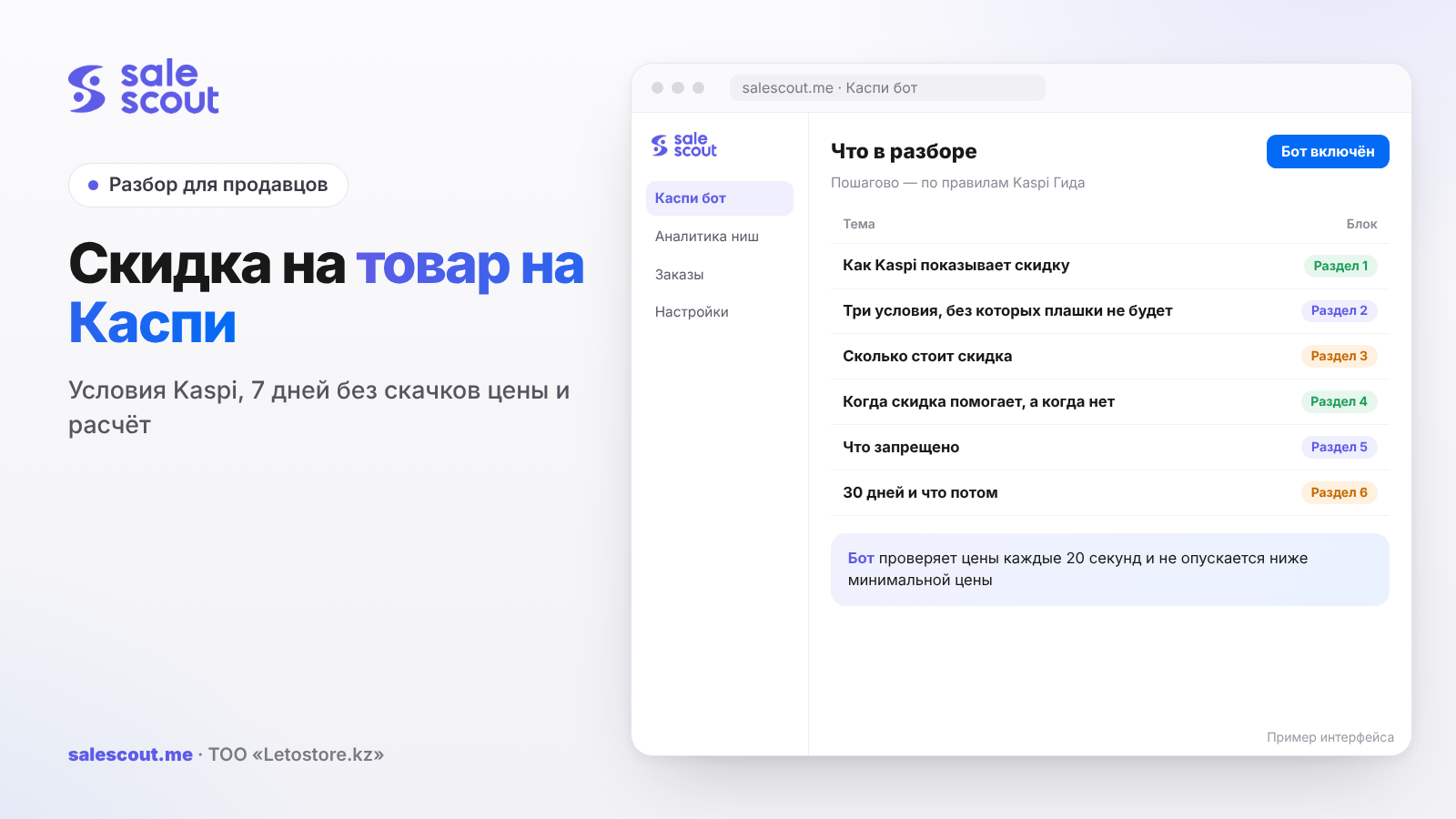
There is no separate "discount" button in the Kaspi.kz Store: a discount appears when you cut the product price by at least 10% after keeping the price almost unchanged for seven days. Kaspi calculates the size itself and shows the buyer the old price, the new one and the percentage. Two more conditions apply: your price must not be much higher than the lowest price in the product card (the single shared card that lists every seller of the product), and the label stays for 30 days.
In short
- A discount is simply a price cut via «Редактировать цену» ("Edit price"). The new price must be at least 10% below the old one and no less than one fifth of it.
- Before the cut, the price must have lived for seven days with swings of no more than 3%. If you moved it more often, there will be no label, even with a 20% cut.
- After the cut, your price can be at most 15% above the lowest price in the card. Buyers see the discount on the card's main price only if you have become the cheapest.
- After 30 days the label disappears. Raise the price above the pre-discount level and it disappears sooner.
- In a hypothetical example, a 10% discount on a 20,000 ₸ product cuts the profit per order from 5,225 to 3,475 ₸. To earn the same, you need to sell about one and a half times more.
How Kaspi shows a discount
Where a discount is set
Everything goes through the price. In Kaspi Pay open Магазин на Kaspi.kz → Товары ("Store → Products"), tap the three dots next to the product, then «Редактировать цену» ("Edit price") and enter the new price (q3461, updated Nov 8, 2024). Kaspi calculates the discount size itself; you cannot type in a percentage. It is visible on the price change screen before you save (q3463).
Fifteen minutes after the change, buyers see the discount size, the old price and the new one. Kaspi gives the same 15 minutes as the update time for any price, whether you edit it in the app, in the web cabinet or via a price list (q2234, updated Sep 28, 2026).
What the buyer sees
Kaspi shows the old price, the new price and the discount percentage in two places (q3462, updated Mar 28, 2025):
- on the product card itself — if your price is now the lowest;
- in the list of sellers, next to your store name.
The difference is big. Everyone who opens the product from search or the catalogue sees the card. Only someone who taps «Ещё предложения» ("More offers") or scrolls down reaches the list of sellers. So a discount that did not make you the cheapest works more quietly: it gets noticed by people who are already comparing sellers.
Price limits in general
On Kaspi you can set a price from 10 ₸ to 5 million ₸ (q1345). This rarely matters for discounts, but a typo with an extra zero during a price cut sometimes runs into exactly these limits.
Three conditions without which there is no label
The 10% rule: how much to cut
The new price must be at least 10% below the old one. The maximum discount Kaspi will show is when the new price equals one fifth of the old one (q3464, updated Nov 8, 2024). Cut the price by 7% and the buyer sees the new price, but without the crossed-out old one.
Discounted price ≤ old price × 0.9
For a 20,000 ₸ product that means no more than 18,000 ₸. "18,500, almost 10%" will not work: Kaspi compares strictly.
Seven quiet days
Before a discount, the product must have been on sale for seven days, and during that time its price must have changed by no more than 3% (q3461). If it changed more, Kaspi advises setting the discount a week later and not touching the price in the meantime (q3464).
Corridor for the week = price × 0.97 … price × 1.03
At a price of 20,000 ₸ that is from 19,400 to 20,600 ₸. One caveat: Kaspi does not say whether the 3% applies to each individual edit or to the week as a whole. If you moved the price twice by 2% in the same direction within seven days, the rule is met under one reading and broken under the other. It is safer to keep the price inside the corridor around the starting point.
This is also the most common reason why "the discount did not appear". A store that reshuffles its price every evening in a hot card easily drifts beyond 3% within a week. Kaspi simply will not show a discount for such a product.
The 15% cap over the card's lowest price
Your discounted price can be no more than 15% above the lowest price in the card (q3461, q3464).
Discounted price ≤ lowest price in the card × 1.15
If a competitor's lowest price is 17,500 ₸, yours must not exceed 20,125 ₸. At 18,000 ₸ you fit under that cap, so the label shows in the list of sellers, but not on the card's main price — that spot shows someone else's 17,500 ₸.
Where the Guide's wording differs
In the article on why a discount stopped showing, Kaspi puts it differently: one of the reasons is that "your price exceeded the lowest price in the card" (q3466, updated Jul 29, 2024). There is not a word about 15% there. Together with the article on where the buyer sees a discount, the picture looks like this: on the card the label holds while you are the cheapest, and in the list of sellers while you are within 15%. This is our reading of two texts, not an official clarification, so after the cut check on your own product where exactly the discount appeared.
What a discount costs: the math
Buyers like discounts, but you pay for them, and on the full amount. Let us run the numbers on one product.
Hypothetical example, not a client case. Assumptions: regular price 20,000 ₸, purchase cost including delivery to your warehouse 11,000 ₸, Kaspi commission 12.5% including VAT (the rate for most categories, q1344 and the 2026 tariff PDF), Kaspi Delivery within the city for an order of 10,000 ₸ or more up to 5 kg — 1,099 ₸ excluding VAT, i.e. 1,275 ₸ with 16% VAT (q2288, updated Jun 16, 2026). A competitor's lowest price in the card is 17,500 ₸. Tax and fixed costs are left out.
| Option | Price | Commission 12.5% | Delivery | Purchase cost | Left per order before tax |
|---|---|---|---|---|---|
| No discount | 20,000 ₸ | 2,500 ₸ | 1,275 ₸ | 11,000 ₸ | 5,225 ₸ |
| 10% discount, you are not the cheapest | 18,000 ₸ | 2,250 ₸ | 1,275 ₸ | 11,000 ₸ | 3,475 ₸ |
| 13% discount, you are the cheapest | 17,400 ₸ | 2,175 ₸ | 1,275 ₸ | 11,000 ₸ | 2,950 ₸ |
Commission is charged on the new price, so Kaspi "shares" part of the discount with you: you cut the price by 2,000 ₸ and the profit fell by 1,750 ₸. Delivery and purchase cost do not change, and on cheap products they eat the whole discount.
How much you need to sell to break even
Required sales growth = profit without discount ÷ profit with discount
- 10% discount: 5,225 ÷ 3,475 = 1.50, i.e. sales must grow by 50%;
- 13% discount: 5,225 ÷ 2,950 = 1.77, i.e. by 77%.
If you sold 30 units a month and earned 156,750 ₸, then with a 13% discount you will need 54 orders for the same money. Kaspi does not publish how many orders a discount actually brings, and nobody outside can tell you. You check it on your own product: compare the week before and the week with the discount, all else being equal.
Discount or bonuses
Seller bonuses (Kaspi's cashback points) have a similar effect, but they are calculated differently: you pay Kaspi's commission on the full price and pay for the bonuses separately. On the other hand, bonuses lift you in the list of sellers above those who have none. The detailed math is in the article on seller bonuses on Kaspi. For the same benefit to the buyer on one product, a discount is usually cheaper, while a bonus moves you up the card more strongly.
When a discount helps and when it does not
It works
Clearing leftover stock. The product has been sitting for three months and the money is frozen. What matters here is not profit per order but turnover: better 2,950 ₸ now than 5,225 ₸ someday. How to price idle stock is covered in the article on stock levels on Kaspi.
A card where you are already close to the lowest price. If the gap to the cheapest seller is 3–5%, a 10% discount makes you first and puts the label on the main price. This is the "loudest" kind of discount.
A calm card without a price war. Prices there stay put for weeks, and the seven-day condition is met on its own.
It does not work or is risky
A hot card where prices move every day. You will most likely not get the label because of the 3% rule, and a 10% cut will just trigger a response from competitors. Then you lose margin without any label. How to behave in a price war is covered in the article on dumping on Kaspi.
A product where you are far more expensive than everyone. If the lowest price is 15,000 ₸ and yours is 20,000 ₸, then even after a 10% discount you are at 18,000 ₸ — 20% above the lowest price. The 15% cap is not met, so there is no label.
Thin margin. With a purchase cost of 15,000 ₸ in our example, a 10% discount already gives −525 ₸ per order: 18,000 − 2,250 − 1,275 − 15,000. Before cutting, calculate your minimum price — the formula is in the article on how not to sell at a loss.
What you risk
The main risk is that a discount cannot be "switched off" without consequences for profit. Raise the price above the pre-discount level and the label disappears at once (q3465, updated Jul 29, 2024). And buyers who saw 17,400 ₸ will see 20,000 ₸ with no explanation.
What is prohibited: double prices and "a discount for the payment method"
The product price must be the same whatever payment method the buyer uses. Store partners may not set different prices depending on how the buyer pays; for this Kaspi applies restrictions up to ending the partnership (q4170, updated Oct 8, 2025). In the Store rules this is clause 3.5, and it says explicitly "including with discounts (promotions)" (q1342, updated Sep 30, 2026).
What this means in practice. You cannot write to a buyer in chat "I'll make it cheaper if you pay upfront", and you cannot promise a separate discount for skipping installments. The exception in the same Guide article concerns sellers who provide installments at their own expense: under the Internal Trade Rules they must show both prices.
One more detail from the card rules: words about discounts and promotions are not allowed in the product title and description. Kaspi draws the label itself, and a "−20% today only" line in the description sends the card for review. More on that in the article on creating a product card.
30 days and what comes next
Why the discount disappeared
Kaspi lists four reasons (q3466):
- 30 days have passed since the discount started.
- Your price exceeded the lowest price in the card.
- The discount is shown only in the list of sellers (that is, you are not the cheapest).
- You changed the price and it is now higher than before the discount.
The second and third reasons are in practice the same situation: a cheaper seller came into the card. You did not touch anything, yet the label vanished from the main price.
How to set a discount again
Kaspi suggests simply changing the price again. But the seven-day condition still applies. If after 30 days you cut the price by another 10% from the already reduced price, you get a new label, and the product ends up 19% below the original price: 20,000 → 18,000 → 16,200 ₸. Two or three such rounds and you are selling at a loss with a nice label.
There is a calmer option. You go back to the regular 20,000 ₸, leave the price alone for a week, then set 18,000 ₸ again. The label then shows for 30 days, disappears for seven, and so on in a loop. Whether this suits your product is impossible to say in advance: some buyers will remember that it was cheaper a week ago. Try it on one item first.
Common mistakes with discounts on Kaspi
- 8–9% instead of 10%. You cut the price and gave away margin, but the buyer never saw a crossed-out price. Kaspi counts only cuts of 10% or more as a discount.
- A price edit a couple of days before the discount. You moved the price by 4% on Tuesday and cut it by 15% on Friday — there will be no label, because the week was "noisy". What you got is an ordinary price cut.
- A discount where you are far from the lowest price. The neighbour has 15,000 ₸, yours after the discount is 18,000 ₸. That is 20% higher, the 15% cap is not met, and the profit is already smaller.
- Percent of price instead of percent of profit. In our example, 10% of the price is a third of the profit per order, 5,225 → 3,475 ₸. On a product with a 15,000 ₸ purchase cost, the same discount means a loss.
- A discount on a discount. Each new round is calculated from the already reduced price, and in two months the product gets 19% cheaper. Raising the price back without losing buyers is hard after that.
- "I'll make it cheaper if you pay right away". Different prices for different payment methods are explicitly prohibited, up to being disconnected from the Store.
- The word "discount" in the description. The card goes for review and its sales stop.
Checklist: a product discount on Kaspi
- The profit per order before and after the discount is calculated, and after the discount it is above zero.
- The new price is at least 10% below the current one (old price × 0.9).
- For seven days before the cut the price stayed inside the ±3% corridor.
- The discounted price is no more than 15% above the lowest price in the card.
- It is clear whether you will become the cheapest — that decides whether the label is on the card or only in the list.
- Stock will cover the sales growth: without goods, the discount turns into cancellations.
- The description and title contain no words about discounts or promotions.
- The end date of the discount (plus 30 days) is written down.
A separate note on checking the result. Fifteen minutes after the cut, open the product from a normal search, as a buyer would, and see where the label shows. If it is not there at all, one of the three conditions above is almost always to blame, and the numbers in the cabinet will show which one.
How to automate pricing once the discount ends
Kaspi draws the discount itself, but you have to watch the price after it manually: a competitor went lower, and you are no longer the cheapest. The SaleScout Kaspi bot checks prices every 20 seconds, keeps you at the top of the product card and never goes below the minimum price you set. When a competitor raises the price or leaves the card, the bot raises your price to just below the next seller. Keep in mind: frequent price changes and the 3%-in-seven-days rule do not mix well, so it is better to take products you plan to discount out of automation in advance. You can try the bot free for 7 days, no card needed.
Frequently asked questions about product discounts on Kaspi
How do I set a discount on a product on Kaspi?
Lower the product price: Магазин на Kaspi.kz → Товары → three dots → «Редактировать цену» ("Edit price"). The discount appears on its own if the new price is at least 10% below the old one, the price changed by no more than 3% over seven days, and you are no more than 15% above the lowest price in the card. Fifteen minutes later buyers see the old and the new price.
Why is my discount not showing on Kaspi?
Most often because of the seven-day rule: if the price changed by more than 3% during the week, the discount is not shown. Other reasons are a cut of less than 10% or a discounted price more than 15% above the lowest price in the card. Kaspi advises waiting a week without touching the price and cutting it again.
How long does a discount last on Kaspi?
The discount label is shown for 30 days. It disappears earlier if you raise the price above the pre-discount level or a seller cheaper than you appears in the card.
What is the maximum discount I can set on Kaspi?
The minimum discount is 10%. The maximum is when the new price equals one fifth of the old one: for a 20,000 ₸ product that is 4,000 ₸. Kaspi calculates the percentage itself and shows it on the price change screen.
Where does a buyer see the discount on Kaspi?
On the product card — only if your price has become the lowest. In the list of sellers, the discount is shown next to your store name. If you are not the cheapest, only people comparing offers will notice the label.
Can I give a discount for paying with Kaspi Gold or without installments?
No. Kaspi requires one price for every payment method, and discounts and promotions fall under this rule too (clause 3.5 of the Store rules). For different prices Kaspi can restrict sales or end the partnership altogether.
Is a 10% discount on Kaspi worth it?
It depends on your purchase cost. Take a 20,000 ₸ product that costs you 11,000 ₸: after a 10% discount you keep 3,475 ₸ per order instead of 5,225 ₸, so you need to sell one and a half times more. If the purchase cost is 15,000 ₸, the same discount means a loss of 525 ₸ on every order.
Sources
All links checked Oct 20, 2026. The sources are in Russian; original titles are given with English translations.
- Kaspi Guide for partners. «Как установить скидку на товар…?» (How to set a discount on a product?) — https://guide.kaspi.kz/partner/ru/shop/goods/discount/q3461 (updated Nov 8, 2024); «Я снизил цену… но скидка не отобразилась. Почему?» (I lowered the price but the discount did not show. Why?) — https://guide.kaspi.kz/partner/ru/shop/goods/discount/q3464 (updated Nov 8, 2024); «Как рассчитывается скидка…?» (How is the discount calculated?) — https://guide.kaspi.kz/partner/ru/shop/goods/discount/q3463 (updated Nov 8, 2024)
- Kaspi Guide. «…перестала отображаться скидка на товар. Почему?» (The discount stopped showing. Why?) — https://guide.kaspi.kz/partner/ru/shop/goods/discount/q3466 (updated Jul 29, 2024); «Я установил скидку… Сколько она действует?» (I set a discount. How long does it last?) — https://guide.kaspi.kz/partner/ru/shop/goods/discount/q3465 (updated Jul 29, 2024); «Как… покупатель узнает о скидке на мой товар?» (How does a buyer learn about my discount?) — https://guide.kaspi.kz/partner/ru/shop/goods/discount/q3462 (updated Mar 28, 2025)
- Kaspi Guide. «Как изменить цену товара…?» (How to change a product price?) — https://guide.kaspi.kz/partner/ru/shop/goods/edit/q2234 (updated Sep 28, 2026); «Какую минимальную и максимальную стоимость товара я могу указать…?» (What minimum and maximum price can I set?) — https://guide.kaspi.kz/partner/ru/shop/conditions/q1345 (updated May 29, 2024)
- Kaspi Guide. «Я могу устанавливать двойные цены на товары…?» (Can I set double prices?) — https://guide.kaspi.kz/partner/ru/shop/conditions/q4170 (updated Oct 8, 2025); «Какие правила работы с Магазином на Kaspi.kz?» (What are the Kaspi.kz Store rules?, clause 3.5) — https://guide.kaspi.kz/partner/ru/shop/conditions/q1342 (updated Sep 30, 2026)
- Kaspi Guide. «Какая комиссия за продажи…?» (What is the sales commission?) — https://guide.kaspi.kz/partner/ru/shop/conditions/q1344 (updated Jan 6, 2026); «Тарифы Магазина на Kaspi.kz 2026» (Kaspi.kz Store tariffs 2026, PDF) — https://guide.kaspi.kz/cdn/content/pay/product/documents/Magazin/Tarify_Magazina_na_Kaspi_kz_2026.pdf
- Kaspi Guide. «Сколько стоит Kaspi Доставка?» (How much does Kaspi Delivery cost?) — https://guide.kaspi.kz/partner/ru/shop/delivery/shipping/q2288 (updated Jun 16, 2026)
- Tax Code of the Republic of Kazakhstan, Article 503 «Ставки НДС» (VAT rates) — https://www.zakonpravo.kz/ru/statya-503-stavki-naloga-na-dobavlennuyu-stoimost-nalogovogo-kodeksa-respubliki-kazahstan
Bota, analyst
SaleScout is our company's product. Kaspi and Kaspi.kz are trademarks of Kaspi.kz JSC; SaleScout is not affiliated with Kaspi.