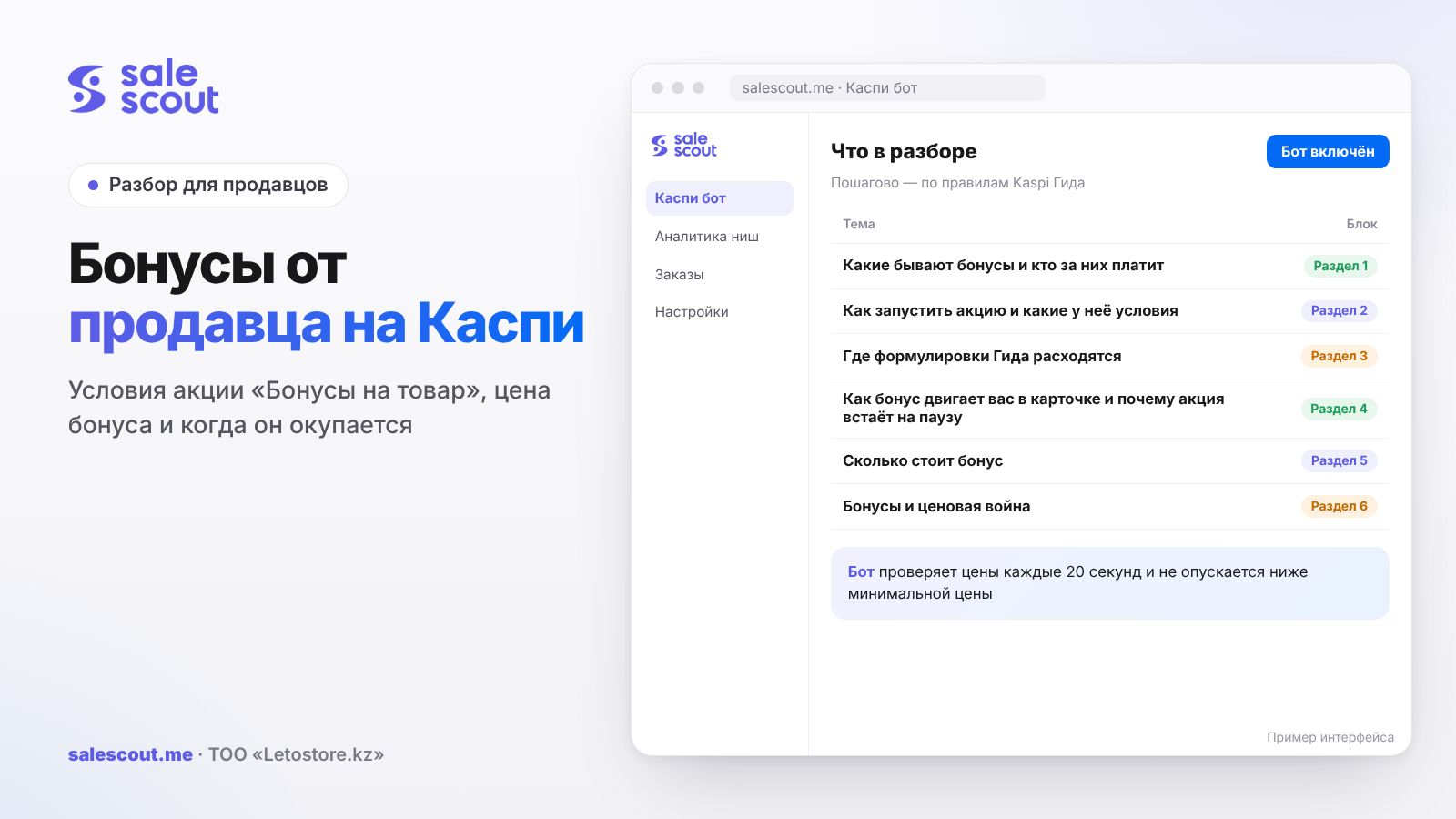
Seller bonuses on Kaspi are launched in the «Маркетинг» ("Marketing") service in Kaspi Pay: you choose products, cities and dates, set a bonus from 5 to 60% of the price and pay it together with the regular fee on each sale, while the launch itself is free. Bonuses are Kaspi's cashback points that the buyer receives. For the promotion to be allowed, the product must have been on sale for 14 days with price fluctuation of no more than 3%, and your price must be the lowest in the product card or above it by no more than 3% or 3,000 ₸. As soon as a competitor becomes cheaper than you with bonuses taken into account, the promotion is paused. A 7% bonus on a 20,000 ₸ product with a 3,000 ₸ profit pays off only if sales almost double.
In short
- A bonus is a discount the buyer sees, but you pay Kaspi's fee on the full price. That is why lowering the price by the same amount is usually cheaper.
- The rule "the price changed by no more than 3% in 14 days" does not sit well with a price war. It is better to separate the items you run with dumping from the items you put bonuses on.
- The Guide contains inconsistencies: "changed" vs "increased", "lasts longer than one day" vs "minimum duration is 1 day". Plan for the strict version.
- The buyer sees the bonus in the product card (one shared product page listing all sellers) only if you have the lowest price. Otherwise, it shows in the catalog and next to the store name in the seller list.
- Payback is calculated with one formula: sales must grow by a factor of m ÷ (m − bonus), where m is your profit per order before the bonus.
What kinds of bonuses exist and who pays for them
The word "bonuses" on Kaspi means three different tools, and mixing them up is expensive.
| Tool | Who launches it | Who pays the bonus | Purpose |
|---|---|---|---|
| «Бонусы на товар» ("Product bonuses") | You, in Kaspi Pay's «Маркетинг» ("Marketing") | You, on every sale, plus the fee | Boost sales of specific products, clear stock, promote a new item |
| «Бонусы за отзыв» ("Bonuses for a review") | You, in the same place | You, for every qualifying review | Collect reviews for a product |
| Store promotions with increased bonuses | Kaspi; products take part automatically | Since 2026, a single fee, no surcharges for category bonuses | A general marketplace sale |
Sources: q3802, q3946, q1671, q3734. Bonuses for reviews have a separate article: how to get reviews on Kaspi. From here on, we are talking about "Product bonuses".
How to launch a promotion and what its terms are
Launch
Access is available to the owner and to employees with the role «Управляющий» ("Manager") or «Менеджер маркетинга» ("Marketing manager") (q3802, updated Jul 27, 2026). In «Маркетинг → Бонусы на товар» ("Marketing → Product bonuses") you enter a name, start and end dates, cities or regions, products and the bonus size: one of three options suggested by Kaspi or your own, from 5 to 60% (q3803). About the suggested options, Kaspi writes that they will increase views "more than 2 times" and bring the offer to the top of the product card's sellers. This is the marketplace's promise, and it is worth checking against your own numbers.
You pay the bonus to the buyer and the sales fee; both are debited from your Kaspi Pay account automatically on every sale. If the buyer cancels the order, the fee is returned (q3809). When a product is returned, the bonus amount and the fee come back to your account immediately (q3810).
Eligibility terms
Kaspi lists the terms like this (q3814, updated Jul 27, 2026):
- The product has been on sale for 14 days, and its price changed by 3% or less during that time.
- The promotion lasts longer than one day.
- The product's price is the lowest in the product card or exceeds the lowest by no more than 3% or 3,000 ₸.
Medicines, infant formula, cigarette cases, tobacco heating systems, energy drinks and alcohol do not take part; the list may change (q3805). And one more restriction that catches people during setup: in one campaign you cannot select recommended products and products with a low rating at the same time.
Where the Guide's wording differs
"Changed" or "increased"
The terms say "the price changed only by 3% or less". But the answer "I cannot launch a promotion. Why?" says "the product's price increased by less than 3% over the last 14 days" (q3804). The difference is fundamental: the first version counts decreases too, the second only increases. Plus "3% or less" versus "less than 3%".
The Guide does not specify which version the cabinet applies. It is safe to go by the strict one: in the 14 days before launch, the price did not move up or down by more than 3%. In tenge it is not much: 270 ₸ on an 8,990 ₸ product, 600 ₸ on a 20,000 ₸ product, 1,950 ₸ on 64,990 ₸.
One day or more
The terms require the promotion to last "longer than one day", while the launch instructions say "the minimum duration is 1 day" (q3803). Better not to plan a one-day promotion: set at least two days.
3% or 3,000 ₸
The third condition is a price above the lowest by no more than 3% "or" 3,000 ₸. Kaspi's example covers only a cheap product: the lowest price is 10,000 ₸, so yours must be below 10,300 ₸ (q3804). For expensive products, the "or" can be read in different ways:
| Lowest price in the product card | +3% | +3,000 ₸ | Stricter of the two |
|---|---|---|---|
| 5,000 ₸ | 5,150 ₸ | 8,000 ₸ | 5,150 ₸ |
| 10,000 ₸ | 10,300 ₸ | 13,000 ₸ | 10,300 ₸ |
| 50,000 ₸ | 51,500 ₸ | 53,000 ₸ | 51,500 ₸ |
| 100,000 ₸ | 103,000 ₸ | 103,000 ₸ | 103,000 ₸ |
| 200,000 ₸ | 206,000 ₸ | 203,000 ₸ | 203,000 ₸ |
Up to 100,000 ₸, 3% is the stricter one; above that, 3,000 ₸. If the product is expensive, do not count on a 6,000 ₸ corridor on a 200,000 ₸ item until you have checked it in the cabinet on your own product.
How a bonus moves you in the product card and why a promotion gets paused
Position in the seller list depends on price, bonus size, rating and number of reviews. If your offer has become the most attractive with the bonus, it rises to first place; otherwise the sellers with the lowest price stay at the top of the list (q4752). How the order works as a whole is covered in the article how to get to the top of the product card.
The buyer will see the bonus in three places: in the catalog, in the product card (only if you have the lowest price) and in the seller list next to the store name (q3806). So in the "main" position of the product card, the bonus works only for whoever is already the cheapest.
Now about the pause. The promotion stops automatically if another seller's price for the same product, with bonuses taken into account, has become lower than yours (q4867, updated Apr 9, 2026). To launch it again, you need to move to the lowest price or at most 3% / 3,000 ₸ above it, and then manually go to «Маркетинг → Мои акции → Приостановленные → Посмотреть детали → Редактировать → Запустить акцию» ("Marketing → My promotions → Paused → View details → Edit → Launch promotion").
A competitor can launch bonuses on the same product even if your promotion is already running (q4868). The scenario is clear: on Wednesday you set 5%, on Thursday a neighbor sets 7%, on Friday morning your promotion is paused, and you find out about it by the evening. You need to check paused promotions every day; Kaspi advises exactly that, to track results daily (q3807).
What a bonus costs: the calculation
Payback formula
Let m be your profit per order without the bonus, and B the bonus in tenge. With the bonus, m − B remains from each order. To earn no less over the period, sales have to grow by a factor of:
k = m ÷ (m − B)
If B ≥ m, the promotion loses money at any growth.
Hypothetical example: a 20,000 ₸ product
A hypothetical example, not a client case. The product costs 20,000 ₸, the profit per order after purchase cost, fee, delivery and tax is 3,000 ₸. Without a promotion, it sells 30 times in 14 days.
| Bonus | Bonus in tenge | Left per order | How many times more sales are needed | Sales in 14 days to break even |
|---|---|---|---|---|
| 5% | 1,000 ₸ | 2,000 ₸ | 1.5 | 45 |
| 7% | 1,400 ₸ | 1,600 ₸ | 1.875 | 57 |
| 10% | 2,000 ₸ | 1,000 ₸ | 3 | 90 |
| 15% | 3,000 ₸ | 0 ₸ | — | does not pay off |
Say you set 7% and sold 48 units in two weeks. It sounds like a success: plus 60% in sales. In money terms, it is 48 × 1,600 = 76,800 ₸ versus 30 × 3,000 = 90,000 ₸ without the promotion, that is, minus 13,200 ₸. To break even, you needed 57 sales.
A comparison of a bonus with a price cut of the same amount has already been calculated in the article about the top of the product card: the price cut comes out cheaper because the fee and tax are taken from a lower price. The bonus wins in another way. It does not lower the price that the whole product card sees, and it does not trigger a chain of retaliatory cuts by neighbors. If your price has already hit your minimum price, a bonus is the only way to become more attractive without going into the red on price.
What to count as profit
m must include all variable costs per order: purchase cost, fee including VAT, Kaspi Delivery including VAT, tax, packaging and a return reserve. How to put this figure together is in the article how not to sell at a loss. A 500 ₸ error in m on the product from the example changes the threshold for 7% from 57 to 68 sales at a profit of 2,500 ₸, which is already a different answer.
Kaspi Guide does not explain how the bonus is reflected in your tax base. Check with your accountant; the general logic of tax on Kaspi is in the article taxes for an individual entrepreneur on Kaspi in 2026.
Bonuses and a price war: how to combine them
The 14-day stable price condition directly contradicts how dumping goes in hot product cards. If you and a neighbor undercut each other by 1 ₸ all month and slid down by 5% a couple of times, you cannot launch a promotion on that product. And if you did manage to launch it, it will be paused with every competitor bonus.
A working solution is to split the assortment in advance:
- Price items. Product cards where there is an active fight and price decides. They are managed by a dumping bot (repricing bot) within the minimum price, and no bonuses are set on them.
- Bonus items. Products where you are alone or competitors are few and the price holds steady. On them, a bonus drives sales without dragging you into a war.
- Remaining stock and new items. Kaspi itself advises putting bonuses on products that are bought rarely and on new items (q3807). A new item has no 14-day history, so keep its price steady for the first two weeks and then launch the promotion.
If a product from the "bonus items" suddenly becomes a battlefield, decide how you will run it from now on. Keeping the bonus while chasing the price at the same time is the most expensive option: you pay with both the bonus and the margin, and the promotion is paused anyway.
Regions, several promotions and leaving a promotion
A bonus can be launched for all cities or for a specific region. The promotion is shown to the buyer only if the product is in your warehouse in that city or can be sent there with Kaspi Delivery (q3807). A regional promotion is useful when sales in one city are sagging and you have a warehouse there.
One product can take part in all bonus promotions at the same time (q5182). The Guide does not say whether the bonuses then add up for the buyer. Before launching a second campaign on the same product, check on one item in the promotion results how many bonuses actually went out per sale.
You can change or stop a promotion at any time: «Маркетинг → Бонусы на товар → Мои акции» ("Marketing → Product bonuses → My promotions"), three dots, «Редактировать» ("Edit") or «Приостановить» ("Pause") (q3959).
How to evaluate the result
In «Маркетинг → Бонусы на товар» ("Marketing → Product bonuses") you can see the number of sales and the amount of bonuses paid to buyers (q3808). Profit is not shown there; you calculate it.
The procedure:
- Take the product's sales for the same period before the promotion. Conveniently, the same 14 days when the price was stable.
- Calculate the profit before the promotion: sales × m.
- Calculate the profit in the promotion: sales × (m − B), where B is taken from the report as the bonus amount ÷ the number of sales.
- Subtract returns: the bonus and fee came back on them, but delivery did not.
- Compare. If the result is worse and the goal was not to clear stock, reduce or remove the bonus.
One caveat about the "before and after" comparison. During a promotion, everything affects sales at once: the season, competitors, Kaspi Marketing (Kaspi's in-platform advertising), general marketplace promotions. You cannot isolate the pure effect of the bonus this way. If you have a similar product without a bonus, use it as a control; that is more honest than comparing with last month.
Common mistakes
- A bonus as a percentage picked "by eye". 10% on a product with a profit of 15% of the price requires three times more sales. Without calculating k, it is easy to give buyers your whole margin and consider the promotion a success because sales grew.
- A bonus on a product in a price war. The promotion either does not launch or gets paused. You pay the bonus on the days it works and lose your position on the others.
- A one-day promotion. The Guide contradicts itself, and the cabinet may not accept it. You will lose a day reconfiguring.
- A pause nobody noticed. A competitor launched a bigger bonus than yours, your promotion is stopped, and you think it is running. The weekly report will show the dip when it is too late to fix it.
- Profit without a return reserve. On a return, the bonus and fee come back, but delivery does not. On items with frequent returns, the real m is lower than in the table, and the payback threshold is higher.
- Two campaigns on one product without checking. If the bonuses add up, you will pay more than planned. The Guide does not address this question, so test on one item first.
- A region where you have no warehouse. The promotion is visible only where the product is available or where Kaspi Delivery takes it. Otherwise, the bonus is set up but there are no impressions.
Checklist
- The assortment is split into price items and bonus items.
- For each bonus product, m has been calculated with all variable costs.
- The threshold k = m ÷ (m − B) has been calculated, and the number of sales needed for the period has been written down.
- The product's price has not moved by more than 3% in either direction for 14 days.
- Your price is the lowest in the product card or above it by no more than the stricter of the two limits: 3% or 3,000 ₸.
- The promotion lasts at least two days.
- The selected cities match where you have a warehouse or Kaspi Delivery.
- You have checked that the product is not already in another of your bonus campaigns.
The most important thing is a daily look at «Приостановленные» ("Paused"). If a competitor's bonus has outbid yours, the decision has to be made the same day: raise the bonus if m allows, or let the product card go and move the product back to "price items". And after two weeks, compare with your calculation: did sales grow by more than k or not.
How to automate it
Price items are easier to run with a dumping bot, and bonuses are best set where the price is steady. The SaleScout Kaspi bot checks prices every 20 seconds, puts you at the top of the product card and does not go below the minimum price you set; when a competitor raises their price or leaves, the bot raises yours. SaleScout's Kaspi Marketing AI manages bids in Kaspi Marketing and is currently free together with the bot. You can try the bot free for 7 days, no card required.
FAQ
How does a seller launch product bonuses on Kaspi?
In the Kaspi Pay app or web version, open «Маркетинг → Бонусы на товар» ("Marketing → Product bonuses") and enter a name, dates, cities, products and the bonus size: one of the three suggested options or your own from 5 to 60%. The launch is free; the bonus and fee are debited on every sale. The owner, a manager or a marketing manager can launch it.
How much do seller bonuses on Kaspi cost?
Exactly as much as you give the buyer: the bonus as a percentage of the price plus the regular sales fee. On a 20,000 ₸ product, a 7% bonus is 1,400 ₸ from every sale. On a cancellation the fee is returned; on a product return, both the bonus and the fee.
Why won't a bonus promotion launch on Kaspi?
Most often because of the price: the product must have been on sale for 14 days with fluctuation of no more than 3%, and your price must be the lowest or above it by no more than 3% or 3,000 ₸. Medicines, infant formula, alcohol, energy drinks, cigarette cases and tobacco heating systems do not take part. Another reason is a sales restriction for breaking the rules.
Why was my bonus promotion on Kaspi paused?
Because another seller's price for the same product, with bonuses taken into account, became lower than yours, and then the promotion stops automatically. To resume it, move to the lowest price or within 3% / 3,000 ₸ of it and relaunch the promotion in «Приостановленные» ("Paused").
Will bonuses lift my store to the top of the Kaspi product card?
Not always. If your offer has become the most attractive with the bonus, it rises to first place; if not, the sellers with the lowest price stay at the top. The order also depends on rating and number of reviews.
What is more profitable on Kaspi: a bonus or a price cut?
A price cut of the same amount is usually cheaper, because the fee and tax are calculated on a lower price. A bonus is needed when the price is already at your minimum price or when you do not want to show the whole product card a new price. Check payback with the formula k = m ÷ (m − bonus).
Can I launch several bonus promotions on one product?
Yes: according to Kaspi Guide, a product can take part in all bonus promotions at the same time. The Guide does not specify whether the bonuses add up for the buyer in that case. First check on one item in the report how many bonuses went out per sale.
Sources
All links checked Oct 17, 2026. The sources are in Russian; original titles are given with English translations.
- Kaspi Guide for partners. «Что такое „Бонусы на товар“ в сервисе „Маркетинг“?» (What are "Product bonuses" in the "Marketing" service?) — https://guide.kaspi.kz/partner/ru/marketing/bonus_purchase/q3802 (updated Jul 27, 2026); «Как запустить акцию с бонусами на товар?» (How do I launch a product bonus promotion?) — https://guide.kaspi.kz/partner/ru/marketing/bonus_purchase/q3803 (updated Jul 27, 2026)
- Kaspi Guide. «Какие условия запуска акции с бонусами на товар?» (What are the terms for launching a product bonus promotion?) — https://guide.kaspi.kz/partner/ru/marketing/bonus_purchase/q3814 (updated Jul 27, 2026); «Я не могу запустить акцию. Почему?» (I cannot launch a promotion. Why?) — https://guide.kaspi.kz/partner/ru/marketing/bonus_purchase/q3804 (updated Jul 27, 2026); «На какие товары я могу запустить акцию?» (For which products can I launch a promotion?) — https://guide.kaspi.kz/partner/ru/marketing/bonus_purchase/q3805 (updated Jul 27, 2026)
- Kaspi Guide. «Сколько это будет стоить?» (How much will it cost?) — https://guide.kaspi.kz/partner/ru/marketing/bonus_purchase/q3809 (updated Jul 27, 2026); «Клиент вернул товар, купленный во время акции. Когда мне вернут деньги?» (A customer returned a product bought during a promotion. When will I get the money back?) — https://guide.kaspi.kz/partner/ru/marketing/bonus_purchase/q3810 (updated Feb 5, 2025)
- Kaspi Guide. «Запуск акции с бонусами влияет на расположение в списке продавцов?» (Does launching a bonus promotion affect the position in the seller list?) — https://guide.kaspi.kz/partner/ru/marketing/bonus_purchase/q4752 (updated Jul 27, 2026); «Как покупатели узнают об акции?» (How do buyers find out about the promotion?) — https://guide.kaspi.kz/partner/ru/marketing/bonus_purchase/q3806 (updated Jul 27, 2026)
- Kaspi Guide. «Почему мою акцию с бонусами приостановили?» (Why was my bonus promotion paused?) — https://guide.kaspi.kz/partner/ru/marketing/bonus_purchase/q4867 (updated Apr 9, 2026); «Могу запустить акцию на товар, который участвует в акции у другого продавца?» (Can I launch a promotion on a product that is in another seller's promotion?) — https://guide.kaspi.kz/partner/ru/marketing/bonus_purchase/q4868 (updated Jul 27, 2026); «Могу запустить несколько акций с бонусами?» (Can I launch several bonus promotions?) — https://guide.kaspi.kz/partner/ru/marketing/bonus_purchase/q5182 (updated Jul 27, 2026)
- Kaspi Guide. «Как увеличить продажи с помощью бонусов на товар?» (How do I increase sales with product bonuses?) — https://guide.kaspi.kz/partner/ru/marketing/bonus_purchase/q3807 (updated Jul 27, 2026); «Где посмотреть результаты акции?» (Where can I see the promotion results?) — https://guide.kaspi.kz/partner/ru/marketing/bonus_purchase/q3808 (updated Jul 27, 2026); «Как отключить акцию?» (How do I turn off a promotion?) — https://guide.kaspi.kz/partner/ru/marketing/bonus_purchase/q3959 (updated Jul 27, 2026)
- Kaspi Guide. «Что такое „Бонусы за отзыв“?» (What are "Bonuses for a review"?) — https://guide.kaspi.kz/partner/ru/marketing/bonus_review/q3946 (updated Apr 23, 2026); «Какие акции проводятся в Магазине?» (What promotions are held in the Store?) — https://guide.kaspi.kz/partner/ru/marketing/campaign_shop/q1671 (updated Feb 16, 2024); «Почему поменялась комиссия за продажи?» (Why did the sales fee change?) — https://guide.kaspi.kz/partner/ru/shop/conditions/q3734 (updated Jan 6, 2026)
Bota, analyst
SaleScout is our company's product. Kaspi and Kaspi.kz are trademarks of Kaspi.kz JSC; SaleScout is not affiliated with Kaspi.