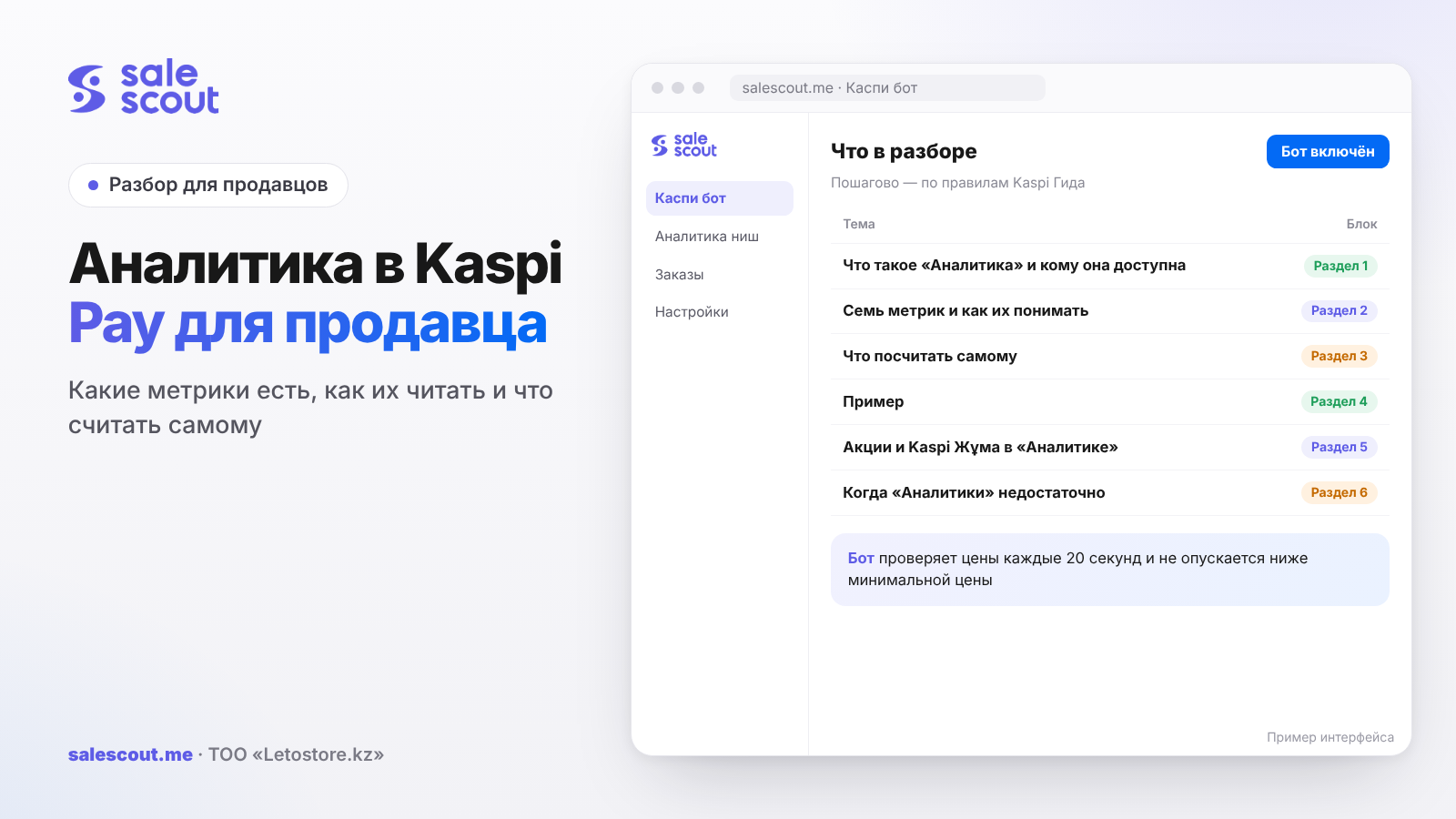
«Аналитика» ("Analytics") in Kaspi Pay is a built-in service for Kaspi.kz Store partners showing how many products buyers received, how much money that brought, what share of sales in a product card or category you hold, and how many clicks into the card there were. It can be opened by the head of the company, the general manager and the marketing manager. The value of the service is not in the charts but in the fact that its numbers let you calculate, in five minutes, the volume of a product card and the money you are leaving on the table.
In short
- «Аналитика» has seven metrics: products sold, sales dynamics, amount for products, clicks, your share of sales, product price and conversion score. Only orders that buyers received count; cancellations and returns are excluded.
- Your sales share plus your "sold" give the sales of the whole product card: 30 units at a 25% share means 120 units across all sellers.
- A 100% share is not always good news. It only means you are alone in the card.
- Three metrics can be compared with the previous period: sold, amount and clicks. The default period is 30 days.
- In a hypothetical example with four products, the "up to target share" calculation shows 59,400 ₸ of monthly profit the store is missing, and it is immediately clear where the problem is price and where it is the card.
What «Аналитика» is and who can use it
Purpose
Kaspi describes the service like this: it helps Store partners track sales, find growth points and assess results (q5045, updated Sep 29, 2026). You can compare your store's metrics across periods, filter them by sales region or brand, and view them on a chart by day, week and month. You can also see separately how they behaved during Store promotions and Kaspi Жұма (Kaspi's Friday sale). The report can be exported to Excel and sent via a messenger or email (q5051).
Kaspi also lists possible actions: advertising, a promotion with bonuses, a different price, a new description or photos. The list is right, it just doesn't say where to start for a given product. The Guide doesn't cover that, so below we choose by the numbers.
Why there is no «Аналитика» button
There are three reasons (q5047):
| Reason | What to do |
|---|---|
| Insufficient rights | The service is open to the head, the general manager and the marketing manager. A Store manager needs a different role |
| Outdated Kaspi Pay version | Update the app in Google Play, App Store or AppGallery |
| Kaspi Pay terminated the partnership | This is a restrictive measure for breaking the rules, with no restoration |
The first row is the most common in practice and the least obvious. A manager who edits prices and processes orders every day does not see «Аналитика». If you want them to look at the numbers, it is a question of role. Which roles exist and who grants them is described in the article on a store manager on Kaspi.
Seven metrics and how to understand them
What each one means
The definitions are taken from the Guide (q5048, updated Sep 29, 2026):
| Metric | Kaspi's definition | What to watch |
|---|---|---|
| Products sold | How many products buyers received | Units, not orders: one order can contain several |
| Sales dynamics | Percentage sold compared with the previous period, up or down | Compare periods of the same length |
| Amount for products | Income for orders handed over | This is revenue before commission and delivery, not profit |
| Clicks | Visits to the product card | Demand for the card, not for your offer |
| Your share of sales | Your part of all sales among sellers in the category or card | The key metric for price |
| Product price | The price the buyer sees, including discounts and bonuses | Check it against the price in the cabinet |
| Conversion score | How often the product is bought within its category | The higher it is, the more orders and the more effective advertising |
An important caveat from Kaspi: statistics are collected only for orders that buyers received. Cancellations and returns are not counted. So the "Amount for products" in «Аналитика» and the money credited to your account for the same month do not have to match: payouts are net of commission, and returns processed later live by their own dates.
Where the numbers are easy to misread
First, the 100% share. Kaspi explains it directly: if a product shows a 100% share of your sales, you are the only seller in the card (q5049). That is not a victory over competitors; there simply aren't any. Growth for such a product comes only through demand for the card itself: photos, description, advertising.
Second, combined cards. If a card combines several products, for example sizes or colours, «Аналитика» shows it as one (q5052). You won't find out from there which size sells worse; you'll have to look at the orders.
Third, missing products. «Аналитика» shows products that were on sale in the last 30 days or in the period you chose. If a product was not listed in that time, was taken off sale or ran out of stock, it won't be in the report (q5053). Kaspi gives an example: you look at June 1–7, but the product was listed on the 10th — it isn't there. An empty line in the report sometimes means not that the product didn't sell, but that it sat at zero stock.
Comparing periods
On the main page of «Аналитика», for categories or products, there is a «Сравнить с предыдущим периодом» ("Compare with the previous period") button. The default is 30 days, but you can pick the period yourself. Three metrics are compared: products sold, amount for products and clicks (q5050).
For seasonal products a month-to-month comparison almost always misleads. Air conditioners sell differently in July than in May, and a drop in clicks in September is not your fault. How to separate season from a price problem is covered in the article on sales seasonality on Kaspi.
What to calculate yourself: three formulas
Out of the box the service gives raw numbers. Decisions start with three divisions and one multiplication.
Sales of the whole card
Card sales = your "sold" ÷ your share of sales
If you sold 30 units and your share in the card is 25%, the card sold about 120 units in total. Kaspi does not publish card sales directly, but through the share you can see them in a second.
Card conversion
Card conversion = card sales ÷ clicks × 100%
Kaspi does not specify whose visits are included in "Clicks", so we treat them as visits to the card as a whole. If 120 sales came from 2,400 clicks, the card's conversion is 5%. This number is useful for comparing your products: a card where 600 visits produce 12 purchases works worse than one where 3,000 visits produce 150.
Potential by share
Missed profit = (target share − current share) × card sales × profit per unit
You choose the target share yourself, based on how many sellers are in the card and how low you are prepared to go. Profit per unit is after commission, delivery and purchase cost; how to calculate it is described in the article on how not to sell at a loss on Kaspi.
Example: four products, four different decisions
Hypothetical example, not a client case. Assumptions: «Аналитика» data for 30 days on four products; profit per unit calculated in advance; target share chosen by the seller.
| Product | Sold | Share | Card sales | Clicks | Card conversion | Average price | Profit per unit |
|---|---|---|---|---|---|---|---|
| Headphones A | 30 | 25% | 120 | 2,400 | 5% | 15,000 ₸ | 1,800 ₸ |
| Case B | 90 | 60% | 150 | 3,000 | 5% | 3,000 ₸ | 450 ₸ |
| Speaker C | 12 | 100% | 12 | 600 | 2% | 22,000 ₸ | 3,500 ₸ |
| Charger D | 20 | 10% | 200 | 5,000 | 4% | 7,000 ₸ | 900 ₸ |
The average price here is "Amount for products" divided by "Sold": 450,000 ₸ / 30, 270,000 ₸ / 90, 264,000 ₸ / 12 and 140,000 ₸ / 20.
| Product | Target share | Extra sales per month | Missed profit | What to do |
|---|---|---|---|---|
| Headphones A | 40% | 18 | 32,400 ₸ | Price: the card is alive, you are losing share |
| Case B | 60% | 0 | 0 ₸ | Hold; the share is already high |
| Speaker C | — | — | — | The card: you are alone, conversion 2% — photos, description, ads |
| Charger D | 25% | 30 | 27,000 ₸ | Price, but check the minimum price first |
| Total | — | 48 | 59,400 ₸ | — |
The calculation for the headphones: (40% − 25%) × 120 × 1,800 ₸ = 32,400 ₸. For the charger: (25% − 10%) × 200 × 900 ₸ = 27,000 ₸.
What the table shows. For the headphones and the charger the problem is share: there is demand for the card, but people buy from your neighbours. The lever here is price and position in the product card (the single shared listing where all sellers of an item compete); how the seller order works is covered in the article on how to get to the top of the Kaspi product card. The speaker is the opposite case: no competitors, price isn't in the way, but 600 visits produce twelve purchases. Cutting the price is pointless; the work is on the card and traffic. If you decide to advertise, start with products where conversion is higher: Kaspi itself says that the higher the conversion score, the more effective advertising is. Bids and their payback are in the article on cost per click in Kaspi Marketing.
The charger deserves a separate check. A 10% share with 200 card sales may mean your minimum price simply doesn't let you compete. If the 900 ₸ profit per unit only works at the current price, growing share through price will eat all of it.
Promotions and Kaspi Жұма in «Аналитика»
Say you took part in Kaspi Жұма on Friday, and on Monday you want to know whether it was worth it. In «Аналитика» you can see separately how the metrics changed during Store promotions and Kaspi Жұма, so the spike is visible straight away. Look not at the sales spike on the promotion day but at two things: did your share in the card change, and what happened to sales in the week after. If the share grew only during the promotion and then went back, the promotion bought sales but not position.
Remember the price metric. "Product price" in «Аналитика» is the price including discounts and bonuses, i.e. what the buyer sees. During a promotion it will be lower than the price in the cabinet, and that is normal. How to calculate the payback of bonuses we covered in the article on seller bonuses on Kaspi, and preparing for the sale in the article on Kaspi Жұма for sellers.
When «Аналитика» isn't enough
The service shows your store and your cards. What it doesn't have, going by Kaspi's description:
- competitors' prices over time — share shows the result, not the cause;
- profit — only revenue for orders handed over;
- cancellations and returns — they are excluded from the statistics;
- sales in cards where you are not present — that is, an answer to what else is worth selling.
For decisions on assortment and profit you will still need your own spreadsheet: cost price, category commission, delivery. The Excel export comes in handy here: you can join it with your own data by product name and calculate potential with the formula above every month.
Common mistakes when working with Kaspi Pay analytics
- Treating "Amount for products" as profit. It is revenue for orders handed over, before commission, delivery and purchase cost. On a product with a 12.5% rate including VAT, commission alone takes one eighth.
- Celebrating a 100% share. It means you are alone in the card. Cutting the price there gives nothing, but low card conversion is a direct signal to work on photos and description.
- Comparing incomparable periods. September against August for a seasonal product will show a "drop" that has nothing to do with your actions.
- Looking for a missing product in the report. If it had no stock or was off sale during the period, Kaspi won't show it. Check stock first.
- Expecting a manager to see «Аналитика». Access is for the head, the general manager and the marketing manager. Without the right role, the button simply isn't there.
- Growing share through price without checking profit. The missed-profit formula works only if profit per unit is positive at the new price. Otherwise growing share means growing losses.
- Judging a promotion by one day. A spike on the promotion day is always visible. What matters is what happened to your share afterwards.
Checklist: Kaspi Pay «Аналитика» once a month
- The person who makes pricing decisions has access to «Аналитика».
- The 30-day report is exported to Excel.
- Card sales are calculated via share for each key product.
- Card conversion is calculated and products are sorted by it.
- Products with a 100% share are set aside — their growth isn't about price.
- For products with a low share, a target share is set and missed profit is calculated.
- Profit per unit is checked at the price needed for the target share.
- Products missing from the report are checked against stock.
- After a promotion or Kaspi Жұма, the share is compared with the week before and the week after.
Item seven filters out the most expensive mistake. A product with large "missed profit" is tempting to throw straight into the fight for the top of the card, but if the price needed is below your minimum price, there is no money there.
How to automate what the analytics showed
When the calculation shows that your share in the card is limited by price, holding that price by hand across dozens of products is hard. The SaleScout Kaspi bot checks prices every 20 seconds, keeps you at the top of the product card and never goes below the minimum price you set. When a competitor raises the price or leaves the card, the bot raises your price to just below the next seller. You can try the bot free for 7 days, no card needed. And for the question "what else should I sell", which Kaspi Pay «Аналитика» doesn't answer, SaleScout has niche analytics.
Frequently asked questions about analytics in Kaspi Pay
Where do I find sales analytics in Kaspi Pay?
Right in the Kaspi Pay app, the «Аналитика» button. If you don't see it, most likely your role has no access: the service is open to the head, the general manager and the marketing manager. If your role fits, update the app.
What metrics does Kaspi Pay «Аналитика» show?
Seven. The two most useful in practice are your share of sales in the card and clicks, i.e. visits to the card. The rest are units sold, their dynamics, the amount for orders handed over, the price including discounts and bonuses, and the category conversion score. Cancellations and returns are not included in the numbers.
Why does a product show a 100% sales share?
Because you are the only seller in that card. It doesn't mean the product sells well: for growth, look at clicks and card conversion, not at price.
Are cancellations and returns counted in Kaspi analytics?
No. Statistics are collected only for orders that buyers received; cancellations and returns are excluded. That is why "Amount for products" may not match the money credited to your account.
How can I find out how much the whole card sells on Kaspi?
Divide your "Sold" by your share of sales in the card. For example, 30 units at a 25% share means about 120 sales across all sellers for the chosen period.
Can I download a report from Kaspi Pay «Аналитика»?
Yes, to Excel — the export button is on the main page of «Аналитика». Once a month it is handy to combine the file with your cost prices: that turns revenue into profit for each product.
Why isn't a product showing in «Аналитика»?
It means the product couldn't be bought on those dates. Kaspi names three options: the product hadn't been added yet, it was taken off sale, or stock was at zero. Shift the period to days when it was definitely on sale, and check stock.
Sources
All links checked Oct 21, 2026. The sources are in Russian; original titles are given with English translations.
- Kaspi Guide for partners, "Analytics". «Что такое сервис „Аналитика“ в Kaspi Pay?» (What is the Analytics service in Kaspi Pay?) — https://guide.kaspi.kz/partner/ru/analytics/conditions/q5045 (updated Sep 29, 2026); «У меня нет кнопки „Аналитика“…» (I don't have the Analytics button) — https://guide.kaspi.kz/partner/ru/analytics/conditions/q5047 (updated Sep 29, 2026)
- Kaspi Guide, "Analytics". «Какие метрики можно посмотреть…?» (Which metrics can I see?) — https://guide.kaspi.kz/partner/ru/analytics/terms/q5048 (updated Sep 29, 2026); «Как сравнить метрики…?» (How to compare metrics?) — https://guide.kaspi.kz/partner/ru/analytics/terms/q5050 (updated Sep 29, 2026)
- Kaspi Guide, "Analytics". «…доля моих продаж 100%. Почему?» (Why is my sales share 100%?) — https://guide.kaspi.kz/partner/ru/analytics/q5049; «Как скачать отчет…?» (How to download the report?) — https://guide.kaspi.kz/partner/ru/analytics/q5051; «Почему у меня не отображаются некоторые товары…» (Why are some products not shown?) — https://guide.kaspi.kz/partner/ru/analytics/q5053 (all updated Sep 29, 2026)
- Kaspi Guide, "Analytics". «Какие товары отображаются в сервисе „Аналитика“…?» (Which products are shown in Analytics?) — https://guide.kaspi.kz/partner/ru/analytics/goods/q5052 (updated Sep 29, 2026)
Bota, analyst
SaleScout is our company's product. Kaspi and Kaspi.kz are trademarks of Kaspi.kz JSC; SaleScout is not affiliated with Kaspi.