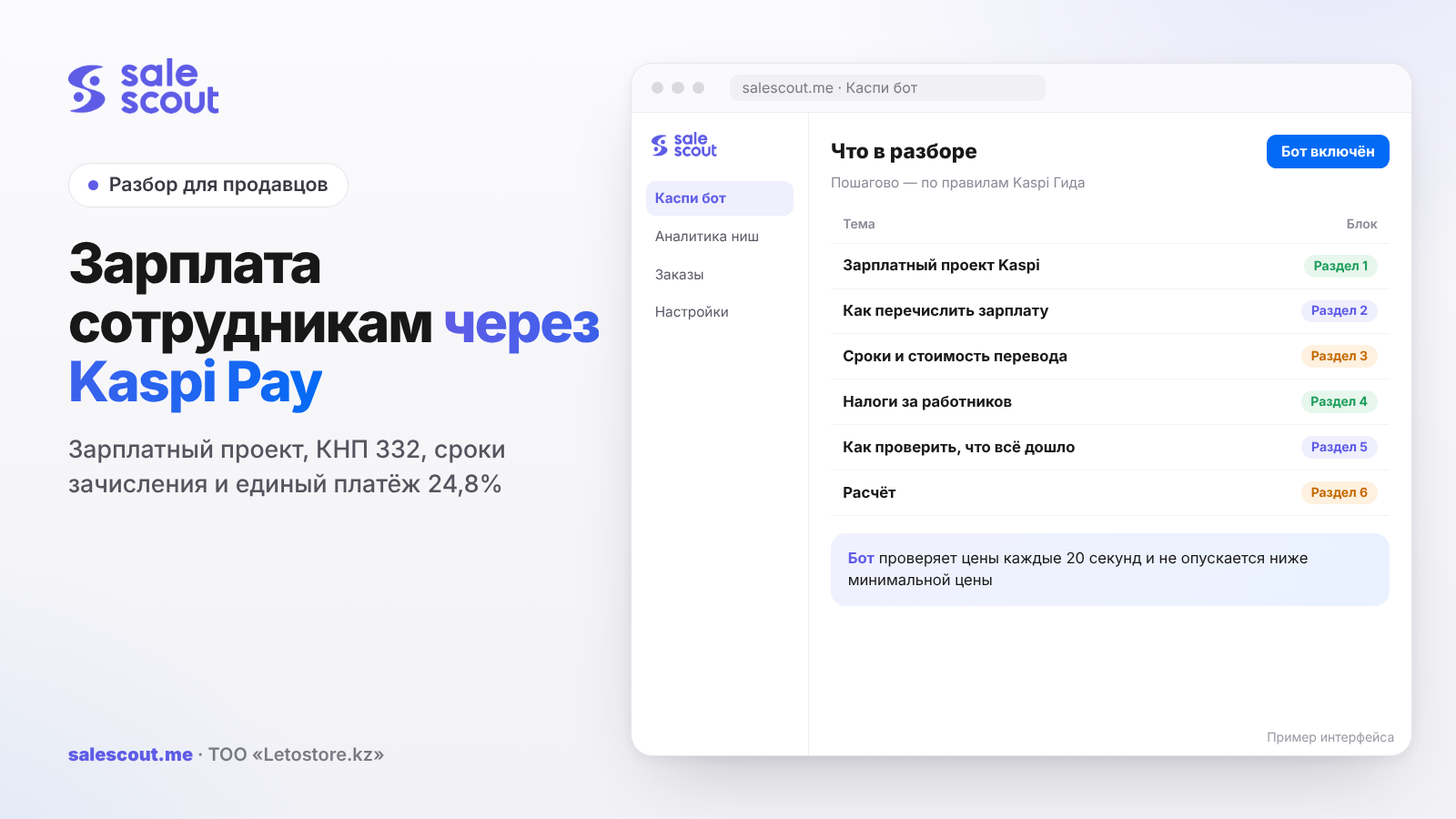
You can pay employees' salaries straight from Kaspi Pay: Переводы → Зачисление зарплат, purpose code 332, and an employee is added by IIN, full name and date of birth. The money reaches the card within 1 working day, and with the «Срочный платеж» (urgent payment) mark, within an hour for 1,000 ₸. Crediting under the Kaspi payroll project is commission-free, and even a sole proprietor with one employee can connect it. Taxes for employees are paid separately, by the 25th of the following month; on the simplified regime this can be done as a single payment at a rate of 24.8%.
In short
- An LLP, a peasant farm, a condominium association or a sole proprietor with at least one employee can join the payroll project. No documents are needed; a signed letter of agreement is enough.
- Transfer: Переводы → Зачисление зарплат in the app or Платежи → Платежи в теңге → Создать → Зарплата in the web version. Purpose code 332; travel allowances use 871.
- The payment can be confirmed by the head or an employee with the «Управляющий» (manager) role.
- The money arrives within 1 working day. After 18:00 before a weekend, on the next working day.
- The single payment per employee in 2026 is 24.8% of salary. You can use it if you're on the simplified regime or the retail tax.
The Kaspi payroll project: what it is and who can use it
What the company and the employee get
The payroll project is a Kaspi.kz service for paying salaries to employees (q2324, updated Apr 28, 2026). For the employer, Kaspi lists three things: you can transfer from an account in any bank, crediting is commission-free, and there's a personal Kaspi.kz specialist.
For the employee the terms are: free withdrawal of salary money at any ATM in the world, top-ups via Kaspi Terminal and ATM without commission, and transfers to other Kazakhstan banks' cards for 149 ₸ regardless of the amount. For a packer who withdraws cash at the nearest ATM, that's an argument worth mentioning when hiring.
Who can join
A Kaspi Pay partner or any operating legal entity: an LLP, a peasant farm, a condominium association, as well as a sole proprietor. The minimum is one employee (q2325, updated Apr 25, 2024). Opening a Kaspi Pay Account isn't required: you can pay to Kaspi Gold from an account in another bank (q2327, updated Apr 25, 2024).
So a Kaspi shop where the owner has taken on a first helper for packing already qualifies on paper. There's no need to wait until the team grows to ten people.
How to connect
You call the free number 2323 and submit a request. A Kaspi.kz manager will get in touch within 1 working day and tell you the result (q2326, updated Apr 11, 2024). You won't have to collect documents: the head or an authorized person signs a letter of agreement and sends a scan by email (q2328, updated Jul 25, 2022).
When this isn't your case
The payroll project and purpose code 332 are for employees who work for you under an employment contract. If once a month you pay a freelancer for product photos or a student for packing a one-off batch, that's no longer salary, and such a payment has to be handled differently. Exactly how is best decided with your accountant before the first transfer, not after a question from the tax office. And the other way round: if someone comes to the warehouse at nine every day, calling them a "contractor" to save on taxes is a poor idea.
How to pay a salary: step by step
Where to create the transfer
In the Kaspi Pay app: Переводы → Зачисление зарплат. In the web version: Платежи → Платежи в теңге → Создать → Зарплата (q164, updated Apr 28, 2025).
What to fill in
Sender: the account the money will be debited from. Beneficiary: the bank where the employee has their salary card. Payment purpose code: 332 for salary, 871 for travel allowances.
You pick employees from a list and set the amount via Редактировать → Сумма. A new person is added by IIN, full name, date of birth and transfer amount. The first time it takes a couple of minutes. After that the list is saved, and next month you only change the amounts if they've changed.
If the employee needs the money within an hour, you tick «Срочный платеж». Then «Подтвердить» (confirm) and the SMS code.
Who confirms
The payment can be confirmed by the head or an employee with the «Управляющий» role. If an accountant created the payment in the web version, it's confirmed in the mobile app: Переводы → На подтверждение → Исходящие. A handy setup for a small shop: an outsourced accountant prepares the payroll in the web version, and the owner confirms from their phone.
If you're still thinking about whom to hire first, we covered that in the article on a shop manager on Kaspi.
Timing and cost of the transfer
When the money arrives
The salary reaches the cards within 1 working day. If the transfer is made after 18:00 before a weekend or holiday, the money will arrive on the next working day (q2330, updated Jun 26, 2026).
A typical situation: you agreed to pay on the 10th, and the 10th falls on a Friday. The owner is at the warehouse all day and creates the payroll at 19:30. A regular transfer will arrive on Monday, and the packer will spend two days asking where the money is. Here you either pay before 18:00 or tick «Срочный платеж».
How much it costs
Under the Kaspi Pay tariff plan, tenge transfers to any account in Kaspi and to another bank are 0 ₸, and an urgent transfer within an hour is 1,000 ₸ (q258, updated Oct 1, 2026). Servicing Kaspi Pay accounts is 1,950 ₸ a month, the first month is free, and no fee is charged if there were no operations (q2104, updated Jun 24, 2024). Kaspi doesn't charge separately for the payroll project: crediting is commission-free.
Taxes for employees: the single payment or the standard method
Deadlines
Taxes for yourself and your employees are paid every month, no later than the 25th of the following month. For October, from November 1 to 25. A penalty accrues for each day of delay, and a repeated missed deadline within a year means an administrative fine (q2559, updated Nov 14, 2022). Kaspi Pay sends a reminder in advance.
The single payment
The single payment is one amount instead of six separate ones: mandatory pension contributions (ОПВ), mandatory employer pension contributions (ОПВР), social contributions, health insurance contributions and payments, and individual income tax (ИПН) (q2923, updated Jan 1, 2026). The rate in 2026 is 24.8% of the employee's salary (q2925, updated Jan 1, 2026).
Sole proprietors and LLPs on the simplified regime and the retail tax regime can pay it via Kaspi Pay: Налоги → За работников → Единый платеж (q2927, updated Jul 11, 2025). The account and period fill in by themselves; you add the employees and amounts. If an employee has filed an application for the standard deduction, turn it on, and the income tax will be lower. The app will show the employee's exemptions itself.
The standard method
You can also pay separately, each tax with its own payment. Here, for example, the employer pension contribution is 3.5% of salary, minimum 2,975 ₸, maximum 148,750 ₸; it's paid from the company's money, not withheld from the salary. It isn't paid for pensioners, people with permanent group I or II disability, or those born before January 1, 1975 (q3139, updated May 13, 2026).
The key rule when choosing: you must pay for all employees using one method until the end of the tax period. If you paid for one by the single payment and for another by the standard method, you'll have to recall the payments through the tax office and pay again, and for the previous month with a penalty as well (q2929, updated Oct 2, 2023).
Whether an employee is exempt from any contributions is shown in Налоги → За работников after choosing the method, under the «Подробнее» (details) button. Details can be clarified at 1414 (q4087, updated Jul 11, 2025). What a sole proprietor pays for themselves is covered in the article sole proprietor taxes on Kaspi in 2026.
How to check that everything went through
The tax payment
After paying, open Налоги → История. General tax payments are grouped there as one amount, and tapping shows each tax separately. The «Проведен» status means the payment has been confirmed and sent. If you created it between 9:00 and 18:00, the money will arrive by the end of the working day; after 18:00, on the next working day (q2561, updated Jun 26, 2024).
That's why it's not a good idea to pay taxes on the evening of the 25th. Formally you made it, but in fact the money went out on the 26th.
A returned payment
Sometimes a payment with contributions for one of the employees comes back, for example because of an error in the data. Kaspi Pay sends a message with the list of employees, amounts and reasons, and the details are always in Налоги → История (q2725, updated May 28, 2026). It's better not to put such a message off: until the payment is resent, it isn't paid as far as the tax office is concerned, and nobody has moved the 25th.
An employee with another bank's card
A salary transfer can also go to another bank: in the form you specify the bank where the employee has their salary card. Under the tariff, a tenge transfer to an account in another bank also costs 0 ₸. But for regular tenge transfers Kaspi states a timeframe of "to another Kazakhstan bank — up to 3 working days" (q143, updated Jul 8, 2025). If the person expects the money by a specific date, send it with a margin or agree with them on a Kaspi Gold card.
The math: what an employee costs per month
A hypothetical example, not a client case. A sole proprietor on the simplified regime, two employees, taxes paid as a single payment.
| Employee | Salary | Single payment 24.8% |
|---|---|---|
| Packer | 200,000 ₸ | 49,600 ₸ |
| Order manager | 250,000 ₸ | 62,000 ₸ |
| Total | 450,000 ₸ | 111,600 ₸ |
Formula: single payment = salary × 24.8%. Plus 1,950 ₸ for account servicing if you have no other operations in Kaspi Pay, and 1,000 ₸ for each urgent transfer.
How much of the 24.8% is withheld from the employee's salary and how much falls on the employer depends on the composition of the payments. This matters for the amount you transfer to the person's card, so in the first month it's worth checking the Kaspi Pay calculation with your accountant. For budget planning, take the upper estimate: 450,000 + 111,600 + 1,950 = 563,550 ₸ a month, about 6.8 million ₸ a year.
Where does this money come from in a Kaspi shop? From the margin after commission and delivery. If a packer costs about 250,000 ₸ a month with taxes, and the margin per order is 2,500 ₸, they need to "work off" 100 orders a month just to pay for themselves. How to calculate margin honestly we covered in the article how not to sell at a loss on Kaspi.
Common mistakes when paying salaries via Kaspi Pay
Paying salary from the owner's personal card. Such a transfer isn't recorded as salary: no purpose code 332, no trace in the books. For accounting it's just a transfer between individuals, and later it's hard to prove it was actually salary.
A Friday payroll at seven in the evening. Without the «Срочный платеж» mark, the money will arrive only on Monday.
The accountant created the payment in the web version and went home, and the owner doesn't know it needs confirming. The salary sits in «На подтверждение» (awaiting confirmation), and the employees wait.
Different tax methods for different employees. Recalling payments through the tax office and paying again, sometimes with a penalty.
Forgetting about the 25th. A penalty every day, and a repeated delay within a year is already a fine.
People also often mix up the codes. Purpose code 871 is for travel allowances, not bonuses. Bonuses and salaries are transferred with code 332.
Not checking exemptions. If an employee is a pensioner or was born before 1975, you don't need to pay the employer pension contribution for them. The app hints at this, but few people tap «Подробнее».
Checklist: the month's payroll
- The payroll project is connected, and the letter of agreement is signed.
- All employees are added by IIN, full name and date of birth.
- The purpose code is chosen: 332 for salary, 871 for travel allowances.
- The payroll is created before 18:00 if a weekend is coming. Otherwise «Срочный платеж» is ticked.
- The payment is confirmed by the head or a «Управляющий».
- One tax payment method is chosen for all employees.
- Each employee's exemptions are checked.
- Taxes for the previous month are paid by the 25th.
- Staff costs are included in the margin and the products' minimum price.
How to automate work so you don't hire more than you need
Often the first employee isn't hired for packing but to have someone sit in the cabinet all day adjusting prices. That part can be handed to a bot. The SaleScout Kaspi bot checks prices every 20 seconds, keeps you at the top of the product card and never goes below the minimum price you set. When a competitor raises their price or leaves the card, the bot raises your price to just below the next seller. You can try the bot free for 7 days, no card required.
Frequently asked questions about paying salaries via Kaspi Pay
How do I pay an employee's salary via Kaspi Pay?
In the app, open Переводы → Зачисление зарплат, choose the account, the employee's bank and purpose code 332. Add the person by IIN, full name and date of birth, enter the amount and confirm with the SMS code.
How much does the Kaspi payroll project cost?
Kaspi says crediting under the payroll project is commission-free. Regular tenge transfers are free under the tariff, an urgent one is 1,000 ₸, and servicing Kaspi Pay accounts is 1,950 ₸ a month.
When will the employee receive their salary?
Within 1 working day. If you sent it after 18:00 on a Friday or before a holiday, the money will arrive on the next working day. With an urgent payment, within an hour.
Can a sole proprietor connect the Kaspi payroll project?
Yes. Sole proprietors, LLPs, peasant farms and condominium associations qualify, and one employee is enough. A Kaspi Pay Account isn't required for this.
What is the single payment rate per employee in 2026?
24.8% of salary. Sole proprietors and LLPs on the simplified regime and the retail tax can pay it as a single payment via Kaspi Pay.
By what date must taxes for employees be paid?
By the 25th of the month following the reporting month. Taxes for October are due by November 25.
Can I pay for one employee with the single payment and for another with the standard method?
No. Until the end of the tax period, all employees are paid for using one method. If you've already mixed them, you need to recall the extra payments through the tax office and pay again.
Sources
All links checked Oct 24, 2026. The sources are in Russian; original titles are given with English translations.
- Kaspi Guide. «Как сделать зачисление зарплаты в Kaspi Pay?» (How to pay salaries in Kaspi Pay?) — https://guide.kaspi.kz/partner/ru/transfers/national_currency/salary/q164 (updated Apr 28, 2025); «Когда им поступят деньги?» (When will they receive the money?) — https://guide.kaspi.kz/partner/ru/transfers/national_currency/salary/q2330 (updated Jun 26, 2026)
- Kaspi Guide. Payroll project — https://guide.kaspi.kz/partner/ru/account/opening/q2324 (updated Apr 28, 2026), https://guide.kaspi.kz/partner/ru/account/opening/q2325 (updated Apr 25, 2024), https://guide.kaspi.kz/partner/ru/account/opening/q2326 (updated Apr 11, 2024), https://guide.kaspi.kz/partner/ru/account/opening/q2327 (updated Apr 25, 2024), https://guide.kaspi.kz/partner/ru/account/opening/q2328 (updated Jul 25, 2022)
- Kaspi Guide. Kaspi Pay tariffs — https://guide.kaspi.kz/partner/ru/account/opening/q258 (updated Oct 1, 2026), https://guide.kaspi.kz/partner/ru/account/opening/q2104 (updated Jun 24, 2024)
- Kaspi Guide. Taxes for employees — https://guide.kaspi.kz/partner/ru/tax/payment/q2559 (updated Nov 14, 2022), https://guide.kaspi.kz/partner/ru/tax/conditions/general-issues/q2923 (updated Jan 1, 2026), https://guide.kaspi.kz/partner/ru/tax/conditions/general-issues/q2925 (updated Jan 1, 2026), https://guide.kaspi.kz/partner/ru/tax/payment/q2927 (updated Jul 11, 2025), https://guide.kaspi.kz/partner/ru/tax/payment/q2929 (updated Oct 2, 2023), https://guide.kaspi.kz/partner/ru/tax/payment/q3139 (updated May 13, 2026), https://guide.kaspi.kz/partner/ru/tax/conditions/general-issues/q4087 (updated Jul 11, 2025); history and returns of tax payments — https://guide.kaspi.kz/partner/ru/tax/payment/q2561 (updated Jun 26, 2024), https://guide.kaspi.kz/partner/ru/tax/payment/q2725 (updated May 28, 2026); timing of tenge transfers — https://guide.kaspi.kz/partner/ru/transfers/conditions/q143 (updated Jul 8, 2025)
Bota, analyst
SaleScout is our company's product. Kaspi and Kaspi.kz are trademarks of Kaspi.kz JSC; SaleScout is not affiliated with Kaspi.