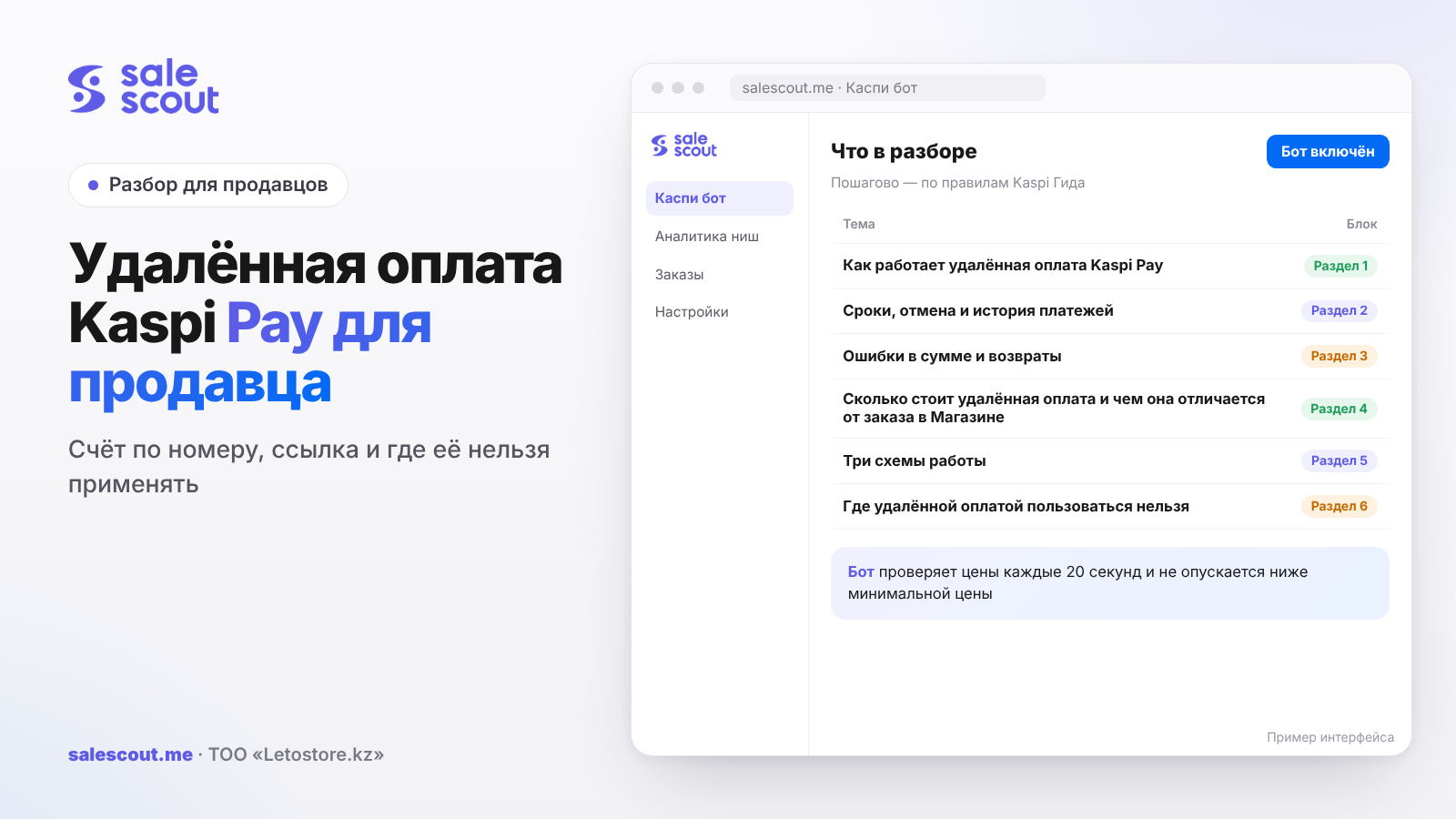
Remote payment in Kaspi POS is for when the buyer isn't at your till. You send an invoice to their phone number or drop them a link, and they pay in the Kaspi.kz app. The buyer has 24 hours to pay the invoice, and the fee with Kaspi Gold is 0.95%. It's handy for Instagram and WhatsApp. But don't mix it up with Kaspi.kz Store orders: Kaspi's rules explicitly ban that kind of mixing.
In short
- There are two methods: an invoice to a phone number (mobile POS and Smart POS) and a link for your website and social media (mobile POS only). Each point of sale has its own link.
- An unpaid invoice is cancelled automatically after 24 hours. Only the cashier who sent it can cancel it earlier.
- The fee for accepting Kaspi Gold is 0.95%. For Kaspi Red+ and credit, the rate depends on your line of business; check it in the Kaspi POS tariff table.
- An order placed in the Kaspi.kz Store is paid only there. Taking money for it by invoice or link, and especially taking an extra payment on a credit order, is a direct breach of the rules.
How Kaspi Pay remote payment works
Invoice by number vs. payment link
Kaspi describes two methods (q1861, updated Sep 12, 2024):
| Invoice to a phone number | Payment link | |
|---|---|---|
| Where available | Mobile POS and Smart POS | Mobile POS only |
| Who enters the amount | The cashier | The buyer |
| Validity | 24 hours, then auto-cancelled | The link is permanent |
| Best for | One-off sales in a chat | Profile bio, website, broadcasts |
| Risk | A wrong phone number | The buyer gets the amount wrong |
An invoice works when you know the customer and the amount: you agreed on a 24,500 ₸ jacket in DMs, so you send an invoice for exactly 24,500 ₸. A link is handy when there are many buyers and you don't want to handle each one by hand, but the buyer types in the price themselves, which means they can get it wrong.
How to send an invoice
In the mobile POS you first need to assign a cashier: Профиль компании → Точки продаж → the point you need → the «Кассиры» section → «Добавить» (q1863, updated Jul 14, 2026). After that, the path depends on your role:
- owner, manager and accountant: Удаленная оплата → Выставить счет;
- all other staff: Удаленно → Выставить счет.
Enter the customer's number and the amount, then tap «Отправить счет». The payment confirmation arrives in the cashier's mobile POS. In Smart POS the path is shorter: the «Удаленно» section, amount, phone, product description, «Отправить счет». The confirmation appears in the «Сообщения» tab.
Always fill in the product description on the invoice, even if the field looks unnecessary. A month later, when you're sorting out a refund, that's exactly what you'll search the payment by.
How the link works
The link lives in the mobile POS, in the «Удаленная оплата» service, on the «Ссылка для оплаты» tab (q2098, updated Mar 13, 2025). It's already generated for you; all you have to do is copy it. From there the buyer does it all: opens it, types the amount, adds a word or two if they like, and pays. There are several ways to pay: Kaspi Gold, Kaspi Red+, Purchase Credit, bonuses, and installments during promotions. The cashier gets a notification the same second.
To see who the money came from, open История → Оплачено: it shows the buyer's name and their message (q2023, updated Sep 12, 2024). Ask customers to put an order number or their Instagram handle in the message, or you'll be telling apart two 9,000 ₸ payments from two different Aigerims by the time stamp.
There's a caveat for partners who joined Kaspi Red+ after July 1, 2025: the link accepts only Kaspi Gold, and for a Red+ payment you have to send an invoice (q4060, updated Jul 2, 2025). How Red+ works for sellers is covered in the article on Kaspi Red for sellers.
Deadlines, cancellations and payment history
24 hours to pay
The buyer has to pay the invoice within 24 hours, or it's cancelled automatically (q1888, updated Sep 12, 2024). Only the cashier who sent it can cancel it earlier, under История → На оплату (q1872, updated Sep 12, 2024). Once the invoice is paid, cancelling won't help; you need a refund.
Unpaid invoices don't show up in the «Отчет по продажам» sales report; you can only see them under История → На оплату (q1990, updated Sep 12, 2024). Cancelled and rejected invoices are removed from history automatically after 24 hours (q1497).
What this means in practice
An invoice is not a reservation. If you set an item aside for a sent invoice and the customer goes quiet, a day later you have neither the money nor any trace of the invoice in your history. A handy rule: hold the item while the invoice is alive, and send the customer a reminder at around 20 hours, not at 25.
Wrong amounts and refunds
The buyer paid a different amount
Kaspi covers both cases (q2025, updated Sep 12, 2024):
- paid too little: ask them to go through the link again and pay the difference;
- paid too much: in the mobile POS go to История → Оплачено, find the payment, enter the refund amount, and the money goes back to the buyer instantly.
Don't drag your feet on the second one. While the extra money sits with you, the buyer has every reason to write a review or a complaint, and the refund takes a minute.
The item turned out to be out of stock
It happens: the money's in, but the last jar of cream was sold at the shop that morning. Then you issue a refund (q2026, updated May 8, 2025). Go to «История», find the payment by amount and name (or set the «Удаленная оплата» filter), and tap «Оформить возврат». If the payment covered several items, tick only the missing one and enter the amount. The buyer gets the money straight away.
Discounts and receipts
Only partners with Kaspi Kassa connected can apply a discount when sending an invoice: a percentage or tenge amount on an item, or a percentage on the whole basket (q4320, updated Nov 11, 2025). Without Kassa, you'll have to build the discount into the invoice amount itself.
Don't forget the receipt: issuing a fiscal receipt for the sale of goods and services is mandatory under the Tax Code of Kazakhstan. With Kaspi Kassa, a remote-payment receipt is sent to the buyer automatically (q3189, updated May 16, 2025). Without it, you'll have to sort out receipts separately.
What remote payment costs and how it differs from a Store order
Tariffs
Under Kaspi POS tariffs, accepting Kaspi Gold costs 0.95%, and so does payment via Kaspi QR from a Kaspi Pay account. Other banks' cards and the unified QR cost from 1.30% to 1.35% depending on the category. The fee for Kaspi Red+ and Kaspi Kredit depends on your line of business (q3567, updated Oct 1, 2026). Before running the numbers, check the rate for your category in the table on that page.
Calculation: an Instagram sale vs. a Store order
Hypothetical example, not a client case. The item costs 20,000 ₸; the seller is a sole proprietor (IE) on the simplified regime in Almaty at 3% (BES.media). Assumptions: on Instagram the customer pays with Kaspi Gold and your own courier delivers for 1,500 ₸. In the Store: a 12.5% commission including VAT (q1344, updated Jan 6, 2026) and in-city Kaspi Delivery up to 5 kg at 1,275 ₸ including 16% VAT (q2288, updated Jun 16, 2026).
| Item | Remote payment | Store order |
|---|---|---|
| Fee | 190 ₸ (0.95%) | 2,500 ₸ (12.5%) |
| Delivery | 1,500 ₸ (own courier) | 1,275 ₸ |
| Tax 3% | 600 ₸ | 600 ₸ |
| Total costs | 2,290 ₸ | 4,375 ₸ |
Formula: costs = price × fee rate + delivery + price × tax rate. A 2,085 ₸ gap in favor of remote payment looks convincing, but it's not the whole picture. Kaspi brought you the Store buyer. You brought the Instagram buyer yourself: with ads, stories and your manager's time. If you spend more than 2,085 ₸ on ads per social-media sale, the Store comes out cheaper. On top of that, in the Store, Kaspi's infrastructure handles delivery, returns and disputes, while in DMs all of it is on you.
Three setups and when to pick each
Invoices by number only
If you have five to seven social-media sales a day and one manager handles them all, you don't need anything more complicated. You enter the amount yourself; the buyer just taps «Оплатить». There's one weak spot: if your only cashier is off sick, nobody but them can cancel their pending invoices. So it's better to have two cashiers at the point of sale.
A link in the profile plus invoices for large amounts
This option suits a stream of small purchases: consumables, cosmetics, holiday gift sets. You put the link in your profile bio and auto-reply, and customers pay without you. But expensive items, say from 30,000 ₸ (the threshold is arbitrary; yours may differ), are better closed with an invoice so nobody gets a zero wrong. With a big, frequently changing price list, the link starts to get in the way: someone opens an old post, enters last year's price, and now you're asking them to pay the difference.
Kaspi Kassa and a catalog
When sales run into the dozens, counting by hand gets tiresome. That's when invoices are sent from the Kaspi Kassa catalog: the price fills in automatically, discounts work, and the receipt goes to the buyer without you. The trade-off is that you have to maintain the catalog. Forget to update a price in Kassa, and the error is no longer in the manager's head but in the reference list, which means on every invoice.
And in any setup, open История → Оплачено once a day. That's where the money is. Everything pending in «На оплату» is still just a promise.
Where you can't use remote payment
The Store rules
This is the key section of the article. The Kaspi.kz Store rules (q1342, updated Sep 30, 2026) explicitly prohibit:
- processing orders outside the seller cabinet or API (clause 1.1);
- giving out cash in place of an order (clause 1.3);
- taking partial payment if the order was placed on credit or installments: the buyer must not pay the partner anything personally (clause 1.6);
- selling an item at a higher price depending on the payment method (clause 3.5).
What it looks like in real life
A buyer places an order in the Store, and you message them: "Please pay an extra 3,000 ₸ for gift wrapping through this link." Or: "Cancel the order, I'll give you a discount, pay by invoice." Both scenarios fall under the bans above, and the consequences are described in the same rules, ranging from a warning to disconnecting the store. If things have already gone that far, there's an article on what to do: Kaspi store blocked.
The line is simple. A customer who came from Kaspi pays on Kaspi through an order. A customer who came from your Instagram, website or shop can be sent an invoice. You can't move a buyer from the product card into DMs to save on the commission.
Common mistakes with Kaspi Pay remote payment
- An extra payment by link on a Store order. If the order is on credit or installments, that breaks clause 1.6 of the rules, and in any case clause 1.1. The risk is sanctions against the store, which cost far more than the commission you saved.
- Setting an item aside and forgetting about the 24 hours. The invoice vanished from history, the customer left, and the item sat "reserved" for a week instead of selling.
- A link without asking for a note on the payment. Two identical payments without a message turn into half an hour of matching up chats.
- Refunding an overpayment "later". The customer sent 25,000 ₸ instead of 2,500 ₸, and you wait until the end of the day. Every hour of waiting makes a complaint more likely.
- A Red+ link for a partner who joined after July 1, 2025. The customer wants to pay with Red+, but the link only takes Kaspi Gold. You need to send an invoice.
- No receipt issued. Without Kaspi Kassa there's no automatic receipt, and the obligation to issue a fiscal receipt hasn't gone anywhere.
- Giving a discount without Kassa. Without Kaspi Kassa you can't apply a discount on an invoice, so you have to change the amount by hand and explain to the customer why the receipt shows a different number.
Checklist: Kaspi Pay remote payment
- Cashiers are assigned under Профиль компании → Точки продаж → «Кассиры».
- It's clear who cancels invoices: only the cashier who sent them can do it.
- Every invoice description includes the item or order number.
- Customers are asked to add a note when paying by link.
- A payment reminder goes out before the 24 hours are up.
- Overpayments are refunded the same day via История → Оплачено.
- The fee rate for Red+ and credit has been checked against the tariff table for your category.
- Fiscal receipts are sorted: Kaspi Kassa or another till.
- Staff know that Kaspi.kz Store orders are never paid by invoice or link.
How to automate Store sales while you run social media
Remote payment covers sales outside Kaspi, while Store orders come through the product card, where price decides everything. The SaleScout Kaspi bot checks prices every 20 seconds, keeps you at the top of the card and never goes below the minimum price you set. When a competitor raises their price or leaves the card, the bot raises your price to just below the next seller. While your manager is answering DMs, your Store cards aren't left unattended. You can try the bot free for 7 days, no card required.
Frequently asked questions about Kaspi Pay remote payment
How do I send a remote payment invoice in Kaspi Pay?
In the mobile POS, the owner, manager or accountant opens Удаленная оплата → Выставить счет; other staff use Удаленно → Выставить счет. Enter the customer's number and the amount, then tap «Отправить счет». First you need to add yourself or a staff member to the «Кассиры» list of the right point of sale.
How long does the buyer have to pay the invoice?
24 hours. If there's no payment in that time, the invoice is cancelled automatically.
What is the fee for Kaspi Pay remote payment?
With Kaspi Gold, 0.95% under Kaspi POS tariffs. For other banks' cards it's 1.30–1.35% depending on the category; for Kaspi Red+ and Kaspi Kredit the rate depends on your line of business.
Where do I get the remote payment link?
You don't need to create it; it's already in the mobile POS: «Удаленная оплата», the «Ссылка для оплаты» tab. Note that each point of sale has its own link, so a shop in a mall and a warehouse will have different ones.
How do I refund a buyer who overpaid?
Through the same mobile POS, under История → Оплачено. Find the payment, enter how much to return, confirm, and you're done: the customer gets the extra back right away, no waiting until morning.
Can I accept remote payment for a Kaspi.kz Store order?
No, and it's not a formality. A Store order lives only in the seller cabinet, and if it's on credit or installments, the buyer must not pay you a single tenge personally. Invoices and links are for people who came to you outside Kaspi.
Do I need a receipt for remote payment?
Yes, as with any sale: the Tax Code of Kazakhstan requires it. The easiest way is with Kaspi Kassa, which sends the receipt to the buyer on its own. Without it, you'll have to issue it through your own till.
Sources
All links checked Oct 23, 2026. The sources are in Russian; original titles are given with English translations.
- Kaspi Guide for partners. «Что такое сервис «Удалённая оплата» в Kaspi Pay?» (What is the Remote Payment service in Kaspi Pay?) — https://guide.kaspi.kz/partner/ru/pos/payments/general/q1861 (updated Sep 12, 2024)
- Kaspi Guide. «Как в Kaspi POS выставить счет на удаленную оплату?» (How do I send a remote payment invoice in Kaspi POS?) — https://guide.kaspi.kz/partner/ru/pos/payments/remote/q1863 (updated Jul 14, 2026)
- Kaspi Guide. «Как принять удаленную оплату по ссылке от Kaspi Pay?» (How do I accept remote payment via a Kaspi Pay link?) — https://guide.kaspi.kz/partner/ru/pos/payments/remote/q2098 (updated Mar 13, 2025); questions on payment deadline, cancellation, wrong amount and refunds — https://guide.kaspi.kz/partner/ru/pos/payments/remote/q1888, https://guide.kaspi.kz/partner/ru/pos/payments/remote/q1872, https://guide.kaspi.kz/partner/ru/pos/payments/remote/q2023, https://guide.kaspi.kz/partner/ru/pos/payments/remote/q2025 (updated Sep 12, 2024), https://guide.kaspi.kz/partner/ru/pos/payments/remote/q2026 (updated May 8, 2025)
- Kaspi Guide. «Как применить скидку при удаленной оплате через Kaspi POS?» (How do I apply a discount to a remote payment in Kaspi POS?) — https://guide.kaspi.kz/partner/ru/pos/payments/remote/q4320 (updated Nov 11, 2025); invoice history — https://guide.kaspi.kz/partner/ru/pos/history/q1990 (updated Sep 12, 2024), https://guide.kaspi.kz/partner/ru/pos/history/q1497
- Kaspi Guide. Fiscal receipt — https://guide.kaspi.kz/partner/ru/pos/payments/general/q3189 (updated May 16, 2025); Kaspi Red+ by link — https://guide.kaspi.kz/partner/ru/red/sales/q4060 (updated Jul 2, 2025)
- Kaspi Guide. «Сколько стоит прием оплаты через Kaspi POS?» (How much does accepting payment via Kaspi POS cost?) — https://guide.kaspi.kz/partner/ru/pos/conditions/q3567 (updated Oct 1, 2026)
- Kaspi Guide. «Какие правила работы с Магазином на Kaspi.kz?» (What are the rules for working with the Kaspi.kz Store?) — https://guide.kaspi.kz/partner/ru/shop/conditions/q1342 (updated Sep 30, 2026); commission — https://guide.kaspi.kz/partner/ru/shop/conditions/q1344 (updated Jan 6, 2026); Kaspi Delivery — https://guide.kaspi.kz/partner/ru/shop/delivery/shipping/q2288 (updated Jun 16, 2026)
- BES.media. «В регионах Казахстана снизили налог по упрощёнке на 2026 год» (Simplified-regime tax cut in Kazakhstan's regions for 2026) — https://bes.media/news/v-regionah-kazahstana-snizili-nalog-po-uproshyonke-na-2026-god/
Bota, analyst
SaleScout is our company's product. Kaspi and Kaspi.kz are trademarks of Kaspi.kz JSC; SaleScout is not affiliated with Kaspi.