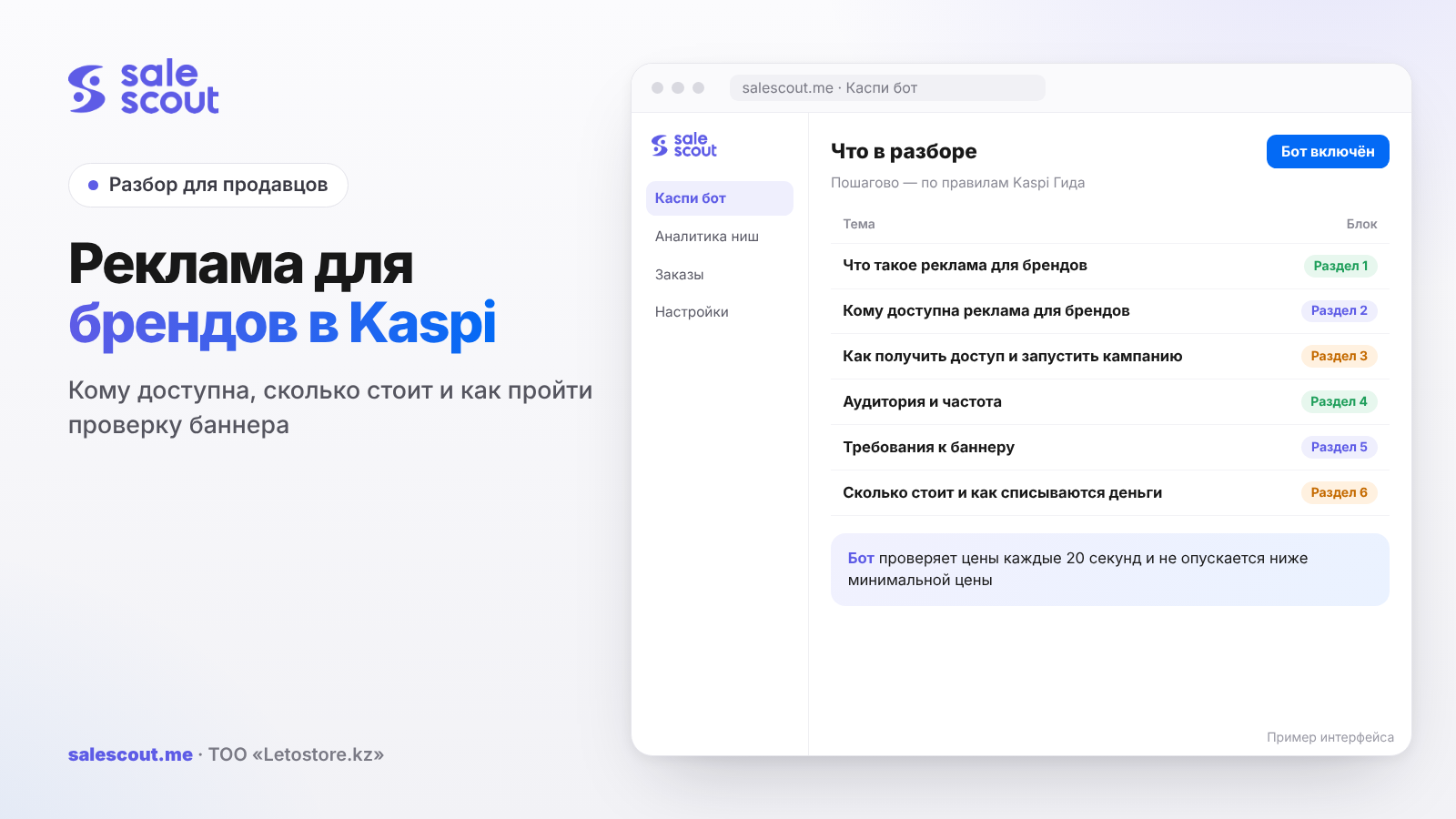
Brand advertising in Kaspi is a banner for your trademark on the home screen of the Kaspi.kz app, in Kaspi Magazin (Kaspi's marketplace), on the product page and on the screen after a payment or transfer. Access is given to brands whose sales in the Kaspi.kz Magazin are 10 million ₸ a month or more. You pay for impressions: you set the bid per 1,000 impressions yourself, with a minimum of 500 ₸. Below: who gets through the selection, how to set up a campaign, what the banner requirements are and how to estimate the cost per order.
In short
- If your brand sells less than 10 million ₸ a month in the Magazin, you can stop reading: you won't get access. A decision on the application comes within 2 days; after a refusal, wait a month.
- A seller on Kaspi Pay must be an official distributor or the manufacturer, keep a rating of 4 stars or higher and have delivery, their own or Kaspi's.
- You're charged for impressions. You set the bid per thousand impressions yourself, from 500 ₸, and the higher it is above the competitors' average, the more often the banner runs.
- The image must be exactly 1125×330, PNG, no heavier than 100 KB, with no phone numbers or links. Campaigns are reviewed within a day.
- On click, the buyer sees a product selection. You decide: only your offers or the brand's products from all sellers.
What brand advertising is
This isn't advertising for a specific product but promotion of a trademark inside the Kaspi ecosystem. The buyer sees the banner, taps it and lands on a selection of the brand's products. According to the Kaspi Guide (Kaspi's official help centre), the banner is shown to more than 14 million buyers.
Where the banner appears
- the home screen of the Kaspi.kz mobile app;
- Kaspi Magazin;
- the product page;
- the transfer and payment confirmation screen.
How it differs from other types of advertising
Kaspi has three types of advertising, and their names are similar, hence the confusion. The first is product advertising in the Magazin: it pushes a specific product up in the results, you pay per click and decide how much yourself; more on this in Kaspi Marketing: cost per click. The second is external: your product runs on Instagram, Facebook, Google and TikTok, again paid per click, only the system sets the price. The third, the subject here, is a trademark banner inside the app, and here you pay for impressions.
| Tool | Where it appears | What you pay for | Who can use it |
|---|---|---|---|
| Product advertising in the Magazin | Inside Kaspi.kz, in results | Clicks, you set the bid | Magazin sellers |
| External advertising | Instagram, Facebook, Google, TikTok | Clicks, the system picks the price | Magazin sellers who meet the conditions |
| Brand advertising | Home screen, Magazin, product page, payment screen | Impressions, bid per 1,000 from 500 ₸ | Brands with sales of 10 million ₸ a month or more |
Who can use brand advertising
The main condition: the brand is in the Kaspi.kz Magazin, and sales of your trademark's products are 10 million ₸ a month or more. It's the trademark's sales that count, not a single seller's.
If you're a Kaspi Pay partner
A seller connected to Kaspi Pay must meet three more conditions:
- you are the official distributor or the manufacturer of the brand;
- your rating in the Kaspi.kz Magazin is 4 stars or higher;
- your own delivery or Kaspi Delivery is connected.
If you resell someone else's brand without official distributor status, this tool isn't for you. How brand access works in the Magazin: brand restrictions on Kaspi.
If you're not connected to Kaspi Pay
A brand that doesn't sell in the Magazin itself but works through distributors can also run ads. In that case it signs a contract for advertising services, and payment is made on a monthly invoice that arrives by email.
Magnum suppliers
They have a separate procedure. You need to write to marketing@kaspi.kz to have your trademark added to the list of brands whose advertising Magnum runs itself. If the brand is sold in Magnum, you can't launch the ads on your own.
Why applications are refused
The Guide lists the reasons: the brand isn't in the Magazin, sales are under 10 million ₸ a month, or the brand belongs to a banned category — medicines, vitamins and dietary supplements, infant formula, alcohol, weapons and drugs, adult products, cigarette cases, energy drinks.
How to get access and launch a campaign
- The brand owner or an official representative fills in the access form for the «Маркетинг» ("Marketing") service.
- Within 2 days a Kaspi Pay manager reports the decision. After a refusal, a new application can be filed in 1 month.
- Once approved, in Kaspi Pay: «Реклама для брендов» ("Brand advertising") → «Создать рекламную кампанию» ("Create an ad campaign").
- Fill in the parameters and press «Отправить» ("Send").
- The campaign is reviewed within 1 day, and the result arrives in the Kaspi Pay app.
Campaign parameters
- Name — only you see it.
- Period — start and end dates. You can choose «Я сам остановлю кампанию» ("I'll stop the campaign myself"), and then the ads run with no end date. The minimum is 1 day.
- Product selection — what the buyer sees after tapping the banner. The Guide advises picking products with a high conversion score, which is shown when you add them.
- Banner — per the requirements below.
- Goal — «Конверсия и продажи» ("Conversion and sales"; the banner is shown to likely buyers) or «Охват и узнаваемость» ("Reach and awareness"; everyone in the app sees the banner).
- Audience — city, age, gender, having children, or everyone.
- Frequency — how many times a person sees the banner per day or week.
- Bid — the price per 1,000 impressions, minimum 500 ₸.
- Budget — the amount per day.
Which products can go in the selection
Any products from the Magazin except banned categories: medicines, vitamins and dietary supplements, infant formula, alcohol, spearfishing guns, weapon holsters, adult products, heating systems, cigarette cases, energy drinks. You decide whether to show the offers of a specific seller or of all Kaspi Magazin partners.
For a brand with several distributors this is an important choice. If the selection leads to all sellers, the buyer will pick the lowest price, and the sale may go to someone other than whoever paid for the banner.
Audience and frequency: how not to burn the budget
It's easy to leave the audience settings at their defaults, but they decide who gets your impressions. If the brand sells children's goods, the "having children" filter cuts out people who are clearly not interested in the banner. If delivery to some regions is slow or expensive, limit the ads to cities where the buyer can conveniently receive the order.
Frequency is a similar story. The same person who sees the banner ten times a day is unlikely to buy more than after the second or third impression, but you pay for every one. Start with a moderate frequency per day or week and watch the reach share in the statistics: if it grows slowly while impressions grow fast, the banner is circling in front of the same people.
For the «Конверсия и продажи» ("Conversion and sales") goal, Kaspi itself shows the banner to likely buyers, so an overly narrow manual audience can only get in the way. For «Охват и узнаваемость» ("Reach and awareness"), everyone sees the banner, and manual filters are more useful.
Banner requirements
The banner is reviewed together with the campaign, and the Guide explicitly lists non-compliance with the requirements among the reasons why ads fail to launch.
| Parameter | Requirement |
|---|---|
| Orientation and size | Horizontal, 1125×330 |
| Format and weight | PNG, 100 KB or less |
| Background | Contrasting, different from the Kaspi.kz app screens |
| Margins | 45 px left and right, 30 px top and bottom, 15 px around promotion badges |
| Font | Roboto or the brand-book font, minimum size 10, 8 for footnotes |
| Text colour | Black or white, except lettering on the logo |
| Text | No errors, rudeness or slang, verified information, polite "you" form |
| Images | High quality, no blurred, overexposed, darkened or black-and-white images |
| Prohibited | Contact information, products from banned categories |
The instalment badge
During promotions in the Magazin, a badge with instalment information appears on the banner, by default in the bottom-left corner. If it covers the image, you can move it in the settings or change the illustration. Keep that corner free from the start, and you won't have to redo the banner before every promotion.
How to stay under 100 KB
A 1125×330 PNG with a photo easily goes over the limit. A plain background without gradients, fewer small details and compressing the PNG before upload all help. On product photography: product photos for Kaspi.
What it costs and how money is debited
You set the price per 1,000 impressions yourself, minimum 500 ₸, and the daily budget. The average price is made up of other advertisers' bids: if yours is above the competitors' average, the banner is shown more often. When the daily budget runs out, the ads stop until the next day, but you can raise the budget and they'll continue.
How Kaspi Pay partners and others pay
For Kaspi Pay partners, money is debited from the Kaspi Pay Account daily for the previous day, with the payment purpose «Оплата рекламных услуг» ("Payment for advertising services"). Brands without Kaspi Pay receive a monthly invoice for the previous period under the advertising services contract.
The math: what an order from a banner costs
The Guide has no average click-through rate for banners, so calculate on your own data after the first week. The formula:
Cost per order = bid per 1,000 impressions ÷ 1,000 ÷ (click share × conversion to order)
Hypothetical example, not a client case. A bid of 800 ₸ per 1,000 impressions, a budget of 20,000 ₸ a day. The click share and conversion in the example are our assumptions; replace them with figures from your own statistics.
| Item | Value |
|---|---|
| Budget per day | 20,000 ₸ |
| Bid per 1,000 impressions | 800 ₸ |
| Impressions per day | 25,000 |
| Click share (assumption) | 0.5% |
| Clicks per day | 125 |
| Conversion to order (assumption) | 4% |
| Orders per day | 5 |
| Cost per order | 4,000 ₸ |
Checking with the formula: 800 ÷ 1,000 ÷ (0.005 × 0.04) = 0.8 ÷ 0.0002 = 4,000 ₸. If the average order is 25,000 ₸, the ads take 16% of revenue. Compare this with your margin after commission and tax: with a margin below 16%, the «Конверсия и продажи» ("Conversion and sales") goal loses money at these numbers, and it's worth looking at the selection, the bid or the audience.
The «Охват и узнаваемость» ("Reach and awareness") goal
Here there are no orders in the statistics, and payback can't be calculated head-on. It's a tool for launching a new line or for a brand that wants buyers to remember the trademark before the season. It's sensible to cap the reach budget in advance and compare the brand's sales before and after the campaign.
Statistics
Under «Маркетинг» ("Marketing") → «Реклама для брендов» ("Brand advertising") → «Обзор» ("Overview") you can see:
- reach — how many buyers saw the banner;
- reach share — the percentage of the target audience that saw the banner;
- impressions, clicks and additions to favourites;
- cost — how much was spent.
For the «Конверсия и продажи» ("Conversion and sales") goal, orders (count and amount after the banner was shown) and conversion to order are added. The report for each campaign can be downloaded in Excel.
Common mistakes in brand advertising on Kaspi
- Applying when the brand's sales in the Magazin are below 10 million ₸ a month.
- Trying to advertise someone else's brand without official distributor status.
- Uploading a banner heavier than 100 KB or with coloured text.
- Putting a phone number, website or Instagram on the banner — contact information is prohibited.
- Covering an important part of the image where the instalment badge will appear during promotions.
- Pointing the selection at all sellers when you are the one paying for the banner.
- Setting the minimum bid and expecting frequent impressions, although the competitors' average is higher.
- Judging a reach campaign by the number of orders.
Checklist: before launching brand advertising
- The brand's sales in the Magazin are 10 million ₸ a month or more.
- Official distributor or manufacturer status is confirmed.
- Rating of 4 stars or higher, delivery connected.
- The brand isn't sold through Magnum; otherwise, email marketing@kaspi.kz.
- Banner 1125×330, PNG up to 100 KB, margins respected, text black or white.
- The bottom-left corner is free for the instalment badge.
- The selection consists of products with a high conversion score.
- You've decided which sellers the selection leads to.
- The goal is chosen and the acceptable cost per order is calculated.
- After a week, the calculation is updated with your own statistics.
How to automate prices in a brand selection
The banner brings the buyer to the selection, and if your price there is higher than the neighbouring seller's, the sale may go to them. The SaleScout Kaspi bot checks prices every 20 seconds, keeps you at the top of the product card (the single shared listing where all sellers of an item compete) and never drops below the minimum price you set. When a competitor raises their price or leaves the card, the bot raises your price to just below the next seller. For product advertising inside Kaspi there is Kaspi Marketing AI, which manages bids by itself and is currently free with the bot. You can try the bot free for 7 days, no card required.
Frequently asked questions about brand advertising in Kaspi
What is brand advertising in Kaspi?
It's a trademark banner on the home screen of the Kaspi.kz app, in Kaspi Magazin, on the product page and after payment. On click, the buyer lands on a selection of the brand's products.
Who can use brand advertising?
Brands that are in the Kaspi.kz Magazin and sell 10 million ₸ a month or more. Kaspi Pay partners also need official distributor or manufacturer status, a rating of 4 stars or higher and connected delivery.
How much does brand advertising cost?
You set the bid per 1,000 impressions yourself, minimum 500 ₸, plus a daily budget. A bid above the competitors' average gets more impressions.
What banner size is required?
Horizontal, 1125 by 330 pixels, in PNG and no heavier than 100 KB. Text only in black or white, and Kaspi won't let phone numbers, websites or other contacts through on the banner.
How long does approval take?
The access application is answered within a couple of days. After that, moderators still look at each new campaign, usually for no more than a day.
Can a brand advertise without Kaspi Pay?
Yes. A brand that isn't connected to Kaspi Pay signs a contract for advertising services, and once a month an invoice for the past period arrives by email.
Can I choose the city and audience?
Yes, and in quite some detail: city, age, gender and even whether the person has children. Or you can leave everything as is and show the banner to everyone.
Sources
- Kaspi Guide. «Что такое реклама для брендов» (What is brand advertising) — https://guide.kaspi.kz/partner/ru/marketing/brands/q3357 (updated Aug 29, 2025); where buyers will see the banner — https://guide.kaspi.kz/partner/ru/marketing/brands/q3372 (updated Aug 29, 2025)
- Kaspi Guide. How to get access — https://guide.kaspi.kz/partner/ru/marketing/brands/q3358 (updated Jul 14, 2025); reasons for refusal — https://guide.kaspi.kz/partner/ru/marketing/brands/q3359 (updated Dec 20, 2024)
- Kaspi Guide. Launch conditions — https://guide.kaspi.kz/partner/ru/marketing/brands/q3360 (updated Feb 5, 2025)
- Kaspi Guide. How to launch a campaign — https://guide.kaspi.kz/partner/ru/marketing/brands/q3361 (updated Aug 11, 2026); period — https://guide.kaspi.kz/partner/ru/marketing/brands/q3363 (updated May 28, 2024)
- Kaspi Guide. Which products can be advertised — https://guide.kaspi.kz/partner/ru/marketing/brands/q3362 (updated Jul 22, 2025); why it won't launch — https://guide.kaspi.kz/partner/ru/marketing/brands/q3374 (updated Feb 5, 2025)
- Kaspi Guide. «Требования к баннеру» (Banner requirements) — https://guide.kaspi.kz/partner/ru/marketing/brands/q3365 (updated Dec 20, 2024)
- Kaspi Guide. Cost — https://guide.kaspi.kz/partner/ru/marketing/brands/q3366 (updated Feb 5, 2025); payment — https://guide.kaspi.kz/partner/ru/marketing/brands/q3367, budget spending — https://guide.kaspi.kz/partner/ru/marketing/brands/q3368, average price — https://guide.kaspi.kz/partner/ru/marketing/brands/q3369 (updated May 28, 2024)
- Kaspi Guide. Statistics — https://guide.kaspi.kz/partner/ru/marketing/brands/q3373 (updated May 29, 2025); spend — https://guide.kaspi.kz/partner/ru/marketing/brands/q3371 (updated May 28, 2024)
The sources are in Russian; original titles are given with English translations. All links checked Oct 26, 2026.
Bota, analyst
SaleScout is our company's product. Kaspi and Kaspi.kz are trademarks of Kaspi.kz JSC; SaleScout is not affiliated with Kaspi.