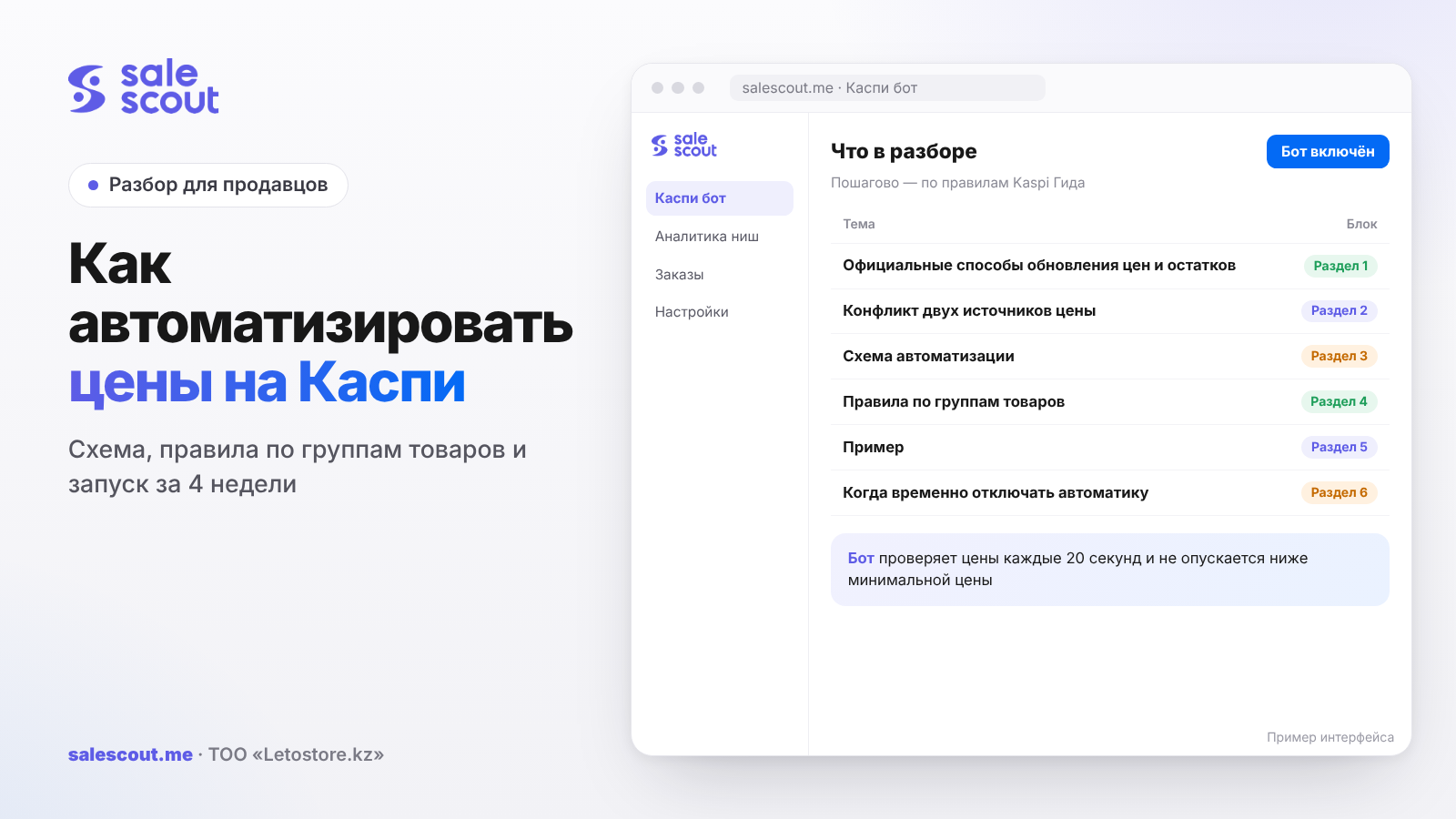
Automating prices on Kaspi means building a chain, not just connecting a bot. A cost table → a minimum and maximum price for each product → rules by group → execution → monitoring. If one link fails, the automation will start doing the wrong thing quickly and very neatly. Below is the whole setup: which ways to update prices Kaspi officially provides, which rules to set for different products and how to launch in four weeks.
In short
- Kaspi officially lets you change prices manually in the seller cabinet, by uploading a price list, and through automatic XML upload from a link that Kaspi checks every 60 minutes.
- A price needs a single source of truth. If an XML price feed from your inventory system and a repricer both send prices at the same time, they'll keep overwriting each other.
- Different product groups need different rules: traffic drivers, high-margin items, slow movers, new products and products with no competitors.
- Launch over 4 weeks, in groups, with a control group and metrics in tenge.
- What a dumping bot is and how it makes decisions is covered in "What Is a Kaspi Bot". This article is about building the whole system.
Official ways to update prices and stock
| Method | How it works | Speed | Best for |
|---|---|---|---|
| Manually in the seller cabinet | Editing the price product by product | As fast as you can manage | A dozen products, one-off changes |
| Price-list upload | A file in the seller's web cabinet | Whenever you upload | Bulk changes to prices and stock |
| Automatic XML upload | Kaspi fetches an XML file from your link | Every 60 minutes, if there are changes | Syncing stock and base prices from your inventory system |
The details are in three Kaspi Guide articles: how to upload a price list, how to set up its automatic upload and how to send stock automatically.
The XML price feed: what's in it
The XML is built to Kaspi's schema. For each offer it contains the SKU, model, brand, availability by pickup point (storeId, stockCount, pre-order) and price. The file sits on your server, over http or https, and you paste the link into the web cabinet: «Товары → Загрузить прайс-лист → Автоматическая загрузка» (Products → Upload price list → Automatic upload). Your inventory system should publish the fresh file there on its own; nobody will keep doing it by hand for long.
XML handles stock well: the inventory system knows what's in the warehouse, and Kaspi picks up changes once an hour. Price in a hot product card is another matter. An hour is an eternity when a competitor moves their price several times in a row in one evening. That's why price in such cards is usually handed to separate services. Ask each service how it works and how fast, and test it on your own products; we've described exactly how in "The Best Kaspi Bot: How to Choose".
The conflict between two price sources
Here's what it looks like. The inventory system publishes an XML with prices and stock once an hour, while the repricer moves the price in a competitive card. The next upload arrives, and the price from the file overwrites the one the repricer set. The log makes no sense, the price jumps, and a customer sees one price at 14:05 and another at 14:20.
Solutions:
The fix takes three steps. First, agree on who's responsible for what: stock comes from the inventory system, and only the repricer touches the price on products assigned to it. The developer of your inventory system and the service's support team know how to set this up in your case.
Then split your assortment. Where there are no competitors, the inventory system can safely supply the price; where there are, the repricer does.
And test it on 3–5 products. Watch the price log for a day: if the price changed only according to the repricer's rules, the setup works.
The automation setup
| Link | What it is | Who's responsible | How often to update |
|---|---|---|---|
| 1. Landed cost | A table: purchase cost to warehouse, fee incl. VAT, delivery, tax, packaging, returns, advertising | Owner, accountant | With every delivery and every rate change |
| 2. Price limits | Minimum and maximum price for each SKU | Owner | Following the landed cost |
| 3. Rules | Step, strategy, exclusions by product group | Owner or manager | Monthly and when the market changes |
| 4. Execution | A repricer for competitive cards, XML for the rest | Service, inventory system | Continuously |
| 5. Stock | Current availability by warehouse | Inventory system | The more often, the better |
| 6. Control | Log, metrics, alerts | Manager | Daily and weekly |
Links 1 and 2 are your responsibility no matter what automation you use. We covered the minimum-price formula in "Price Dumping on Kaspi" and the full list of costs in "How to Stop Selling at a Loss on Kaspi".
Rules by product group
One rule for the whole store is a source of losses. Split your assortment into at least five groups.
| Group | Indicator | Minimum price | Ceiling | Step | Goal |
|---|---|---|---|---|---|
| Traffic drivers | Many orders, dense competition | Covers variable costs and a small profit | Price before dumping started | 1 ₸ | Share of orders and reviews |
| High-margin | Good profit, moderate competition | Covers its share of fixed costs | A reasonable percentage above market | 1 ₸ | Net profit |
| Slow movers | Stock sitting longer than planned | Temporarily lower, but not below variable costs | Current price | 1 ₸ | Free up cash |
| New products | Few reviews, rating still building | Covers variable costs | Market price | 1 ₸ | First sales and ratings |
| No competitors | You're the only seller | Not needed for dumping | You set the price yourself | — | Margin; no bot needed |
Always give slow movers a deadline: say, two weeks at a reduced minimum price, then a decision. Without a date, a "temporary" rule will outlive both the product and the manager who created it.
How to set a price ceiling
A ceiling is needed when competitors leave the card and the rule "rise to just below the next seller" has nothing left to anchor to. Without a ceiling, the price can climb to a level where nobody buys the product, and you'll only notice from an empty week. Options, from simple to precise:
- The price before dumping started. The price at which the product sold steadily when there were fewer competitors in the card.
- The manufacturer's or distributor's recommended price, if there is one.
- Minimum price plus a target markup. For example, minimum price × 1.25 for high-margin products (the multiplier is hypothetical).
Revisit the ceiling if a product sits at it for a long time and still sells well: the market may be willing to pay more. Conversely, if sales stop at the ceiling, lower it.
Alerts worth setting up
| Alert | Condition (hypothetical thresholds) | What to do |
|---|---|---|
| Typo | Minimum price below purchase cost × 1.2 | Check for a missing zero |
| Stuck at the floor | More than a week at the minimum price with no rise | Decide whether to stay in the card |
| Hit the ceiling | Alone in the card at the ceiling for a long time | Check whether the ceiling is too low |
| Running out | Stock below daily sales on a product at the top | Restock or delist before cancellations start |
If you set up only one, make it the first. A price of 1,299 ₸ instead of 12,990 ₸ on a fast-moving product costs more in one night than a month of any service.
Example: segmenting a 120-product store
The store is imaginary (this is an example, not a client case): home goods, 120 SKUs. Let's sort them into groups.
| Group | SKUs | What's in the cards | Minimum price | Other |
|---|---|---|---|---|
| Traffic drivers | 15 | 5–10 sellers, price spread 1–2% | Variable costs + 300 ₸ net | Step 1 ₸, ceiling = price before dumping started |
| High-margin | 35 | 2–4 sellers, prices change every few days | Including the fixed-cost share, here 500 ₸ per order | Step 1 ₸ |
| Slow movers | 10 | Stock has been sitting for more than two months | Temporarily: variable costs, no profit | After 14 days, decide: sell off or delist |
| New products | 10 | No product rating yet | Variable costs + 100 ₸ | Goal: the first 20–30 orders and ratings |
| No competitors | 50 | Only you sell it | From the inventory system via XML | Weekly check: has a competitor appeared? |
Traffic drivers take the most fiddling: their rules are checked every day, and a 300 ₸ mistake shows up in the totals immediately. The last row is the opposite: fifty products don't need a repricer at all, which is easy to miss if you connect "everything at once".
In the end, the repricer manages 70 of the 120 products, and 50 live on XML. You only pay the subscription for products where the bot actually works, and no SKU has two price sources.
When to switch automation off temporarily
Before a 0-0-24 installment promotion (0% interest, no down payment, 24 months): the fee can be different there (Kaspi Guide), and the minimum price has to be recalculated before you join, not after the first week of sales.
When your supplier changes or the exchange rate jumps sharply. Until the new cost is calculated, the old minimum price may already be loss-making.
If your quality metrics have dropped, it's also better to take products with questionable stock off automation. The top spot will speed up sales, and any mismatch between the cabinet and the shelf will show up as cancellations.
And during a stocktake: while the warehouse is being recounted, there's no point in accelerating sales.
Roles and routine
Automation without a routine degrades within a couple of months. The minimum set of agreements:
| Task | Who | When |
|---|---|---|
| Update landed cost | Buyer or owner | With every delivery |
| Recalculate minimum prices | Owner or analyst | After landed cost changes and when Kaspi rates change |
| Review the log and alerts | Manager | Daily |
| Check the metrics | Owner | Weekly |
| Review groups and rules | Owner | Monthly |
A 4-week launch plan
Week 1. Data
- Build a landed-cost table for all products that have competitors.
- Calculate minimum prices and ceilings.
- Assign products to the five groups.
- Decide where stock and where price come from for each group, so there are never two sources.
Week 2. Pilot
In the first week, 20–40 traffic drivers and high-margin products go into automation; leave similar ones without it for comparison. Open the log every day; ten minutes is enough. You're looking for three things: a sale below the minimum price, a price that didn't rise after a competitor left, and signs of the XML overriding the repricer.
Week 3. Expansion
You compare the pilot with the control group on net profit. Where minimum prices turned out wrong, you fix them. Then you connect the next batch and set up alerts.
Week 4. Full assortment and routine
You connect everything else that has competitors. And you write down, at least in a shared chat, who updates costs and when, who checks the log and what to do if an alert fires. In the calendar: a monthly review of the rules.
Metrics
| Metric | Formula | What it shows |
|---|---|---|
| Share of time at the top | Hours in first place ÷ hours observed | How well the rules win position |
| Cushion above minimum price | (Average selling price − Minimum price) ÷ Minimum price | How much money you keep above the floor |
| Net profit | Based on full order economics | The main metric |
| Effect versus control group | Pilot profit growth − control profit growth | The net contribution of automation |
| Cancellations due to your fault | Cancellations ÷ all orders | Risk to quality metrics; Kaspi's threshold is below 3% |
Only the cancellation threshold here comes from Kaspi Guide; the rest are our guidelines. The most interesting thing is to look at two columns together. Is time at the top growing while the cushion above the minimum price melts to zero? Then the place in the card was paid for with margin. Forgivable for a traffic driver, not for a high-margin product.
Common mistakes
- Two price sources. The XML and the repricer take turns overwriting each other, and you spend a week looking for the cause.
- One rule for the whole store. A traffic driver and a high-margin product need different floors, or one of them works at a loss.
- A minimum price nobody recalculated. New delivery, new Kaspi rates, same floor.
- No ceiling. The competitors left, and the price rose to where nobody buys the product anymore.
- A repricer on products with no competitors. It has nothing to do there, but you're paying the subscription for them.
- Nobody opened the log in the first week. Setup errors are visible right away, to those who look.
- No routine. A month later, nobody remembers whose job it is to update costs.
Checklist
Without a cost table for products with competitors, there's no point going further: both the minimum price and the ceiling grow out of it. If you have one, check the rest:
- Every SKU has a minimum price and a ceiling.
- Products are split into groups, and the groups have different rules.
- Every product has exactly one price source.
- Stock comes from the inventory system.
- The pilot runs on 20–40 products, with a control group alongside.
- Alerts are set up: typo, too long at the floor, low stock.
- Results are measured in tenge, not in the number of price changes.
- It's written down who updates costs and rules, and when.
How to automate it
The "execution" link for competitive cards is a job for a Kaspi bot. The SaleScout Kaspi bot checks prices every 20 seconds, keeps you at the top of the product card, never goes below the minimum price you set, and raises the price when a competitor goes up or leaves. Halyk Market is supported. You set the landed cost, price limits and group rules from this article. You can try the bot free for 7 days, no card required, which fits the week 2 pilot exactly.
FAQ
Can prices be automated on Kaspi?
Yes. The price list is uploaded as a file, and you can also give Kaspi a link to an XML that it will check every 60 minutes. If you need to respond to competitors in the card quickly, there are separate services for that, where you set a minimum price for each product.
How often does Kaspi update prices from an XML price list?
Once every 60 minutes if something in the file has changed; that's what Kaspi Guide says. That's enough for stock from an inventory system. But when there's active dumping in the card, an hour is too long.
Can I use an XML price feed and a Kaspi bot at the same time?
Yes, as long as each product has a single price source. For example, stock comes from the inventory system via XML, while prices on competitive products come only from the bot. Otherwise the XML price may overwrite the bot's price on the next upload.
Which products should I start automating prices with on Kaspi?
Not with the whole store. Take 20–40 traffic drivers and high-margin products where competitors are active and the minimum price is already calculated. Leave the same number of similar ones without automation, and after a week compare where you earned more net.
What rules should I set for different products?
Each group gets its own minimum price, ceiling and step. For a traffic driver, a floor that covers variable costs and adds a little on top is enough. A high-margin product's floor also includes a share of fixed costs. Slow movers get a temporarily reduced floor and a review date. And products without competitors don't need to be added to the bot at all.
What is a price ceiling in automation?
It's the maximum price above which the rules won't raise your product, even if no competitors are left in the card. Usually it's the price before dumping started, the manufacturer's recommended price, or the minimum price plus a target markup. Without a ceiling, the price can climb above what shoppers are willing to pay.
Can automation raise prices?
It should. When a competitor raises their price or leaves the card, the rules should raise your price to just below the next seller, but not above the ceiling. Without that, automation only drags prices down.
How do I check that price automation is working?
Look at the change log, the share of time at the top, the cushion of the average selling price above the minimum price, and net profit compared with the control group. Track cancellations due to your fault separately: Kaspi requires keeping them below 3%.
Sources
All links checked Oct 15, 2026. The sources are in Russian; original titles are given with English translations.
- Kaspi Guide for partners. «Как загрузить прайс-лист на товары?» ("How do I upload a price list for products?") — https://guide.kaspi.kz/partner/ru/shop/goods/price_list/q2962
- Kaspi Guide for partners. «Как настроить автоматическую загрузку прайс-листа?» ("How do I set up automatic price-list upload?") — https://guide.kaspi.kz/partner/ru/shop/goods/price_list/q3251 (updated Oct 24, 2025)
- Kaspi Guide for partners. «Как автоматически передавать информацию об остатках?» ("How do I transfer stock information automatically?") — https://guide.kaspi.kz/partner/ru/shop/goods/leftovers/q3696 (updated Mar 13, 2025)
- Kaspi Guide for partners. «Почему меня отключили от Магазина на Kaspi.kz?» ("Why was I disconnected from the Kaspi.kz Store?") — https://guide.kaspi.kz/partner/ru/shop/conditions/q2920
Bota, SaleScout analyst
SaleScout is our company's product. Kaspi and Kaspi.kz are trademarks of Kaspi.kz JSC; SaleScout is not affiliated with Kaspi.