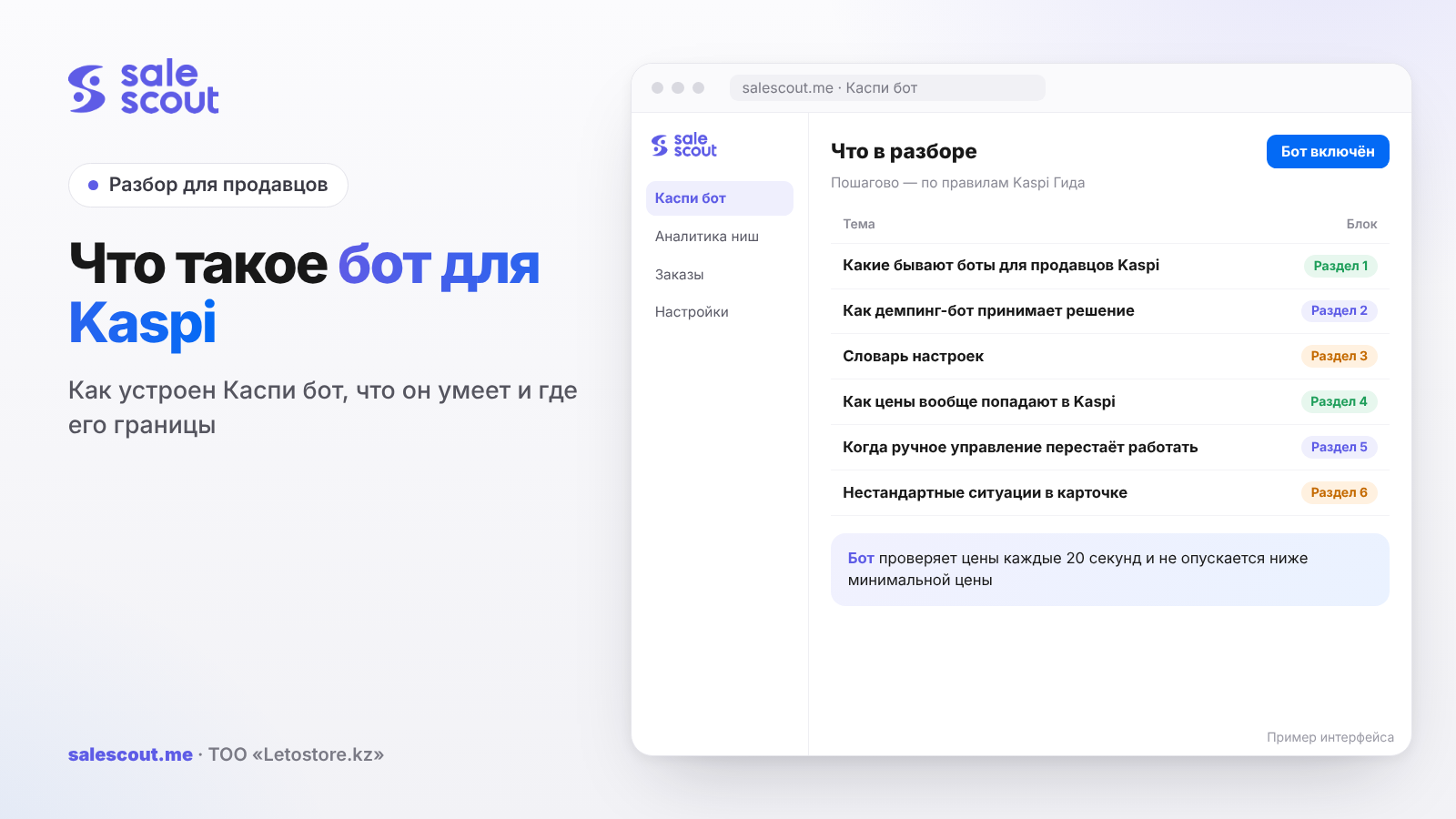
A Kaspi bot is a program that takes over a seller's repetitive work in a store on Kaspi.kz. Usually the word means a dumping bot (a repricing bot), also known as a Kaspi bot. On Kaspi, many sellers can offer the same product, and they're all listed in one shared product card. The bot watches competitors' prices in that card and moves yours according to rules you set, but never goes below your minimum price. The bot doesn't decide how much you earn. You made that decision in advance; it simply carries it out, day and night, Sundays included.
In short
- "Kaspi bot" can mean very different things: bots for prices, orders, stock, advertising, analytics.
- A dumping bot runs in a loop. It sees a competitor's price, checks it against your rules, picks a new price, sets it, checks the result.
- It has one main setting: the minimum price. The step, the ceiling and exceptions only refine how it behaves above that.
- Price is the only thing the bot touches. Rating, reviews, delivery and quality metrics also move you in the card, but they're still your job.
- We covered how to choose a specific service in "The Best Kaspi Bot: How to Choose".
Types of bots for Kaspi sellers
| Type | What it does | When you need it |
|---|---|---|
| Dumping bot (repricer) | Watches prices in the card and changes yours by rules | Your cards have competitors and prices change often |
| Order bot | Accepts and processes orders, passes them to your accounting system | Lots of orders, your own accounting system |
| Stock sync | Sends current warehouse stock to Kaspi | Several warehouses or marketplaces, offline sales |
| Ad management | Changes bids in Kaspi Marketing (in-platform advertising) by rules | Lots of ad campaigns |
| Analytics | Collects prices, sellers and trends for product cards | Choosing a niche, monitoring the market |
When sellers talk about "a bot", they almost always mean the first type. The rest of this article is about it.
How a dumping bot makes a decision
The logic of any repricer can be described as a single loop.
- Observe. The bot looks at the prices and sellers in your product's card.
- Compare. It determines who's first right now and where your price is relative to them.
- Decide. It picks a new price according to the rules: - if you're not first and the leader's price minus the step isn't below your minimum price, move to that price; - if the leader's price minus the step is below your minimum price, move to the minimum price and wait; - if you're first and the next seller is much higher, raise your price to just below the next seller, but not above the ceiling; - if nothing has changed, do nothing.
- Apply. The new price is sent to Kaspi and becomes visible to customers after a while.
- Check. On the next loop the bot sees the result and decides again.
Two conclusions follow from this. A bot's speed is made up of three segments (notice, decide, apply), and check frequency is only one of them. And the "raise the price" step is every bit as important as "lower the price": without it, the bot can only drag you down.
Example loop
Let's look at a hypothetical card (not a client case). Your minimum price is 13,200 ₸, the ceiling is 15,500 ₸, the step is 1 ₸.
| Situation in the card | Bot's decision | Your price |
|---|---|---|
| Leader at 14,000 ₸, you at 14,200 ₸ | Move to 13,999 ₸ | 13,999 ₸ |
| Leader drops to 13,500 ₸ | Move to 13,499 ₸ | 13,499 ₸ |
| Leader drops to 13,000 ₸ | Can't go below the minimum, move to 13,200 ₸ | 13,200 ₸ |
| Leader runs out of stock, next is 14,800 ₸ | Rise to 14,799 ₸ | 14,799 ₸ |
| All competitors leave | Rise to the ceiling | 15,500 ₸ |
The bottom two rows show how much a bot that can't raise prices leaves on the table.
Settings glossary
| Setting | What it means | What it affects |
|---|---|---|
| Minimum price | The price the bot never goes below under any circumstances | Protection against selling at a loss |
| Maximum price (ceiling) | The price the bot never raises above | Protection against the price "taking off" when there are no competitors |
| Step | How many tenge below a competitor to go | Margin and aggressiveness |
| Exceptions | Sellers the bot doesn't react to | For example, your second store |
| Strategy | A set of rules for a group of products | Different rules for bestsellers and slow movers |
| Per-product switch | Whether the bot runs on a specific SKU | Risk control |
We showed how to calculate the minimum price in "Dumping on Kaspi". In short: it isn't landed cost plus a percentage, but landed cost and all per-order costs plus target profit, divided by one minus your percentage-based costs.
How prices get into Kaspi in the first place
Kaspi gives sellers several official ways to manage prices and stock (Kaspi Guide, "How to upload a price list"); Kaspi Guide is Kaspi's official help center:
- by hand in the seller cabinet (Kaspi's seller dashboard);
- by uploading a price list file;
- by automatic upload of an XML price list via a link: Kaspi fetches the file from your server every 60 minutes if it has changed (Kaspi Guide).
Automatic upload is convenient for stock from an accounting system. But when you're fighting for the top of a card, an hour is a long time. Price automation services each work in their own way, and their speeds vary. So ask the service exactly how it changes prices, and time it on your own products. More on the methods and how to put a setup together is in "How to Automate Prices on Kaspi".
When managing prices by hand stops working
Calculate how much time goes into tracking prices by hand:
Hours per day = Products with competitors × Checks per day × Minutes per check ÷ 60
Let's try hypothetical numbers. You have 150 products with competitors, and you'd like to check them every 2–3 hours of the working day, so five times. Opening the card, comparing, fixing the price: say one minute. That gives 150 × 5 × 1 ÷ 60 = 12.5 hours a day. That's more than a manager's full shift, and there are still gaps of several hours between checks, while at night and on weekends nobody looks at all.
| Products with competitors | Checks per day | Hours per day by hand (1 min each) |
|---|---|---|
| 20 | 3 | 1 |
| 50 | 5 | ≈ 4.2 |
| 150 | 5 | 12.5 |
| 500 | 5 | ≈ 41.7 |
Plug in your own minutes per check: for some it's 30 seconds, for others three minutes. There's no universal threshold. But if manual tracking eats up more than a couple of hours a day, or you keep finding out about a competitor's price cut only by evening, it's worth at least running the numbers on automation. We showed how to turn this into money in "How Much a Kaspi Bot Costs".
Unusual situations in the card
A good bot differs from a bad one not in simple cases but in unusual ones. Here's what to check with any service.
A competitor with a low rating
Sometimes the lowest price is held by a seller rated 3 stars or lower. In that case, Kaspi Guide says they're moved to the general list under the «Ещё предложения» ("More offers") button (Kaspi Guide for customers). Formally they're cheaper, but customers see others at the top. Chasing their price means giving away margin and getting no position in return. Find out whether the bot understands this situation, and if not, add an exception by hand.
Your second store
Two of your own stores in one card are a trap of their own. Without an exception, the bot will start undercutting itself: the first store drops, the second responds, the first goes lower again… By morning, margin has melted away in both.
A competitor with bonuses
Sellers offering product bonuses (Kaspi's cashback points, funded by the seller) can rank higher at a higher price. Lowering your price won't always lift you above them. Check the log to see whether the bot is sliding into endless price cuts where position isn't decided by price.
Pre-orders and zero stock
The bot shouldn't put pre-order items or out-of-stock items on sale, or break their settings when changing prices. Kaspi's rules prohibit listing items that aren't in stock, except for pre-orders (clause 1.10).
Several cities
In Almaty your card has three competitors; in Karaganda, one, and a different one at that. If you sell in several cities, ask how the bot sees prices and competitors in each of them.
What a bot doesn't do
- It doesn't calculate your economics. If your minimum price is calculated wrong, the bot will faithfully sell at a loss.
- It doesn't manage rating or delivery. According to Kaspi Guide, position in the card is also affected by bonuses, rating, reviews and delivery speed (Kaspi Guide). A seller rated 3 stars or lower may not reach the top even with the lowest price.
- It doesn't fix quality metrics. If your store's status is "Very poor" («Очень плохо»), you won't make the top 3 (Kaspi Guide).
- It doesn't decide which cards to fight in. Leaving a hopeless price war is the seller's decision.
- It doesn't override Kaspi's rules. Responsibility for the store stays with you.
Three myths about bots
"The bot knows what the right price is." It doesn't. It knows competitors' prices and your rules, nothing more. You choose the right price when you set the minimum price, the ceiling and the step.
"With a bot, I'll always be first." No. First place also depends on bonuses, rating, reviews and delivery. Besides, if a competitor has a lower landed cost, they can sit below your minimum price for as long as they like.
"A bot just cuts prices." No. A large part of what a decent bot is worth comes from raising your price when a competitor goes up or leaves. Without that, automation only speeds up the price war.
Risks and how to reduce them
A mistake in the minimum price
Probably the most expensive risk of all. One missing zero or a landed cost from three months ago, and the product sells at a loss all day. The protection is boring but works: review minimum prices with every new delivery and check them against landed cost using at least the rough rule "no lower than landed cost × 1.2". It catches typos.
Stock
At the top, a product sells faster. If the stock in your cabinet doesn't match reality, cancellations due to your fault go up, and that's one of the quality metrics: Kaspi requires keeping it below 3% (Kaspi Guide).
Access to your store
The rules for selling in the Kaspi.kz store prohibit giving third parties access to the seller cabinet (clause 5.1). Kaspi doesn't publish a separate position on price automation services. Before connecting any outside service, read the rules and find out what access it requests and how to revoke it.
Bot price wars
If several sellers in a card use bots, the price drops in 1 ₸ steps until everyone hits their minimum prices. The bot won't lose more on your behalf than you allowed, but it won't win the war either if a competitor has a lower landed cost.
Where to start
- Pick 20–40 products with active competitors.
- Calculate the minimum price for each one using the full formula.
- Set a ceiling: for example, the price you sold at before the dumping started.
- Set the step to 1 ₸.
- For a week, compare these products with a similar group without the bot: net profit, not number of orders.
- Expand in groups.
Common mistakes
- Expecting a bot to grow sales without working on rating and stock. A bot only wins the part that price decides.
- Setting the minimum price as a percentage of the current price. After a few cuts, the "percentage" falls below cost.
- Not setting a ceiling. When there are no competitors, the price can rise above what customers are willing to pay.
- Connecting the bot to products with inaccurate stock. Fast sales turn the error into cancellations.
- Not looking at the change log. It's the only way to see whether the bot reacts correctly.
- Confusing types of bots. An order bot doesn't hold your price, and a repricer doesn't process orders.
Checklist
First answer which bot you actually need: for prices, orders, stock or advertising. What you check next depends on the answer. For a dumping bot, the list is:
- Every product in the bot has a minimum price in tenge.
- A price ceiling is set.
- The step is 1 ₸, unless there's a good reason to set it higher.
- The bot raises the price when a competitor leaves or goes up.
- Stock in the cabinet matches the shelf.
- You've read Kaspi's rules on cabinet access.
- There's a control group to compare against.
How to automate it
As for our own product, SaleScout's Kaspi bot is the dumping bot from the first row of the table. It checks prices every 20 seconds and keeps you at the top of the card, but never goes below the minimum price you set; when a competitor goes up or leaves, it raises your price too. Halyk Market is supported as well. A separate analytics module helps you choose niches, and Kaspi Marketing AI handles bids in Kaspi Marketing; it currently comes free with the bot. You can try the bot free for 7 days, no card required.
FAQ
What is a Kaspi bot in simple terms?
It's a program that watches competitors' prices in a product card on Kaspi.kz and changes your price according to rules you've set. A good Kaspi bot never goes below your minimum price, and when a competitor goes up or leaves, it raises your price back.
Are a dumping bot and a repricer the same thing?
Yes, they're different names for the same program. "Repricer" is the general term for automatic price changes on marketplaces; "dumping bot" and "Kaspi bot" are what Kaspi sellers call it informally.
How does a Kaspi bot work?
In a loop: it looks at the prices in the card, compares them with your rules, picks a new price between your minimum price and the ceiling, applies it, and checks the result on the next loop. If a competitor is below your minimum price, the bot sits at the minimum and waits.
Can a bot always keep me first in the card?
Not always. Besides price, Kaspi Guide names bonuses, rating, reviews and delivery speed, and with poor quality metrics you won't get into the top 3 at all. A bot only moves the price, and only while it's above your minimum.
When does a Kaspi seller need a bot?
Calculate the time: products with competitors × checks per day × minutes per check ÷ 60. With 150 products, five checks and a minute each, that's 12.5 hours a day. If you get more than a couple of hours, or you find out about competitors' price cuts too late, a bot is worth considering.
Can a bot get my Kaspi store blocked?
A bot only changes the price. The risks lie elsewhere: inaccurate stock combined with fast sales leads to cancellations due to your fault, and Kaspi's rules prohibit giving third parties access to the cabinet. Reconcile your stock and find out from the service what access it requests.
Sources
All links checked Oct 15, 2026. The sources are in Russian; original titles are given with English translations.
- Kaspi Guide for partners. «Как располагаются продавцы в карточке товара?» ("How are sellers ordered in a product card?") — https://guide.kaspi.kz/partner/ru/shop/goods/general/q3190 (updated Jun 15, 2026)
- Kaspi Guide for partners. «Как загрузить прайс-лист на товары?» ("How do I upload a price list?") — https://guide.kaspi.kz/partner/ru/shop/goods/price_list/q2962
- Kaspi Guide for partners. «Как настроить автоматическую загрузку прайс-листа?» ("How do I set up automatic price list upload?") — https://guide.kaspi.kz/partner/ru/shop/goods/price_list/q3251 (updated Oct 24, 2025)
- Kaspi Guide for partners. «У меня плохие показатели качества. Меня отключат?» ("My quality metrics are poor. Will I be disconnected?") — https://guide.kaspi.kz/partner/ru/shop/quality_index/general/q4620
- Kaspi Guide for partners. «Почему меня отключили от Магазина на Kaspi.kz?» ("Why was I disconnected from the Kaspi.kz store?") — https://guide.kaspi.kz/partner/ru/shop/conditions/q2920
- Kaspi Guide for partners. «Какие правила работы с Магазином на Kaspi.kz?» ("What are the rules for working with the Kaspi.kz store?", clause 5.1) — https://guide.kaspi.kz/partner/ru/shop/conditions/q1342 (updated Sep 30, 2026)
Bota, SaleScout analyst
SaleScout is our company's product. Kaspi and Kaspi.kz are trademarks of Kaspi.kz JSC; SaleScout is not affiliated with Kaspi.