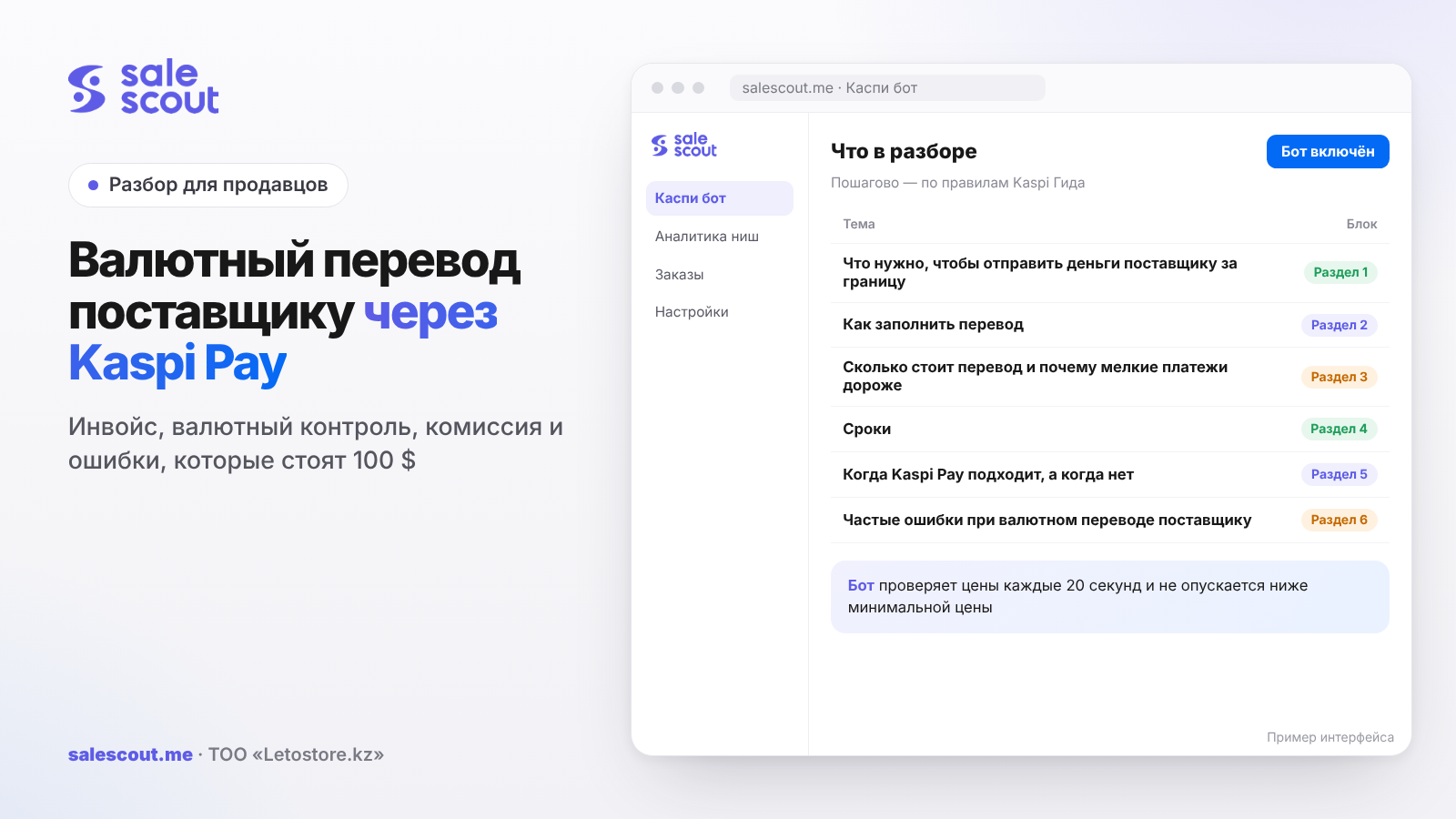
You can pay a supplier in dollars or yuan straight from Kaspi Pay: open a currency account, put the invoice through currency control, buy the currency and send the transfer to the counterparty. The fee for a transfer in USD or CNY is 0.15% of the amount, but no less than $35 and no more than $200. Because of that minimum, small payments of 2–3 thousand dollars cost noticeably more than one large one. Below are the steps, the form fields, the math and the places where sellers lose money and days.
In short
- For a foreign currency transfer you need a Kaspi Pay Account in tenge plus an additional account in the currency. Only the company head can open the currency account, online and instantly.
- A currency transfer goes out only against an invoice or contract. The document is put through currency control in the app; the check takes up to 2 hours on working days until 18:00.
- The fee in USD and CNY: 0.15%, minimum $35, maximum $200. Up to about $23,333 you always pay the minimum.
- A transfer that has already been sent can be amended or returned, but it costs the equivalent of $100 for USD and yuan, and that money is not refunded.
- Conversion is free, but it is only available on working days from 09:00 to 17:00, and the Kaspi Pay rate may differ from the National Bank rate.
What you need to send money to a supplier abroad
Two accounts: tenge and currency
Without a Kaspi Pay Account in tenge, a currency account won't be opened: currency operations require the main account (q541, updated Apr 25, 2024). The company head opens the currency account in «Мой Банк» → «Открыть дополнительный счет» by choosing the currency. It opens instantly, online, from 7:00 to 23:00 (q540, updated Sep 16, 2026).
There's no separate charge for the currency account. Servicing all accounts in Kaspi Pay is 1,950 ₸ a month, no matter how many accounts you have and in which currencies. If there wasn't a single operation on the account during the month, the fee isn't charged (q2105, updated Jun 24, 2024).
You can transfer in tenge, US dollars, euros, rubles, yuan, Swiss francs and pounds sterling (q482, updated Jun 19, 2025). To pay a factory in China, people usually pick USD or CNY, and the tariff is the same for both.
The invoice without which the transfer won't go
Kaspi Pay sends currency only against an invoice or contract. The invoice must include the names of both companies, the subject of the deal (supply of goods or services), the amount, currency and payment terms, the deadline for fulfilling obligations, and the parties' details: country, address, account number, SWIFT of the beneficiary's bank (q998, updated Jul 27, 2026). The bank may ask for extra documents and a translation of the invoice into Kazakh or Russian.
In practice, a supplier from 1688 or Alibaba often sends a PI (proforma invoice) with a single line saying "goods" and no delivery date. It's better to send that document back right away: ask them to list the models, quantities, unit price and shipping date. Five minutes of chat is cheaper than the «на доработке» (needs revision) status after the check.
Currency control
Currency control is mandatory for sole proprietors and legal entities that buy currency or pay a foreign company or individual in tenge or currency (q423, updated Sep 2, 2024). In Kaspi Pay it looks like this: Переводы → По контрактам → Добавить контракт, attach the invoice and send it for review (q421, updated Feb 9, 2026).
The check takes up to 2 hours and runs on working days until 18:00. Sometimes longer. The result comes to the company head as a push notification. If you send a transfer without currency control, it will be rejected until the control is passed (q425, updated Jul 27, 2026).
A contract can have several statuses (q809, updated Apr 1, 2024):
| Status | What it means | What to do |
|---|---|---|
| На проверке (under review) | A currency control officer is looking at the document | Wait, usually 2 working hours |
| На доработке (needs revision) | Corrections are needed | Read the reason, fix the document |
| Ожидает подписания (awaiting signature) | Passed the check, the head's signature is needed for the contract registration number | The head taps «Подписать документы» |
| Активный (active) | You can pay | Create the transfer |
A contract registration number (УНК) is assigned if the contract amount for goods or services exceeds $50,000 in equivalent or the amount isn't specified (q435, updated Jul 31, 2024). Under the tariff, assigning it is free. For a batch of 8–15 thousand dollars, you usually don't need one. A framework agreement "for a year, with no amount" will require it, though.
Good news for those who buy regularly: you don't need to send the contract for review again. You pick it from the «По контрактам» list, and the payment fields fill in by themselves (q502, updated Mar 27, 2026). If the supplier has changed banks, create a new payment rather than copying the old one: the copy will keep the previous details.
How to fill in the transfer: field by field
Where to find it in the app and the web version
In the Kaspi Pay mobile app: Переводы → Контрагенту. In the web version: Платежи → Платежи в валюте → Создать (q494, updated Nov 24, 2025). The form is filled in English, except for transfers in rubles, which are filled in Russian.
Beneficiary
Everything here is written in Latin letters, exactly as in the invoice, letter for letter. You need the factory's name, the beneficiary code (КБе), the country and city (the street can be skipped), the account number or IBAN, and the SWIFT of its bank. Paying through an intermediary or on behalf of another company? Then the form has separate fields for the actual payer and the beneficiary, and they shouldn't be left blank.
People mix up the beneficiary code more often than you'd think. A factory as a non-resident legal entity gets 27; an individual or sole proprietor from another country gets 29 (q1010, updated Oct 18, 2023). A familiar story: the factory manager writes on WeChat, "pay to my card, it's faster." The seller does that but leaves code 27, while the invoice is issued to the factory. The result: one beneficiary, a document about another, and questions from currency control are almost inevitable.
Payment details
The payment purpose code (КНП) for goods is 710 (q1016, updated Jun 19, 2025). You pick it from a list, so it's hard to get wrong.
The payment description is trickier. It has to be in English and detailed; that's a direct Kaspi requirement (q1025, updated Jun 24, 2024). An intermediary bank may stop a payment that just says "payment" and start asking questions. A line like "Payment for 300 pcs wireless earbuds model X under PI No. 245 dated 10.10.2026" hardly raises any.
By default the fee is debited from the Kaspi Pay Account in tenge, but you can choose the currency account in the form (q484, updated May 4, 2024). There must be money for both the amount and the fee, or the transfer won't go. Those paying Russia in rubles also add a currency transaction code (КВО): 10100 for goods paid in advance and 10200 for goods paid after delivery (q500, updated Jun 19, 2025).
Everything is confirmed with an SMS code. Keep in mind that the Kaspi instructions are written for transfers of up to $10,000 in equivalent. If the amount is larger, it's better to ask about the procedure in the Kaspi Guide chat beforehand rather than learn it from a returned payment.
Buying the currency
An empty currency account is topped up by conversion in Переводы → Между своими счетами. It can be done by the head or an employee with the «Управляющий» (manager) role, on working days from 09:00 to 17:00. There's no fee for the conversion itself (q475, updated Jan 5, 2025; q471, updated Oct 18, 2023). But the rate isn't the National Bank one either. It's taken from the Kazakhstan exchange and changes every 5 minutes, so at 10 a.m. and at 4 p.m. the dollar can cost different amounts (q466, updated Nov 12, 2025).
There are two rules that people usually find out about by accident. Currency that was bought and not spent will be sold back after 10 working days, and you agree to this when you convert. And if you buy more than $50,000 in a day, you'll need a valid contract or invoice (q473, updated Jan 5, 2025). A conversion can't be cancelled at all, only reversed with a new operation at the new rate (q470, updated Jul 27, 2026).
How much a transfer costs and why small payments cost more
The tariff
Under the Kaspi Pay tariff plan, currency transfers go through from 09:00 to 17:00 and cost (tariff plan):
| Currency | Rate | Minimum | Maximum |
|---|---|---|---|
| USD and CNY | 0.15% | $35 | $200 |
| EUR and other freely convertible currencies | 0.15% | €45 | €200 |
| RUB | 0.12% | 3,000 ₸ | 20,000 ₸ |
An intermediary bank's fee may come on top. Foreign banks usually withhold it, and the exact amount is only known after the transfer (q1002, updated Nov 25, 2024). If the supplier complains that 20–30 $ less arrived, it's most likely the intermediary, not Kaspi.
Where the minimum ends
Formula: fee = min(max(amount × 0.15%; $35); $200). The $35 minimum stops applying at 35 ÷ 0.0015 ≈ $23,333. The $200 cap kicks in after 200 ÷ 0.0015 ≈ $133,333.
| Transfer amount | Fee | Share of the amount |
|---|---|---|
| $3,000 | $35 | 1.17% |
| $10,000 | $35 | 0.35% |
| $23,334 | $35 | 0.15% |
| $50,000 | $75 | 0.15% |
| $150,000 | $200 | 0.13% |
For a small batch of $3,000, the bank takes more than a percent. With a 15–20% margin that's noticeable but not fatal. It's worse when one batch is paid in pieces.
The math: one payment versus four
A hypothetical example, not a client case. A batch of 300 wireless earbuds for $12,000. The rate for the calculation is 520 ₸ per dollar; that's an assumption, not a forecast. Intermediaries, shipping, customs payments and import VAT aren't included here: they are the same in both options.
| Scenario | Kaspi Pay fee | In tenge | Per unit |
|---|---|---|---|
| One payment of $12,000 | $35 | 18,200 ₸ | 61 ₸ |
| Four payments of $3,000 | $140 | 72,800 ₸ | 243 ₸ |
| One payment + correcting the details | $135 | 70,200 ₸ | 234 ₸ |
The difference between the first two rows is 54,600 ₸ on a single batch. The supplier offers "30% deposit, 70% before shipping"? That's already two fees of $35, and there's nothing to argue about; that's the deal structure. But "let me send 2,000, then another 3,000 when I have the money" means $35 for every round.
The third row shows what a single typo costs. Changes to a sent transfer are made through the Kaspi Guide chat; the timing depends on the beneficiary's bank, on average 3–5 working days, and the fee is the equivalent of $100 for USD and yuan (q1017, updated Jun 26, 2025). Returning a mistaken transfer costs the same and is only possible if the money hasn't arrived yet or the beneficiary agrees to return it (q1213, updated Jun 26, 2025).
The unit cost including the transfer is calculated like this: (invoice amount × rate + fee × rate) ÷ quantity. In our example, (6,240,000 + 18,200) ÷ 300 = 20,861 ₸ before shipping and customs clearance. You then build this figure into your minimum price on Kaspi. How to put together the full economics of an order with the Kaspi commission and delivery is covered in the article how not to sell at a loss on Kaspi.
Timing: when the money reaches the factory
Transfers to a foreign bank take up to 5 working days (q143, updated Jul 8, 2025). Kaspi Pay sends currency payments in the 09:00–18:00 window, while the tariff lists currency transfers from 09:00 to 17:00 (q547, updated Jul 8, 2025). A transfer created on Friday evening actually starts on Monday.
Add up the chain for a first payment to a new supplier: the invoice under review for up to 2 working hours, conversion in the window before 17:00, sending, up to 5 working days in transit. If the supplier said "we'll ship on Monday after payment" and you pay on Thursday afternoon, Monday will almost certainly slip.
UETR, the unique code of a SWIFT transfer, helps track the transfer. It's on the receipt in Переводы → История for transfers with the «Проведен» (completed) status (q3070, updated Jun 24, 2024). Send it to the supplier: their bank will find the payment by the code faster than by a screenshot.
A transfer with the «В обработке» (processing) status can still be recalled: the creator, the head or a manager does this in Переводы → История (q141, updated Jun 12, 2026). Once the status is «Проведен», it can't be cancelled; only paid changes or a return remain.
When Kaspi Pay fits and when it doesn't
It fits
Regular purchases from the same factories, amounts from several thousand dollars, proper invoices. Once the contract has passed control, the payment is put together in a couple of minutes, and the conversion costs nothing. If you already keep your turnover in Kaspi Pay, there's no need to move the money from Kaspi sales to another bank.
It doesn't fit, or fits with caveats
- Countries on the restrictions list. Kaspi doesn't transfer to a number of countries, and the list may change (q3454, updated Jul 2, 2024). There's a separate list for euros that includes, for example, Vietnam and the Philippines (q3457, updated Jul 2, 2024).
- Russia and Belarus. Transfers there go in tenge or rubles; dollars, euros and yuan will come back with the reason «Необходимо изменить валюту платежа» (the payment currency must be changed) (q2813, updated Mar 29, 2024). Plus there's a list of sanctioned banks.
- Payment to the manager's personal card. Technically possible as a transfer to an individual, but the invoice is issued to the factory, and a mismatch between the beneficiary and the document is a straight path to «на доработке».
- Very small payments for samples. A sample for $80 with a $35 fee costs almost one and a half times more. It's easier to agree that samples count toward the batch.
Common mistakes when paying a supplier in foreign currency
Paying a batch in pieces when it could be one payment. While the amount is below $23,333, each round costs $35. In the example above, four payments instead of one mean an extra $105.
An invoice without a delivery date. The control officer will send it back for revision. You lose a day, the supplier gets nervous, and the shipment slips.
A typo in the SWIFT or account number. It can be fixed, but for $100 and on average in 3–5 working days. If the transfer is returned, the fee is not refunded.
One more small thing with big consequences is the description "payment." The intermediary sees an unclear payment and asks questions, and the money doesn't move anywhere all that time.
There's also a purely calendar mistake: trying to convert on Friday at 17:30. The window is already closed, the currency will appear on Monday, and the transfer will go out even later.
Some people buy currency "just in case" while they like the rate, and forget about it. After 10 working days it will be sold back, and instead of a purchase you get an exchange-rate difference.
The supplier changed banks, and you copied the previous payment. The copy has the old details, so the money will either come back or go where nobody is waiting for it anymore.
And the last one, the most expensive over time. The unit cost is calculated from the yuan price at a rate from a search engine, without the fee and the actual Kaspi Pay rate. The minimum price in the product card ends up too low, and at the first price undercutting you sell at a loss.
Checklist before paying a supplier
Before tapping «Подтвердить» (confirm), I'd go through this list:
- You have both a Kaspi Pay Account in tenge and an account in the right currency.
- The invoice shows the parties, the models with quantities, the amount, currency, payment terms, delivery date and details with SWIFT.
- The contract is already «Активный». «На проверке» and «Ожидает подписания» won't do.
- The beneficiary code matches whoever receives the money: 27 for a factory, 29 for a private person.
- Purpose code 710 is set, and the description is in English with the invoice number.
- The currency was bought today before 17:00, and there's enough for both the transfer and the fee.
- A batch that can be paid at once is paid at once.
- After sending, the UETR has been copied and sent to the supplier.
- The rate and fee went into the unit cost, and the unit cost went into the minimum price on Kaspi.
How to automate the price once the goods arrive
When the batch has arrived and the unit cost is calculated together with the rate and fee, you need to protect it in the product card. The SaleScout Kaspi bot checks prices every 20 seconds, keeps you at the top of the product card and never goes below the minimum price you set. If a competitor raises their price or leaves the card, the bot raises your price to just below the next seller. Before purchasing, you can see what to sell in SaleScout niche analytics. You can try the bot free for 7 days, no card required.
Frequently asked questions about paying a supplier via Kaspi Pay
How do I pay a supplier in China via Kaspi Pay?
First you need a currency account; it's opened in «Мой Банк». Then the invoice goes through control in Переводы → По контрактам, and the yuan or dollars are bought in Переводы → Между своими счетами. The transfer itself is made in Переводы → Контрагенту, and the form is in English. For a factory the beneficiary code is 27, the purpose code for goods is 710.
What is the fee for a currency transfer in Kaspi Pay?
For dollars and yuan it's 0.15%, but no less than $35 and no more than $200. Euros and other freely convertible currencies have the same rate, a minimum of €45 and a cap of €200. A foreign intermediary bank sometimes withholds something of its own on top.
How long does a currency transfer from Kaspi Pay take?
Up to 5 working days if the beneficiary's bank is abroad. An evening or Saturday payment only starts on the next working day, so count the time from then.
Do I need a contract for a currency transfer in Kaspi Pay?
Yes. Without an invoice or contract, a currency transfer simply won't go through. The check in Переводы → По контрактам takes up to 2 hours, on working days until 18:00. A contract registration number is only needed if the amount exceeds $50,000 in equivalent or the contract doesn't state an amount.
Can I cancel a currency transfer in Kaspi Pay?
While it shows «В обработке», yes, through Переводы → История. Once the transfer is «Проведен», what's left is an amendment or a return through the Kaspi Guide chat. For dollars and yuan that's the equivalent of $100, and you can only get the money back if it hasn't arrived or the beneficiary agrees.
Is there a conversion fee in Kaspi Pay?
No, buying and selling currency is free. The catch is elsewhere: the rate doesn't match the National Bank rate, and the window works on weekdays from 09:00 to 17:00. And unused currency will be sold back after 10 working days.
Why did the supplier receive less than I sent?
It's almost always the intermediary bank abroad. It withholds its fee along the way, and exactly how much only becomes clear after the transfer. The Kaspi Pay fee isn't part of this; it's debited separately from your account.
Sources
All links checked Oct 24, 2026. The sources are in Russian; original titles are given with English translations.
- Kaspi Guide for partners. «Тарифный план Kaspi Pay» (Kaspi Pay tariff plan, PDF, checked Oct 24, 2026) — https://guide.kaspi.kz/partner/ru/account/documents/tarifniy-plan-Kaspi-Pay; «Какие тарифы в Kaspi Pay?» (What are the Kaspi Pay tariffs?) — https://guide.kaspi.kz/partner/ru/account/opening/q258 (updated Oct 1, 2026)
- Kaspi Guide. Currency accounts — https://guide.kaspi.kz/partner/ru/account/opening/q540 (updated Sep 16, 2026), https://guide.kaspi.kz/partner/ru/account/opening/q541 (updated Apr 25, 2024), https://guide.kaspi.kz/partner/ru/account/opening/q2104 (updated Jun 24, 2024)
- Kaspi Guide. «В Kaspi Pay можно сделать перевод в валюте только по инвойсу?» (Can a currency transfer in Kaspi Pay be made only against an invoice?) — https://guide.kaspi.kz/partner/ru/transfers/foreign_currency/outgoing/q998 (updated Jul 27, 2026); «Как в Kaspi Pay сделать перевод в валюте…» (How to make a currency transfer in Kaspi Pay) — https://guide.kaspi.kz/partner/ru/currency/payment/q494 (updated Nov 24, 2025)
- Kaspi Guide. Currency control — https://guide.kaspi.kz/partner/ru/currency/currency_control/q421 (updated Feb 9, 2026), https://guide.kaspi.kz/partner/ru/currency/currency_control/q423 (updated Sep 2, 2024), https://guide.kaspi.kz/partner/ru/currency/currency_control/q425 (updated Jul 27, 2026), https://guide.kaspi.kz/partner/ru/currency/currency_control/q435 (updated Jul 31, 2024), https://guide.kaspi.kz/partner/ru/currency/currency_control/q809 (updated Apr 1, 2024), https://guide.kaspi.kz/partner/ru/currency/payment/q502 (updated Mar 27, 2026)
- Kaspi Guide. Beneficiary code, purpose code, description, currency transaction code — https://guide.kaspi.kz/partner/ru/transfers/foreign_currency/outgoing/q1010 (updated Oct 18, 2023), https://guide.kaspi.kz/partner/ru/transfers/foreign_currency/outgoing/q1016 (updated Jun 19, 2025), https://guide.kaspi.kz/partner/ru/transfers/foreign_currency/outgoing/q1025 (updated Jun 24, 2024), https://guide.kaspi.kz/partner/ru/currency/payment/q500 (updated Jun 19, 2025); fee account — https://guide.kaspi.kz/partner/ru/transfers/conditions/q484 (updated May 4, 2024)
- Kaspi Guide. Conversion — https://guide.kaspi.kz/partner/ru/currency/conversion/q466 (updated Nov 12, 2025), https://guide.kaspi.kz/partner/ru/currency/conversion/q470 (updated Jul 27, 2026), https://guide.kaspi.kz/partner/ru/currency/conversion/q471 (updated Oct 18, 2023), https://guide.kaspi.kz/partner/ru/currency/conversion/q473 (updated Jan 5, 2025), https://guide.kaspi.kz/partner/ru/currency/conversion/q475 (updated Jan 5, 2025)
- Kaspi Guide. Amending and returning a transfer, intermediary bank — https://guide.kaspi.kz/partner/ru/transfers/foreign_currency/outgoing/q1017 (updated Jun 26, 2025), https://guide.kaspi.kz/partner/ru/currency/payment/q1213 (updated Jun 26, 2025), https://guide.kaspi.kz/partner/ru/transfers/foreign_currency/outgoing/q1002 (updated Nov 25, 2024)
- Kaspi Guide. Timing, recall, UETR — https://guide.kaspi.kz/partner/ru/transfers/conditions/q143 (updated Jul 8, 2025), https://guide.kaspi.kz/partner/ru/transfers/conditions/q547 (updated Jul 8, 2025), https://guide.kaspi.kz/partner/ru/transfers/conditions/q141 (updated Jun 12, 2026), https://guide.kaspi.kz/partner/ru/transfers/foreign_currency/outgoing/q3070 (updated Jun 24, 2024)
- Kaspi Guide. Country and currency restrictions — https://guide.kaspi.kz/partner/ru/transfers/foreign_currency/outgoing/q3454 (updated Jul 2, 2024), https://guide.kaspi.kz/partner/ru/currency/payment/q3457 (updated Jul 2, 2024), https://guide.kaspi.kz/partner/ru/currency/payment/q2813 (updated Mar 29, 2024); currencies — https://guide.kaspi.kz/partner/ru/transfers/conditions/q482 (updated Jun 19, 2025)
Bota, analyst
SaleScout is our company's product. Kaspi and Kaspi.kz are trademarks of Kaspi.kz JSC; SaleScout is not affiliated with Kaspi.