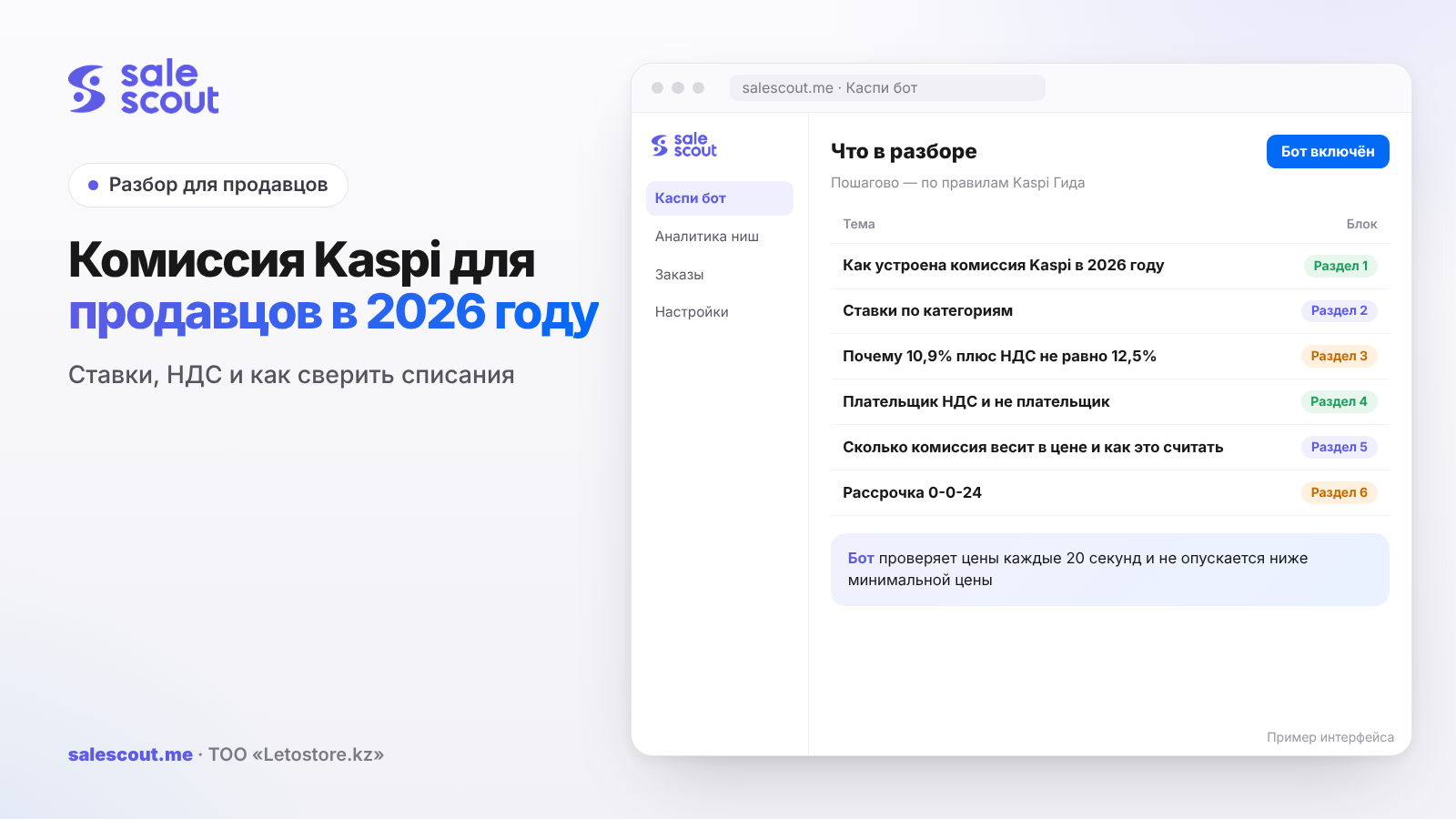
Kaspi's sales commission in 2026 is a fixed percentage of the product price: from 6.4% to 13.5% excluding VAT; for most categories it is 10.9%, or 12.5% including VAT according to Kaspi's table. The rate depends on the category, not on the payment method, and is charged only after the order receives the «Выдан» ("Delivered") status. Below: where it is easy to be off by a couple of percentage points in the fee table, how the calculation differs for a VAT payer, and how to reconcile payouts with orders in half an hour.
In short
- Since January 5, 2026, Kaspi has shown the commission excluding VAT and charged the tax on top. The rate excluding VAT did not change, but the VAT-inclusive amount increased because VAT rose from 12% to 16%.
- Check the category at the deepest level of the table. A phone and a case for it sit in the same section, but their commissions are 12.5% and 15.5% including VAT.
- The "incl. VAT" column in Kaspi's table does not match simple arithmetic: 10.9% × 1.16 = 12.644%, while the table says 12.5%. Use the higher value for your minimum price until you reconcile the statement.
- The commission does not depend on how the buyer pays: with another bank's card, a certificate or Kaspi Gold. It can change only in 0-0-24 installment promotions.
- If an order is cancelled or a return is processed, the commission is returned to the account. Kaspi Delivery for an order that was delivered and then returned is not.
How Kaspi commission works in 2026
What changed on January 5
Before 2026, the seller cabinet showed one number with VAT inside. From January 5, Kaspi split it into two parts: the commission excluding VAT and the tax, which is charged separately at the current rate and goes to the budget (Kaspi Guide, q4467, updated Feb 2, 2026). Purchases placed through January 4 inclusive are calculated under the old terms (q4471).
Kaspi separately answers the question "will I pay more?": yes, the VAT-inclusive amount increased because the VAT rate in Kazakhstan rose from 12% to 16% (q4495). The 16% rate is fixed in Article 503 of the Tax Code of Kazakhstan. If in January your margin suddenly became "cheaper" on identical orders, this is usually the reason, not an error in the cabinet.
One rate instead of promotional markups
Previously, the commission in promotions could be higher than on ordinary days. Now Kaspi writes that the rate is unified and calculated from the actual category average; there is no longer an extra charge for promotions with category bonuses and installments up to 0-0-12 (q3734, updated Jan 6, 2026). There is one exception: 0-0-24 installments (0%, no down payment, 24 months). The terms are published in the seller cabinet under «Маркетинг → Акции» (Marketing → Promotions) (q1344).
The payment method does not affect the rate
A buyer can pay with another bank's card or a purchase certificate, and the commission will be the same as when paying with Kaspi Gold, Kaspi Red+ or Kaspi Kredit (q4099, q3656). This also implies the ban on "dual prices": you cannot set one price for card payment and another for installments. Kaspi promises measures for this, up to termination of cooperation (q4170).
When it is charged and when it is returned
Money for an order arrives in the Kaspi Pay account after the buyer receives the product and the status changes to «Выдан» ("Delivered"). The commission is charged automatically immediately after the money is received (q2290, q1346). If the buyer cancelled the order, the commission is returned (q1344). If you processed a return in the cabinet, it is also returned automatically (q1347).
Delivery is different. You pay for Kaspi Delivery (Kaspi's delivery service) for delivered orders, and if a delivered order is later returned, the delivery cost stays with you; Kaspi covers the reverse transportation to the acceptance point (Kaspi Guide, q2312). That is why the returns report shows the commission coming back while delivery is not refunded. This is not a glitch.
Category rates: where the table catches the inattentive
The official list is the PDF "Kaspi.kz Store fees 2026", with five category levels. We went through it in full: almost everything is at 10.9% excluding VAT, but there are exceptions inside several sections, and they are 3–5 percentage points more expensive or cheaper.
| First-level section | Main rate, excl. VAT / incl. VAT | Exceptions inside the section |
|---|---|---|
| Groceries | 6.4% / 7.3% | — |
| Pharmacy | 10.9% / 12.5% | Medicines: 6.4% / 7.3% |
| Pet supplies | 10.9% / 12.5% | Food and treats, litter: 6.4% / 7.3% |
| Phones and gadgets | 10.9% / 12.5% | Phone accessories (cases, glass protectors, cables, holders, batteries): 13.5% / 15.5% |
| TV, Audio, Video | 10.9% / 12.5% | Earbud cases: 13.5% / 15.5% |
| Accessories | 13.5% / 15.5%: bags, backpacks, belts, umbrellas, headwear, jewelry watches | Suitcases, travel bags, wristwatches, glasses: 10.9% / 12.5% |
| Jewelry | 13.5% / 15.5% | — |
| Clothing, footwear, home, appliances, computers, beauty, sports, repairs | 10.9% / 12.5% | — |
This is where sellers with a mixed assortment lose money. An electronics store that sells both smartphones and cases gets used to "our" 12.5% rate and builds it into all minimum prices. For cases, the real commission is 15.5%, and on every 10,000 ₸ of revenue the difference is 300 ₸. If a case costs 3,000 ₸ and brings 450 ₸ net, an error of three points eats one fifth of the profit.
In "Accessories" the boundary is even stranger: an ordinary bag is 15.5% including VAT, while a travel bag and a suitcase are 12.5%. The check is simple: open the PDF, find your category at the third to fifth level, and write the rate into the SKU card in your accounting.
Why 10.9% plus VAT is not 12.5%
Arithmetic versus the table
If you add 16% VAT to 10.9%, you get 10.9 × 1.16 = 12.644%. Kaspi's table says 12.5%. The same happens with other rates: 6.4% × 1.16 = 7.424% versus 7.3% in the table, and 13.5% × 1.16 = 15.66% versus 15.5%. In its own example, Kaspi writes that the VAT-inclusive commission for "Electronics" will be 12.5% (q4467), but does not explain how that number was obtained.
A hypothetical example, not a client case: the difference in tenge at different prices.
| Order price | Rate excl. VAT | Per "incl. VAT" table | Arithmetic × 1.16 | Difference per order |
|---|---|---|---|---|
| 10,000 ₸ | 10.9% | 1,250 ₸ | 1,264 ₸ | 14 ₸ |
| 15,000 ₸ | 10.9% | 1,875 ₸ | 1,897 ₸ | 22 ₸ |
| 100,000 ₸ | 10.9% | 12,500 ₸ | 12,644 ₸ | 144 ₸ |
| 10,000 ₸ | 6.4% | 730 ₸ | 742 ₸ | 12 ₸ |
| 10,000 ₸ | 13.5% | 1,550 ₸ | 1,566 ₸ | 16 ₸ |
On one order this is small. On a thousand orders of 100,000 ₸ a month, it is 144,000 ₸, and for a shop that keeps its minimum price with a 300–500 ₸ cushion, the mismatch is already noticeable.
What to do with this
Do not guess which number is correct; look at the actual deduction. Kaspi advises opening «Мой Банк» ("My Bank") in Kaspi Pay, choosing the account and the «Выписка» ("Statement") tab, where all commissions by payment method are visible (q2290). Take three to five delivered orders from one category, divide the withheld amount by the order price, and compare it with 12.5% and 12.644%. Until you have checked, build the higher value into your minimum price: overestimating in the calculation costs you a little position in the card, while underestimating means selling at a loss.
VAT payer and non-payer: one rate, different price
Kaspi answers directly: if you are not registered for VAT, your commission is not lower. The rates are the same for all partners, and VAT is charged separately (q4521). The difference is what each of you can do with that VAT.
An individual entrepreneur (IP) on the simplified regime who is not registered for VAT cannot offset it. For such a seller, all VAT on the commission is an expense, and the VAT-inclusive rate goes into the calculation. A VAT payer receives an invoice from Kaspi for "data processing services" (q2295) and, under the general rules of the Tax Code of Kazakhstan, offsets the VAT from it, so the real cost of the commission is closer to 10.9%. But in the same answer Kaspi reminds sellers that a VAT payer pays tax on their own sales, not on the Kaspi Pay commission.
A hypothetical example, not a client case. Product price: 20,000 ₸. Rate: 10.9% excluding VAT.
| Item | Non-VAT payer | VAT payer |
|---|---|---|
| Commission excl. VAT | 2,180 ₸ | 2,180 ₸ |
| 16% VAT on commission | 349 ₸, expense | 349 ₸, offset if an electronic invoice is available |
| Commission included in cost | 2,529 ₸ | 2,180 ₸ |
| VAT on sale (16/116 of price) | none | 2,759 ₸ payable, minus input VAT offset |
The takeaway is not that being a VAT payer is better or worse. The minimum price for these two sellers is calculated with different formulas, and you cannot take a ready-made calculator "like the neighbor's". Confirm the offset procedure and your rate with your accountant.
How much commission weighs in the price and how to calculate it
Commission is a percentage, so the formula divides
Commission grows with the price. If you raise the price to "cover" the commission, part of the increase goes to Kaspi again. That is why the minimum price is calculated by division, not addition: all costs in tenge are divided by one minus the percentage costs. The full formula with delivery, tax and a returns reserve is covered in the article on price dumping on Kaspi; the economics of the whole store are covered in how to avoid selling at a loss.
A short version for checking one category:
Price you need to set = (Purchase cost + Delivery + Other costs in ₸ + Desired profit) ÷ (1 − Commission − Tax)
One price, three categories
A hypothetical example, not a client case. Three products sell for 15,000 ₸, in-city delivery up to 5 kg is 1,275 ₸ including VAT. Only the category changes.
| Product | Rate incl. VAT | Commission | Left after commission and delivery |
|---|---|---|---|
| T-shirt (clothing) | 12.5% | 1,875 ₸ | 11,850 ₸ |
| Smartphone case | 15.5% | 2,325 ₸ | 11,400 ₸ |
| Dry dog food | 7.3% | 1,095 ₸ | 12,630 ₸ |
Between dog food and a case, the difference is 1,230 ₸ per order at the same price. When comparing two products for purchase, calculate profit after the commission of that specific category, not the "markup from purchase cost".
0-0-24 installments: how to tell whether the higher commission pays off
In 0-0-24 promotions, the commission may differ from the usual one; Kaspi shows the exact terms in the seller cabinet under «Маркетинг → Акции» (Marketing → Promotions). Kaspi does not publish general numbers, so calculate through the threshold, not through a forecast.
Let m be your profit per order at the regular rate, P be the price, and Δ be the number of points by which the commission increases in the promotion. Then:
Required order growth = m ÷ (m − P × Δ) − 1
A hypothetical example, not a client case: a TV priced at 100,000 ₸ brings 9,000 ₸ net. The Δ values are for illustration; check the real ones in the terms of the specific promotion.
| Commission increase in promotion | Profit per order in promotion | Required increase in orders versus usual |
|---|---|---|
| +1 p.p. | 8,000 ₸ | by 12.5% |
| +2 p.p. | 7,000 ₸ | by 28.6% |
| +3 p.p. | 6,000 ₸ | by 50% |
| +5 p.p. | 4,000 ₸ | by 125% |
If orders for this card grew less in previous promotions than your Δ row requires, you can participate for turnover, but not for profit. Also check whether long installments are allowed for your product at all: some categories cannot be sold in installments for 12 and 24 months, including medicines, pet food, household chemicals, hygiene products and others from Kaspi's list (q4659).
How to reconcile payouts with orders: a half-hour process
Once a month, preferably in the first days of the next month, do the same procedure.
- Export delivered orders for the month from the cabinet: number, category, price.
- For each line, calculate the expected commission: price × the VAT-inclusive rate for your category from the PDF.
- In Kaspi Pay, open «Мой Банк → Выписка» ("My Bank → Statement") and write down the actual deductions for the same orders.
- Compare line by line. A discrepancy within VAT arithmetic (12.5% versus 12.644%) is explainable; if it is larger, look for the reason: a 0-0-24 promotion, a different card category, an accounting error.
- Mark cancellations and returns separately: the commission should come back on them. If the return is processed in the cabinet and the money is missing, that is a reason to contact support with the order number.
- Move the final actual rate for each category into your minimum price calculation.
For the first two months this is done manually in a spreadsheet. After that, it is enough to look at categories where the deviation repeats.
Common mistakes
- One rate for the whole store. Convenient, but cases, bags and pet food in the same table are 3–5 points different. On a 5,000 ₸ product, three points is 150 ₸ from every order.
- Using the rate excluding VAT for a non-VAT payer. You pay 12.5–12.6% but calculate 10.9%: on a 20,000 ₸ order the understatement is 320–350 ₸.
- Believing that the commission is lower for a non-VAT payer. Kaspi writes directly that it is not. The calculation "I'm on the simplified regime, so it is 10.9%" pulls the minimum price down.
- Raising the price by the amount of the commission. You raised it by 1,875 ₸ to "cover" 12.5%, and then gave away another 234 ₸ from the increase. Without division, the numbers do not match.
- Joining 0-0-24 without a threshold. If profit per order is 9,000 ₸ and the promotional commission is three points higher, you need 50% more orders just to stay where you were.
- Expecting delivery to come back together with the commission. When a delivered order is returned, the commission comes back, but paid Kaspi Delivery does not. For a 15,000 ₸ product, that is 1,275 ₸ lost on each return.
- No statement reconciliation. Without it, an error in the card category can live for months, until the first tax report.
Checklist
- Each SKU in your records has the VAT-inclusive rate from the deepest level of the PDF fee schedule.
- For a non-VAT payer, the minimum price uses the VAT-inclusive rate; until reconciliation is done, use 12.644% instead of 12.5%.
- A VAT payer has confirmed with an accountant how VAT from the Kaspi invoice is offset.
- Accessories, bags, pet food and medicines have been checked separately: their rates are not the same as the section rate.
- Before any 0-0-24 promotion, the required order growth has been calculated with the formula and compared with previous promotions.
- You have checked whether your product can be sold in installments for 12 and 24 months at all.
Three more items are better done regularly, not once. Once a month, reconcile the «Мой Банк» ("My Bank") statement with orders; otherwise, an incorrect card category will go unnoticed. After every return, check whether the commission came back: the money arrives automatically, but only if the return is processed in the cabinet. And review the rates when Kaspi updates the PDF fee schedule: the update date is shown on Kaspi Guide pages.
How to automate it
You set the commission rate and the minimum price formula yourself, after the reconciliation described above. After that, a dumping bot (repricing bot) can hold the price in the card. The SaleScout Kaspi bot checks prices every 20 seconds, puts you at the top of the card, and never goes below the minimum price you set; when a competitor raises the price or leaves, the bot raises yours too. Halyk Market is supported. You can try the bot free for 7 days, no card required.
FAQ
What is Kaspi's commission for sellers in 2026?
From 6.4% to 13.5% excluding VAT, or from 7.3% to 15.5% including VAT according to Kaspi's official fee table. Most categories are at 10.9% excluding VAT and 12.5% including VAT. Check your exact rate by your category at the third to fifth level in the PDF "Kaspi.kz Store fees 2026".
Why is Kaspi's commission now shown excluding VAT?
Since January 5, 2026, Kaspi has shown the commission and VAT separately: the tax is charged on top at the current rate and transferred to the budget. The rate excluding VAT did not change. The VAT-inclusive amount increased because the VAT rate in Kazakhstan rose from 12% to 16%.
If I am not a VAT payer, will Kaspi's commission be lower?
No. According to the Kaspi Guide answer, commissions are the same for all partners, and VAT is charged separately. A non-VAT payer cannot offset this tax, so for them the real cost is the VAT-inclusive rate, for example 12.5% instead of 10.9%.
When does Kaspi charge the sales commission?
Immediately after the buyer receives the order and the status changes to «Выдан» ("Delivered"): the money arrives in the Kaspi Pay account, and the commission is withheld automatically. Nothing is charged before delivery. You can see deductions in Kaspi Pay: «Мой Банк» ("My Bank") → account → «Выписка» ("Statement").
Does Kaspi return the commission when a product is returned?
Yes. If an order is cancelled, the commission is returned to the account; if a return is made, it is also returned automatically, provided the return is processed in the seller cabinet. Paid Kaspi Delivery for an order that was delivered and then returned is not refunded; Kaspi covers the reverse transportation to the acceptance point.
Does Kaspi's commission depend on the buyer's payment method?
No. Payment with another bank's card or a certificate costs the same as payment with Kaspi Gold, Kaspi Red+ or Kaspi Kredit. The exception is 0-0-24 installment promotions: the commission may be different there, and the terms are published in the seller cabinet under «Маркетинг → Акции» (Marketing → Promotions).
Why does 10.9% plus 16% VAT not match 12.5% in Kaspi's table?
Arithmetically, 10.9% × 1.16 = 12.644%, while the VAT-inclusive table says 12.5%; Kaspi does not explain how that column is obtained. On a 100,000 ₸ order the difference is 144 ₸. Reconcile the actual deduction in the statement on three to five orders, and until you do, build the higher value into your minimum price.
Sources
All links checked Oct 16, 2026. The sources are in Russian; original titles are given with English translations.
- Kaspi Guide for partners. «Какая комиссия за продажи в Магазине на Kaspi.kz?» ("What is the sales fee in the Kaspi.kz Store?") — https://guide.kaspi.kz/partner/ru/shop/conditions/q1344 (updated Jan 6, 2026)
- Kaspi. Тарифы Магазина на Kaspi.kz 2026 ("Kaspi.kz Store fees 2026", PDF) — https://guide.kaspi.kz/cdn/content/pay/product/documents/Magazin/Tarify_Magazina_na_Kaspi_kz_2026.pdf
- Kaspi Guide. «Что поменялось в расчёте комиссии за продажу с 5 января 2026 года?» ("What changed in sales commission calculation from January 5, 2026?") — https://guide.kaspi.kz/partner/ru/shop/conditions/q4467 (updated Feb 2, 2026)
- Kaspi Guide. «Когда изменится комиссия за продажи?» ("When will the sales commission change?") — https://guide.kaspi.kz/partner/ru/shop/conditions/q4471 (updated Feb 2, 2026)
- Kaspi Guide. «В Казахстане изменилась ставка НДС. Я стану платить больше?» ("The VAT rate changed in Kazakhstan. Will I pay more?") — https://guide.kaspi.kz/partner/ru/shop/conditions/q4495 (updated Feb 2, 2026)
- Kaspi Guide. «Я не стою на учёте по НДС. Моя комиссия будет меньше?» ("I am not registered for VAT. Will my commission be lower?") — https://guide.kaspi.kz/partner/ru/shop/conditions/q4521 (updated Feb 2, 2026)
- Kaspi Guide. «Почему в Магазине на Kaspi.kz поменялась комиссия за продажи?» ("Why did the sales commission change in the Kaspi.kz Store?") — https://guide.kaspi.kz/partner/ru/shop/conditions/q3734 (updated Jan 6, 2026)
- Kaspi Guide. «Сколько стоит приём оплаты картой другого банка?» ("How much does it cost to accept payment by another bank's card?") — https://guide.kaspi.kz/partner/ru/shop/conditions/q4099 (updated Jan 6, 2026); «…с помощью Сертификата на покупки?» ("...with a purchase certificate?") — https://guide.kaspi.kz/partner/ru/shop/conditions/q3656 (updated Jan 6, 2026)
- Kaspi Guide. «Я могу устанавливать двойные цены на товары?» ("Can I set dual prices for products?") — https://guide.kaspi.kz/partner/ru/shop/conditions/q4170 (updated Oct 8, 2025)
- Kaspi Guide. «Какие товары нельзя продавать в рассрочку?» ("Which products cannot be sold in installments?") — https://guide.kaspi.kz/partner/ru/shop/conditions/q4659 (updated Jun 9, 2026)
- Kaspi Guide. «Как списывается комиссия за продажи?» ("How is the sales commission charged?") — https://guide.kaspi.kz/partner/ru/shop/returns/q2290 (updated Mar 27, 2026); «Когда я получу деньги за продажи?» ("When will I receive money for sales?") — https://guide.kaspi.kz/partner/ru/shop/returns/q1346 (updated Mar 27, 2026)
- Kaspi Guide. «Покупатель оформил возврат. Магазин на Kaspi.kz вернёт комиссию?» ("The buyer made a return. Will the Kaspi.kz Store return the commission?") — https://guide.kaspi.kz/partner/ru/shop/returns/q1347 (updated Jan 17, 2025)
- Kaspi Guide. «Что означает графа „Услуги по обработке данных“ в счёт-фактуре?» ("What does the 'Data processing services' line in the invoice mean?") — https://guide.kaspi.kz/partner/ru/shop/returns/q2295 (updated Jul 5, 2022)
- Kaspi Guide. «Как оплатить Kaspi Доставку?» ("How do I pay for Kaspi Delivery?") — https://guide.kaspi.kz/partner/ru/shop/delivery/shipping/q2312 (updated Nov 6, 2023)
- Tax Code of the Republic of Kazakhstan, Article 503 «Ставки НДС» ("VAT rates") — https://www.zakonpravo.kz/ru/statya-503-stavki-naloga-na-dobavlennuyu-stoimost-nalogovogo-kodeksa-respubliki-kazahstan
Bota, SaleScout analyst
This article is for information only and does not replace calculations by your accountant. SaleScout is our company's product. Kaspi and Kaspi.kz are trademarks of Kaspi.kz JSC; SaleScout is not affiliated with Kaspi.